
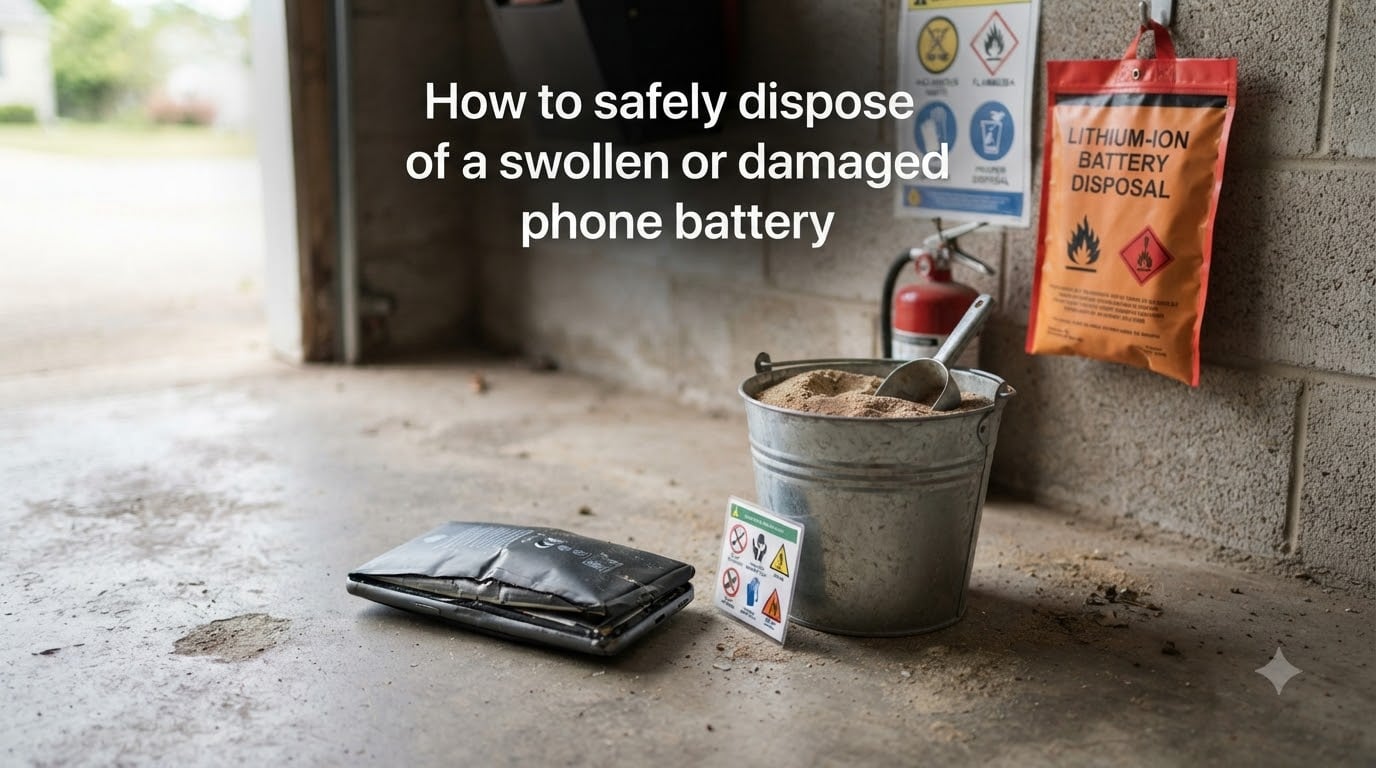
A swollen phone battery is a serious safety warning, but it does not mean your house is about to catch fire. The key is to stop using the device, isolate the battery, and get it to a proper recycling facility as soon as possible. I have dealt with three swollen batteries in my own devices over the past two years, and the process is more straightforward than most people think once you know what to do.
This guide covers exactly how to safely dispose of a swollen or damaged phone battery in 2026, including what causes the swelling in the first place, the immediate steps to take, safe storage methods, and where to find a disposal location near you.
Table of Contents
What causes a phone battery to swell?
A swollen battery is the result of gas building up inside the lithium-ion cell. Under normal conditions, the battery’s internal chemical reactions stay balanced. When something goes wrong, the electrolyte breaks down and releases gases that cannot escape the sealed casing.
The most common causes are heat exposure, overcharging, physical damage, and age. I have seen batteries swell after devices were left in hot cars, after using unofficial chargers, and sometimes for no obvious reason at all. Once a battery starts to bulge, the internal separator has usually failed, and the cell is no longer safe to use.
Understanding the cause matters less than the response. If your battery is visibly swollen, the chemistry is already compromised. Treat it as a chemical hazard from this point forward.
Immediate safety actions when you spot a swollen battery
Speed matters here, but panic does not. Power down the device immediately and unplug it from any charger. Continuing to charge a swollen battery can trigger thermal runaway, which is the chain reaction that causes lithium-ion fires. Unplug the device at the wall, not by tugging the cord from the phone, in case the casing is already cracked.
Move the device to a non-flammable surface away from anything that can burn. A concrete patio, a garage floor, or a metal tray works well. Resist the urge to put it in the freezer or submerge it in water. Both of those approaches create new risks and do not slow down the chemical reaction inside the cell.
Do not press on the swollen area to see if it is real. Do not try to peel the screen off to look at the battery. Every puncture risk raises the chance of a vent or ignition. I keep a pair of nitrile gloves next to my workbench for exactly this situation, so I can handle the device without exposing my skin to any leaked electrolyte.
Safe storage methods before disposal
You may not be able to get to a recycling drop-off on the same day you discover the swelling. The good news is that a properly stored damaged battery can wait safely for a few days or even a few weeks. The goal is to contain any potential fire and prevent punctures.
The simplest storage method is a bucket of sand or kitty litter. Bury the battery completely so it cannot shift around or contact other metal objects. Place the bucket in a cool, dry spot away from the house, ideally a garage or shed. The r/spicypillows community on Reddit has used this exact method for years, and it is endorsed by fire safety professionals because sand smothers flames and absorbs heat.
A fireproof bag designed for lithium batteries works just as well and is easier to transport. These bags resist ignition temperatures over 1,000 degrees Fahrenheit and seal with Velcro or a fold closure. If you have one, place the battery inside, seal it, and store it away from anything flammable.
Never store a swollen battery in a drawer, a closet, or anywhere near bedding or paper. The single most common cause of lithium battery house fires is improper storage on combustible surfaces. Keep the battery away from direct sunlight and never leave it in a hot car, where temperatures can exceed 130 degrees Fahrenheit in summer.
How to find local disposal options?
Most people are surprised by how many options are available. Anywhere that accepts lithium-ion batteries for recycling will take a swollen one, though some charge a small fee for damaged cells because they require special handling.
Batteries Plus is the most widely available option in the United States. They recycle undamaged lithium-ion batteries for free, and they accept swollen batteries for a $15 handling fee that covers the cost of their hazmat shipping process. I have dropped off two puffed batteries at my local store, and the staff meets me at the door with a fireproof container.
Best Buy, Home Depot, and Lowe’s also accept lithium-ion batteries at most locations, though policies vary by store. Call ahead to confirm they take damaged cells. Many municipal hazardous waste facilities accept them for free, and Call2Recycle offers a mail-in program with prepaid shipping labels for anywhere in the US and Canada.
Check your local government’s website for household hazardous waste collection days. Most cities run these monthly or quarterly, and they are often the cheapest option since they are tax-funded. If you are in a small town without a nearby facility, mail-in recycling is your best bet. The Call2Recycle locator at call2recycle.org lets you enter your zip code and see your nearest drop-off points.
What NOT to do with a swollen battery?
Throwing a swollen battery in your regular trash is the single biggest mistake people make. Garbage trucks compact waste at high pressure, which can rupture the cell and start a fire inside the truck. Landfills also leak lithium into groundwater, which is an environmental hazard.
Curbside recycling bins are not safe either. Recycling sorting facilities use conveyors, magnets, and shredders that can easily puncture a damaged battery. The EPA explicitly warns that lithium-ion batteries should never go in household garbage or recycling bins, and most recycling centers will reject an entire load if they find a damaged battery in it.
Do not try to discharge the battery by shorting the terminals with metal. This is exactly how thermal runaway starts. Do not drill holes, crush it, or try to dismantle it for parts. Each of those approaches converts a recoverable recycling stream into an immediate fire hazard.
Frequently asked questions about swollen phone battery disposal
How to dispose of a puffed up phone battery?
Stop using the device immediately, power it down, and unplug it. Place the battery in a fireproof container or a bucket of sand, then take it to a Batteries Plus store, Best Buy, or your local hazardous waste facility. Do not throw it in regular trash or curbside recycling under any circumstances.
Where to dispose of bloated phone batteries?
You can dispose of bloated phone batteries at Batteries Plus (free for undamaged, around $15 fee for swollen), Best Buy, Home Depot, Lowe’s, municipal hazardous waste facilities, or through the Call2Recycle mail-in program. Use the Call2Recycle zip code locator to find your nearest option.
How to dispose of a damaged cell phone battery?
A damaged cell phone battery should never go in household trash or recycling bins. Contain it in a fireproof bag or sand bucket, then drop it off at a certified e-waste or battery recycling location. Mail-in programs like Call2Recycle work well if no local options exist.
Is battery swelling a fire hazard?
Yes, a swollen phone battery is a serious fire hazard. The swelling indicates internal damage and gas buildup, which can lead to thermal runaway if the battery is charged, punctured, or exposed to high heat. Stop using the device and dispose of it through a proper recycling channel as soon as possible.
Final thoughts on safe disposal of swollen phone batteries
Knowing how to safely dispose of a swollen or damaged phone battery can save you from a house fire, a toxic leak, or a fine for improper hazardous waste handling. The whole process takes under an hour once you have the right container.
Here is the short version: stop using the device, put the battery in sand or a fireproof bag, and drop it off at a Batteries Plus, Best Buy, or municipal hazardous waste facility near you. If no local option exists, Call2Recycle ships a prepaid label to your door so you can mail it in.
Check your older devices this week. Phones more than two years old and any device that gets hot during charging are the most likely candidates for swelling. A quick visual inspection of the screen gap and back panel takes 10 seconds and could prevent a serious incident.