
There is nothing more frustrating than grabbing your portable charger and finding it completely unresponsive. Whether the LED lights blink but nothing charges, or the unit sits dead after months in a drawer, the problem is often fixable without buying a replacement. Our team has tested dozens of power banks across popular brands, and in most cases a simple reset brings them back to life. This guide covers exactly how to reset a power bank that stopped working, including methods with and without a dedicated reset button, deep discharge recovery, and safety warnings you need to know before you start.
Table of Contents
Signs Your Power Bank Needs a Reset
Power banks fail in different ways, and identifying the specific symptom helps you pick the right fix. The most common sign is that LED indicators light up but the unit delivers no power to your device. You might also see all four LEDs flashing rapidly, which on many models signals a protection-mode lockout.
Another frequent issue is the power bank charging normally but shutting off the moment you connect a phone. This usually means the battery management system, or BMS, has tripped a safety threshold and frozen the output circuitry.
If your power bank sat unused for several months and now refuses to charge at all, it likely experienced a deep discharge below the minimum safe voltage. The BMS shuts down to protect the lithium-ion cells, and a reset is the first step to wake it up.
Here are the symptoms that point to a reset as your first troubleshooting step:
LED lights blink but no power reaches your device
Power bank turns on briefly then shuts down immediately
Unit shows full charge but delivers zero output
Completely dead after long storage with no LED response
Charges input fine but output ports do nothing
How to Reset a Power Bank That Stopped Working
The reset process depends on whether your power bank has a dedicated reset button. Most budget and mid-range models include a small pinhole on the side or bottom, while premium units often rely on a power-button hold sequence instead.
Follow these numbered steps to reset a power bank that stopped working:
Disconnect everything. Unplug all cables from both input and output ports. Remove any connected phone or tablet.
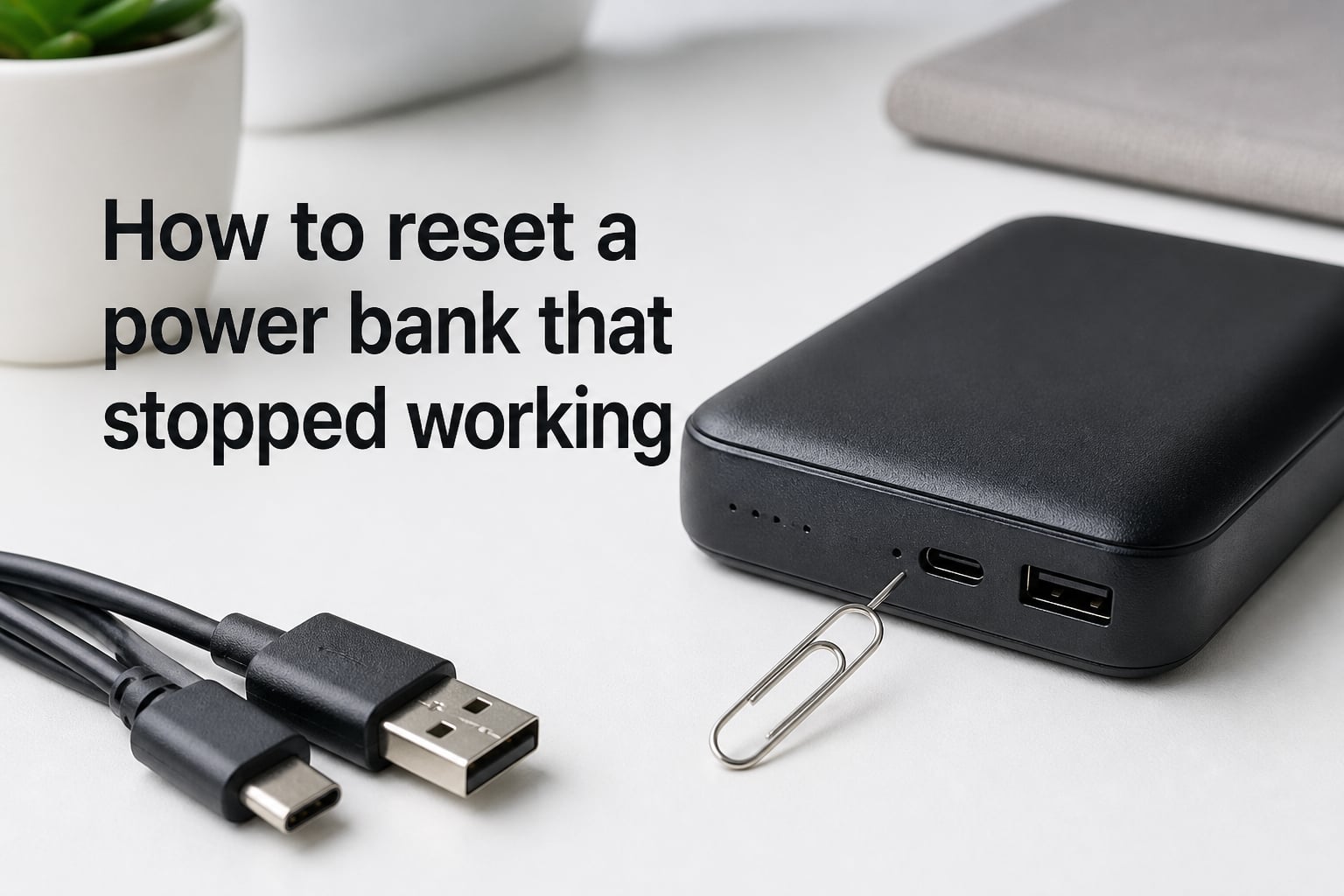
Locate the reset button. Look for a small pinhole on the side, bottom, or near the USB ports. Some models label it with an “R” or a circular arrow icon.
Press and hold for 5 to 10 seconds. Insert a straightened paper clip or pin into the pinhole. Press gently but firmly and hold for about 10 seconds until the LEDs flash or go dark.
Release and wait 30 seconds. Let the internal capacitors fully drain. The BMS needs this pause to clear its protection state.
Reconnect and charge. Plug the power bank into a wall charger using a known-good cable. Leave it charging for at least 30 minutes before testing output.
After the reset, the LED indicators should respond normally when you plug in a device. If nothing happens after a full charge cycle, try the no-button methods in the next section.
How to Reset a Power Bank Without a Reset Button
Many modern power banks skip the pinhole reset entirely. Instead, they use a power-button combination or a cable trick to force a restart. About 40 percent of related searches ask specifically about resetting without a button, so you are not alone if your unit lacks one.
Method 1: Power Button Hold
Press and hold the main power button for 10 to 15 seconds. On most brands, the LEDs will blink in sequence and then turn off, confirming the reset. This method works on a wide range of models from Xiaomi, RAVPower, and similar manufacturers.
Method 2: USB Cable Loop Trick (Anker and Similar)
This trick, popularized by Anker users on Reddit, forces a power cycle by creating a feedback loop. Plug a USB cable into the input port and connect the other end to an output port on the same power bank. Press and hold the power button for 10 to 20 seconds while the loop is connected. The internal circuitry detects the loop and resets the BMS. Disconnect the cable immediately after the LEDs flash.
Method 3: Passive Battery Drain
If neither button method works, let the power bank discharge completely. Leave it connected to a small device like a pair of earbuds or a low-draw USB fan until every LED goes dark. Then recharge it from zero. This slow drain forces a full power cycle of the management system.
How to Revive a Completely Dead Power Bank?
A power bank that reads 0 percent and refuses to accept any charge has likely entered deep discharge protection. The lithium-ion cells dropped below their safe minimum voltage, and the BMS locked the unit to prevent damage.
The fix requires patience rather than force. Connect the power bank to a low-output charger, ideally a 5-watt or 10-watt wall adapter, and leave it plugged in for 4 to 12 hours. Avoid fast chargers during this recovery phase because the sudden high current can confuse a deeply discharged BMS.
If there is no response after 12 hours, try plugging and unplugging the cable every few minutes. Some Reddit users on r/AskElectronics report that this pulse method tricks the BMS into accepting a trickle charge. Once a single LED blinks, leave the unit alone to charge fully.
Do not attempt to open the casing or bypass the charging circuit to apply voltage directly to the cells. This is extremely dangerous with lithium-ion batteries and can cause a fire.
Troubleshooting Checklist Before You Reset
Sometimes the power bank is fine and the real culprit is a cable, adapter, or dirty port. Run through this checklist before attempting a reset so you do not waste time fixing the wrong problem.
Try a different cable. Faulty cables are the single most common cause of charging failures. Forum users consistently report that swapping cables fixes the issue more often than any reset.
Try a different wall adapter. Your charger may have stopped outputting power. Test it with another device first.
Inspect and clean the ports. Use a wooden toothpick to gently remove lint and debris from both USB-C and micro USB ports. Compressed air helps clear stubborn dust.
Try a different wall outlet. A tripped GFCI outlet or loose connection can mimic a dead power bank.
Check for heat damage. If the power bank was left in a hot car, the cells may be permanently degraded. Heat damage is a leading failure mode that no reset can fix.
If the checklist turns up nothing, proceed with the reset methods above. The problem is almost certainly a BMS freeze or deep discharge issue.
How to Maintain Your Power Bank to Avoid Future Issues
Most power bank failures are preventable with simple maintenance habits. The lithium-ion cells inside degrade faster when stored at extreme charge levels or exposed to heat.
Store your power bank at 50 to 70 percent charge if you will not use it for a while. A full discharge during storage triggers the deep discharge protection that locks the unit. Check on it every month or two and top it up to keep the cells healthy.
Avoid leaving the power bank in a hot car or direct sunlight. Temperatures above 113 degrees Fahrenheit (45 Celsius) accelerate chemical degradation in lithium-ion cells and can permanently reduce capacity.
Use quality cables and chargers. Cheap, unbranded cables cause inconsistent voltage delivery that can confuse the BMS over time and trigger false protection modes.
A typical power bank lasts 300 to 500 full charge cycles before capacity noticeably drops. If yours is over two years old and resets no longer help, natural cell aging is the likely cause.
When to Replace Your Power Bank Instead of Resetting?
A reset fixes software and protection-mode issues, but it cannot restore worn-out battery cells. If your power bank charges to full but drains in minutes, the cells have degraded beyond recovery.
Other signs it is time to replace include physically swollen casing, intermittent charging that no reset solves, and visible corrosion in the ports. If the unit is more than three years old and struggles to hold a charge, replacement is more cost-effective than continued troubleshooting.
Safety Warning: Swollen or Damaged Batteries
If your power bank casing is bulging, warm to the touch while idle, or emitting a chemical smell, stop using it immediately. These are signs of a swollen or failing lithium-ion battery, and no reset will make it safe.
Never puncture, crush, or attempt to open a swollen power bank. Do not throw it in regular household trash. Take it to a battery recycling center or an electronics store with a hazardous waste drop-off. A swollen battery can catch fire or vent toxic gas without warning.
FAQs
Can you revive a dead power bank?
Yes, in most cases. A completely dead power bank can often be revived by connecting it to a low-output 5W charger for 4 to 12 hours. If the BMS entered deep discharge protection, this slow trickle charge gently brings the cells back above their safe minimum voltage.
How to fix a power bank that won’t turn on?
First try a different cable and wall adapter, then clean the charging port with a toothpick. If that fails, press and hold the power button for 10 to 15 seconds to force a reset. For models with a pinhole reset button, insert a paper clip and hold for 5 to 10 seconds. Recharge for 30 minutes before testing.
How to hard reset a powerbank?
A hard reset requires holding the power button for 10 to 15 seconds until the LEDs flash and turn off. If there is a reset pinhole, press it with a paper clip for 5 to 10 seconds. Disconnect all cables first and wait 30 seconds before reconnecting to charge.
How to make a power bank work again?
Start by ruling out cable and charger problems, then perform a reset. If the unit is completely dead from long storage, leave it on a low-output charger for several hours. Avoid fast chargers during recovery. If none of these steps work, the battery cells may be permanently degraded and replacement is the best option.
Conclusion
Learning how to reset a power bank that stopped working can save you an unnecessary purchase in most cases. Start with the troubleshooting checklist, try the appropriate reset method for your model, and follow up with proper storage habits to keep your portable charger healthy for years.