
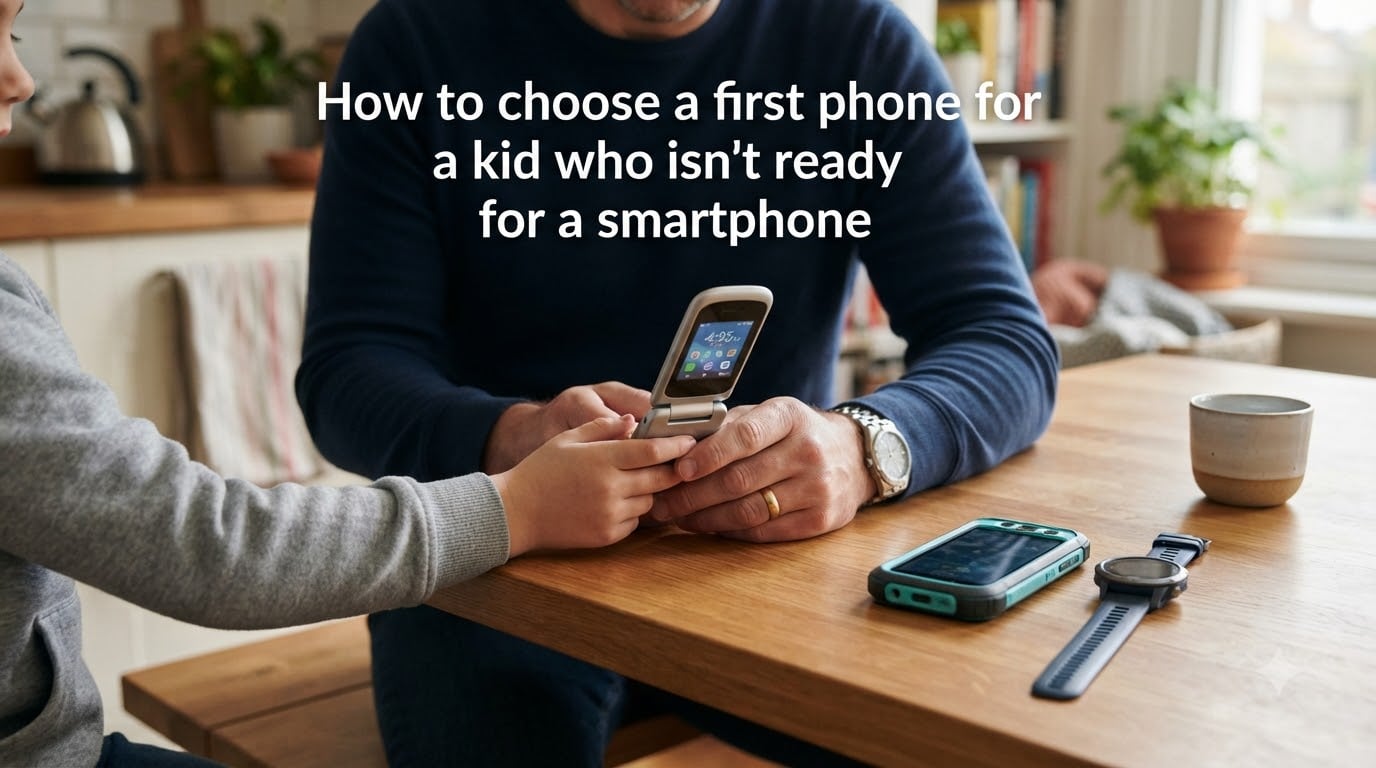
Choosing a first phone for a kid who isn’t ready for a smartphone comes down to matching the device to your child’s maturity level, not their age. Basic phones, kid-safe phones, and smartwatches all provide calling and texting without internet access, social media, or app stores. The right option lets your child stay connected with you while building responsibility at a pace that makes sense.
I have talked with dozens of parents on Reddit’s r/daddit and r/Smartphones who feel pressured to hand their 9-year-old an iPhone just because classmates have one. But most parents I hear from regret rushing into a smartphone. The good news is that you have more options than ever in 2026 for giving your child a communication tool without opening the door to the entire internet.
This guide walks through readiness signs, the types of first phones available, a step-by-step decision framework no other resource provides, safety features, age-based picks, and how to handle the social pressure. By the end, you will have a clear plan for choosing a first phone for a kid who isn’t ready for a smartphone.
Table of Contents
Signs Your Child Is (and Isn’t) Ready for a Phone
Readiness is about behavior and responsibility, not a birthday number. Some 10-year-olds handle a basic phone with maturity, while some 13-year-olds still struggle. The American Academy of Pediatrics recommends looking at individual development rather than comparing your child to peers.
Here are the signs your child may be ready for a first phone:
They remember to charge and keep track of belongings like a backpack or lunchbox
They follow existing screen-time rules without constant reminders
They understand what information is safe or unsafe to share with strangers
They can articulate why they need a phone beyond “everyone else has one”
They show honesty in difficult situations, like admitting mistakes
They have a specific need, such as walking home alone or attending after-school activities
They respect boundaries you set for other devices in the home
On the flip side, red flags that signal your child is not ready include losing or breaking belongings regularly, struggling with screen-time limits on tablets or TVs, and not yet understanding that texts and photos can be permanent. If your child has trouble regulating emotions when told to stop playing a game, a phone of any kind may create daily conflict.
One parent I spoke with on r/daddit put it well: “I realized my son wasn’t ready when he lost three water bottles in one semester. A phone would have lasted a week.” That kind of honest self-assessment matters more than what other families are doing.
Types of First Phones: Smartphone Alternatives Explained
You have four main categories to choose from when looking at a first phone for a kid who isn’t ready for a smartphone. Each serves a different purpose and maturity level.
Basic Phones and Flip Phones
Basic phones and flip phones do exactly what phones did 20 years ago: make calls and send texts. No browser, no app store, no social media. Models like the Alcatel flip phone and similar devices are still available through major carriers and prepaid plans. Some parents on Reddit report difficulty finding these in stores, but they remain available online.
The tradeoff is that texting on a numeric keypad is slow, and group chats become tedious. For a child who mainly needs to call parents and text a few friends, this is rarely a problem. These phones are affordable, durable, and have excellent battery life since there is nothing draining power in the background.
Kid-Safe Phones
Kid-safe phones are a growing category designed specifically for families. Brands like Gabb, Pinwheel, Troomi, and Bark offer devices that look like smartphones but lock down functionality. They typically allow calling, texting, and sometimes a curated set of apps controlled through a parent dashboard.
Gabb phones strip out internet access and social media entirely. Pinwheel offers a clinical-psychologist-designed interface with no browser. Troomi lets parents approve apps individually. Bark phones include content monitoring that flags concerning messages. These devices give kids a phone experience without the risks of an open smartphone.
Smartwatches for Kids
Smartwatches like the Gizmo Watch, TickTalk, Gabb Watch, and Bark Watch work well for younger children, typically ages 6 to 9. They allow calls and texts to a limited contact list set by parents, include GPS tracking, and have no web browser or social media. Many parents use a smartwatch as a stepping stone before moving to a phone around age 10 or 11.
The limitation is screen size. Smartwatches are not practical for texting long messages, and some kids find them socially awkward as they get older. But for pure communication and location tracking, they are hard to beat for elementary-age children.
Repurposed Old Phones with Restrictions
Some parents hand down an old iPhone or Android with restrictions enabled. On an iPhone, Guided Access mode and Screen Time settings can lock the device to approved apps only. Android devices offer similar controls through Family Link. This option costs nothing upfront and uses hardware you already own.
The risk is that a repurposed smartphone is still a smartphone. Restrictions can be bypassed, software updates can reset settings, and determined kids often find workarounds. This option works best for tech-savvy parents who check settings regularly and have honest conversations with their child about expectations.
How to Choose a First Phone for a Kid Who Isn’t Ready for a Smartphone: A Step-by-Step Framework
No other guide I found online provides a concrete decision framework. So here is one, broken into five steps you can follow in an afternoon.
Step 1: Define the actual need. Write down the specific reasons your child needs a phone. Is it for safety during a walk home? Communication during after-school activities? Emergency contact? If the only reason is social pressure, you may not need a phone yet. A clear need narrows your options immediately.
Step 2: Assess readiness honestly. Review the readiness signs above. If your child checks fewer than four of seven boxes, consider a smartwatch or wait six months and reassess. There is no penalty for waiting.
Step 3: Match the device type to the need. If the need is safety and location tracking for an 8-year-old, a smartwatch is ideal. If a 10-year-old needs to text friends and call parents, a basic phone or kid-safe phone fits. If a mature 12-year-old is ready for limited app access, a kid-safe smartphone like Troomi or Pinwheel works well.
Step 4: Set the rules before buying. Decide when the phone can be used, where it charges at night, what happens if it is lost, and what behaviors lead to losing phone privileges. Write these rules down. Having boundaries established before the device arrives prevents arguments later.
Step 5: Choose a carrier and plan. Many kid phones work on dedicated plans from the manufacturer, like Gabb or Bark. Basic phones can use affordable prepaid plans from major carriers. Check coverage in your area and factor in the monthly cost, not just the device price.
Key Features to Look for in a First Phone
When evaluating a first phone for a kid who isn’t ready for a smartphone, focus on these features in order of importance:
GPS tracking and location sharing: The ability to see your child’s location is the number one feature parents on Reddit cite as essential. Look for real-time tracking with geofencing alerts when your child arrives at or leaves specific locations.
Controlled contact list: The phone should only allow calls and texts to contacts you approve. This prevents unknown numbers from reaching your child and limits who they can communicate with.
No web browser: A browser is the single biggest difference between a safe first phone and a smartphone. If the device has no browser, your child cannot stumble onto inappropriate content.
No app store or social media: The phone should not allow downloading apps or accessing platforms like TikTok, Instagram, or Snapchat. Kid-safe phones handle this by design.
Texting and calling: These are the core functions. Make sure texting works smoothly, since that is how kids primarily communicate with friends.
Camera (optional): Some parents want a camera for safety, others see it as a risk. Decide based on your child’s maturity and your comfort level.
Durability and battery life: Kids drop things. A phone that survives a fall and lasts two days on a charge makes everyone’s life easier.
Features to actively avoid include open internet access, unfiltered app stores, social media pre-installed, and group chat features you cannot monitor. Any of these turns a first phone into a smartphone in practice, even if the device is marketed as kid-friendly.
Safety and Monitoring Options
Safety features separate a good first phone from a risky one. The goal is communication without exposure, and every device type handles this differently.
Parental controls are the backbone of phone safety. Kid-safe phones like Gabb and Bark build monitoring into the device itself, with parent dashbars accessible from your own phone. You can view call logs, read text content, set approved contacts, and receive alerts for concerning language. With basic flip phones, the carrier itself provides a natural firewall since there is no internet to filter.
GPS tracking gives peace of mind that most parents rank as their top priority. Devices like the Gizmo Watch and Bark Watch offer real-time location on a map. Kid-safe phones from Troomi and Pinwheel include location features as well. Set geofence zones around school and home so you get a notification when your child arrives.
There is a difference between monitoring and spying that matters for trust. Telling your child you can see their texts and location builds honesty. Secretly tracking their activity without their knowledge can damage the relationship when they find out. Transparency about what you can see and why helps your child understand the phone as a tool with responsibilities, not a surveillance device.
For content monitoring specifically, Bark stands out. It scans text messages, email, and supported apps for signs of cyberbullying, depression, predatory behavior, and other risks, then alerts you without showing you every message. This balances safety with giving your child some privacy in normal conversations.
Age-Based Recommendations: First Phones by Age Group
While maturity matters more than age, here is a general framework for what tends to work at different ages. Use this as a starting point, not a rule.
Ages 8-9: Smartwatches
For most children this age, a smartwatch is the best first communication device. The Gizmo Watch, TickTalk, and Gabb Watch allow calls and texts to a parent-approved contact list, include GPS tracking, and have no internet or social media. They are simple to use, durable, and socially acceptable at this age.
Ages 10-11: Basic Phones and Kid-Safe Phones
Children in this range often start needing to text friends and call parents during after-school activities. A basic flip phone works for calling and limited texting. Kid-safe phones from Gabb, Pinwheel, and Bark offer a more modern texting experience while keeping the internet locked down. GPS tracking remains important for this age group.
Ages 12 and Up: Kid-Safe Smartphones
By 12, many children are ready for more functionality but still may not be ready for a full smartphone. Devices like the Troomi phone and Pinwheel phone offer a smartphone-like experience with parent-approved apps and no open browser. This is also when peer pressure intensifies, so having a device that looks like a phone can help socially while keeping protections in place.
Setting Rules and Expectations
The phone itself is only half the equation. How you introduce it and the rules you set will shape your child’s relationship with technology for years.
Many families use a written phone agreement, sometimes called a phone contract. This is a simple document that outlines when the phone can be used, where it charges at night, what content is off-limits, and what happens if rules are broken. Having your child help write the agreement increases buy-in and makes the rules feel collaborative rather than imposed.
Key rules to consider include no phones in bedrooms overnight, no phone use during meals or homework, and a clear policy on who can be added to the contact list. Charging the phone in a common area like the kitchen overnight is one of the most effective habits for healthy phone use.
One of the hardest conversations is what to do when your child is the only kid in their class without a smartphone. Parents on Reddit frequently mention this as a source of anxiety. The reality is that more families are delaying smartphones now than even two years ago. The Wait Until 8th pledge and similar movements have created communities of like-minded parents. Talk with your child about why your family made this choice and connect with other families on the same path if possible.
Forum discussions on r/daddit and r/Smartphones reveal that parents who succeed with basic phones are those who frame the device as a communication tool, not a deprivation. A child who understands they are getting a phone to stay connected with family, not being denied something everyone else has, adjusts much more easily.
Transitioning from a Basic Phone to a Smartphone
Almost no resource online addresses how to transition from a basic phone to a smartphone, which is surprising given how many families go through it. Here is a framework based on what experienced parents share.
Think of phone access in stages rather than a single jump. Stage one is a smartwatch or basic phone for calling and texting. Stage two is a kid-safe phone with limited apps. Stage three is a smartphone with parental controls and ongoing conversations. The timeline varies by child, but many families spend one to two years between each stage.
Signs your child is ready to move from a basic phone to a kid-safe smartphone include consistently following current phone rules, demonstrating responsible behavior with tablets or computers, and showing maturity in how they handle peer pressure. If your child respects boundaries on their current device without reminders, that is a strong signal they can handle more functionality.
When you do introduce a smartphone, do not hand over full access on day one. Start with a kid-safe phone or a locked-down smartphone with only calling, texting, and GPS enabled. Add privileges one at a time as your child demonstrates they can handle them. This gradual approach gives both you and your child time to adjust.
Keep the conversation ongoing. The American Academy of Pediatrics recommends treating phone access as an evolving discussion, not a one-time decision. Check in monthly about how your child is using the phone, what they are seeing, and how they feel about it. Open communication catches problems early and builds trust.
FAQs
What is a good starter phone for a kid?
A good starter phone for a kid is either a smartwatch like the Gizmo Watch or Gabb Watch for younger children, or a kid-safe phone like the Gabb Phone or Pinwheel for ages 10 and up. These devices allow calling and texting to approved contacts without internet access, social media, or app stores.
At what age should a child get their first cell phone?
There is no single right age, but most experts suggest looking at maturity rather than a number. The average child gets a phone around age 11, but many families successfully wait until 13 or later. If your child needs a phone for safety reasons like walking home alone, a smartwatch or basic phone can work as early as age 8.
What is a good first phone for a 12 year old?
For a 12 year old, kid-safe phones like the Troomi phone, Pinwheel phone, or Bark phone are excellent choices. They provide a smartphone-like experience with parent-approved apps, calling, texting, and GPS tracking, but no open internet browser or social media. A basic flip phone also works if texting needs are minimal.
Which phone should an 11 year old have?
An 11 year old typically does well with either a basic phone or a kid-safe phone. The Gabb Phone and Bark Phone are popular options that allow texting and calling without internet. If your 11 year old is mature and follows rules consistently, a Troomi or Pinwheel phone with parent-approved apps can also work well.
Are flip phones still available for kids?
Yes, flip phones are still available through major carriers and prepaid providers. Models like the Alcatel flip phone can be purchased online and activated on affordable prepaid plans. Some parents report difficulty finding them in physical stores, but they remain widely available through carrier websites and retailers like Amazon.
Should I give my child my old iPhone?
Giving your child an old iPhone can work if you enable strict restrictions through Screen Time and Guided Access. However, a repurposed smartphone is still a smartphone, and determined kids can often find workarounds. This option works best for tech-savvy parents who check settings regularly. A dedicated kid-safe phone like Gabb or Bark is generally more secure.
Conclusion
Choosing a first phone for a kid who isn’t ready for a smartphone is one of those parenting decisions that feels overwhelming until you break it into steps. The key is matching the device to your child’s actual needs and maturity, not to what other families are doing. Smartwatches, basic flip phones, and kid-safe phones from brands like Gabb, Pinwheel, Troomi, and Bark all provide ways to stay connected without exposing your child to the full internet.
Start by defining the real need, honestly assess readiness, and set clear rules before the device arrives. Use the step-by-step framework in this guide to work through the decision in a structured way. Remember that a first phone is not a permanent choice. You can start with a smartwatch at age 8, move to a kid-safe phone at 10, and transition to a controlled smartphone at 12 or 13 as your child demonstrates responsibility.
The parents I have talked with who feel best about their decisions are the ones who treated the phone as a tool for communication and a training ground for digital responsibility, not a status symbol. The rules you set now and the conversations you have along the way matter more than which specific device you choose. Trust your judgment about your own child, and do not let social pressure rush you into a smartphone before your family is ready.
Take your time with this decision. A child who gets the right first phone at the right moment develops healthier tech habits that last well beyond 2026.