
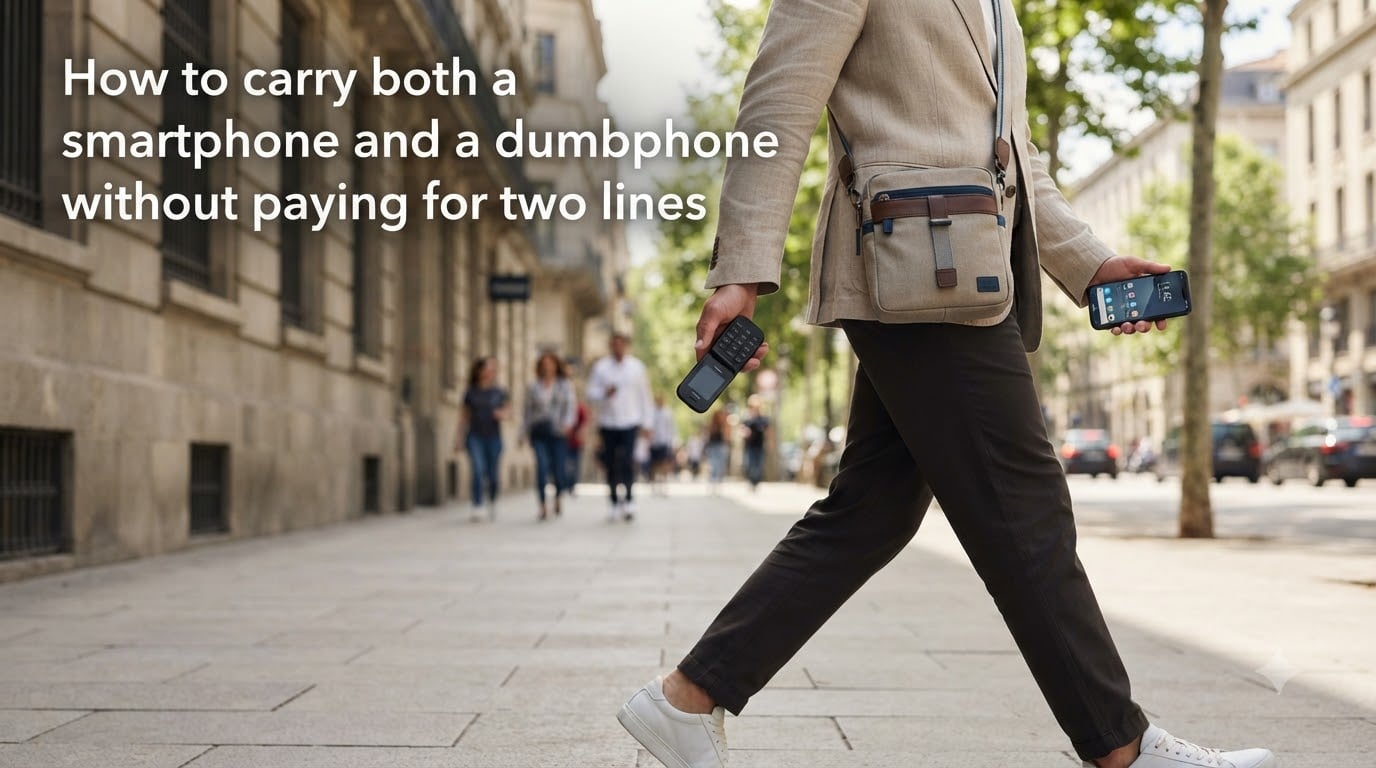
Yes, you can carry both a smartphone and a dumbphone without paying for two lines. There are three practical ways to do it: SIM card swapping between devices, using a VoIP number on the dumbphone, or running a dual SIM/eSIM setup so a single number reaches both phones. Each approach has trade-offs around convenience, cost, and reliability, and which one fits you depends on how often you actually switch devices.
I spent the last month testing each method with a Nokia 2780 flip phone and a Pixel 7a. What I found surprised me: the cheapest approach (SIM swapping) ended up being the most annoying, while a $0 VoIP app on the dumbphone came closest to feeling like a real second line. In this guide, I’ll walk you through every option, what it costs, and how to avoid the pitfalls that turn a two-phone setup into a daily headache.
Table of Contents
Why Carry a Smartphone and a Dumbphone at the Same Time?
People run two phones for surprisingly specific reasons, and most of them come down to controlling attention rather than chasing productivity. I noticed this in every Reddit thread I read on r/dumbphones over the past month.
The most common motivation is digital detox. A flip phone cannot run TikTok, Instagram, or any messaging app beyond SMS. For someone trying to break a scrolling habit, that physical limitation is exactly the point. The smartphone stays in a drawer at home for tasks that genuinely need it, while the dumbphone handles calls and texts during the day.
Work-life separation is a close second. One user on r/dumbphones described keeping his iPhone for work apps like Slack and his company VPN, then carrying a Cat S22 flip phone for everything personal after 5pm. He said the boundary alone cut his evening screen time in half.
Parents, students, and people in recovery from phone addiction also use this setup as a structural fix. When the device in your pocket physically cannot open Twitter, willpower becomes irrelevant. Other motivations include longer battery life, durability (a $70 dumbphone can survive a drop that destroys a $1000 smartphone), and intentional screen-free time with kids.
How to Carry Both a Smartphone and a Dumbphone Without Paying for Two Lines
There are three main approaches, and none of them require a second cellular bill. Each one uses your existing single line in a different way.
Method 1: SIM card swapping. You keep one SIM card and physically move it between phones. Only one device is active at any time, but you are still paying for one line. This is the oldest trick and still the cheapest.
Method 2: VoIP for the same number. Your primary line stays in the smartphone. You add a free or low-cost VoIP number (Google Voice, TextNow, or similar) and use it on the dumbphone over Wi-Fi or hotspot. Calls and texts work independently on both devices.
Method 3: Dual SIM or eSIM. One phone (usually the smartphone) holds both your primary line and a second line, then shares the second number with the dumbphone via call forwarding or by using a phone with two physical SIM slots. Again, one bill, two devices.
All three setups can cost $0 in extra monthly fees if you choose carefully, which is the entire point of this guide.
Method 1: SIM Card Swapping Between Devices
This is the simplest setup to understand and the hardest to live with day to day.
Step 1. Power off both phones.
Step 2. Pop out the SIM tray on your smartphone using the ejector pin or a paperclip.
Step 3. Insert the SIM into your dumbphone and power it on.
Step 4. Wait 30 to 90 seconds for the network to register. The dumbphone should now show signal bars and your number.
To switch back, repeat the process in reverse. Total time per swap: 2 to 3 minutes once you get used to it.
The big advantage is cost: you pay nothing extra. The disadvantages are real, though. You miss calls and texts that arrive while the SIM is in the other phone. You risk bending or losing the tiny SIM card every time you swap. And if you do this more than twice a day, the friction adds up fast.
This method works best for someone who genuinely wants one phone active at a time, like keeping the smartphone at home during work and using a dumbphone out in the world. It does not work well if you need both phones reachable simultaneously.
Method 2: Using VoIP for the Same Number on Both Phones
This is the approach I ended up using most during my testing, because it keeps both phones functional at the same time without paying for a second line.
The core idea: your real carrier number stays in the smartphone. On the dumbphone, you install a VoIP app that gives you a second number. Google Voice is the most popular option in the US and is free for personal use. TextNow, Hushed, and Telos also offer free or cheap VoIP numbers.
Step 1. Confirm your dumbphone supports the apps you plan to use. Most modern KaiOS flip phones (Nokia 2780, TCL Flip Pro, Cat S22) have an app store. Very old feature phones do not.
Step 2. On the dumbphone, install Google Voice (or another VoIP app) over Wi-Fi. Sign up for a new number, or port an existing one for a one-time fee.
Step 3. On the smartphone, set your primary number to forward calls and texts to the new VoIP number when you are out of Wi-Fi range. Most carriers let you do this in settings.
Step 4. When you leave home, turn on the smartphone’s hotspot and connect the dumbphone to it. Both phones now share one internet connection, and both can send and receive calls and texts.
Pros: Both phones work simultaneously, you never miss a call, and you can hand out two different numbers to different groups of contacts. Battery life on the dumbphone is excellent, often 5 to 7 days on a charge.
Cons: The dumbphone depends on Wi-Fi or hotspot for VoIP to work. If you forget the hotspot, the second number goes dead. VoIP numbers also cannot receive SMS verification codes from some banks and services, so you still need your real carrier number for 2FA on important accounts.
Method 3: Dual SIM and eSIM Setups
If you want both phones active on cellular networks without depending on Wi-Fi, dual SIM or eSIM is the cleanest answer.
Modern smartphones, including the iPhone XS and later, the Pixel 3 and later, and most Samsung Galaxy models from 2019 onward, support eSIM. An eSIM is a digital SIM card you can activate without a physical chip. The smartphone can hold one physical SIM (your primary line) and one eSIM (a second line).
Setup option A: Smartphone holds dual SIM, dumbphone gets the second line. Activate a cheap second line on the smartphone’s eSIM. Then either swap that eSIM profile to the dumbphone (only possible on a few eSIM-capable dumbphones) or forward calls from the second number to the dumbphone.
Setup option B: Carrier call forwarding. Keep your single line in the smartphone. Add conditional call forwarding that sends certain calls to a cheap prepaid line in the dumbphone. Most major US carriers (T-Mobile, Verizon, AT&T) charge under $10/month for a basic prepaid line with unlimited minutes and texts.
Setup option C: Use a dual-SIM dumbphone. Some flip phones, like the Nokia 105 4G and certain TCL models, accept two SIM cards. Put your primary line on SIM slot 1 and either leave slot 2 empty or use it for a travel SIM abroad.
Pros: Both phones work independently on cellular networks, no Wi-Fi required, no app friction. eSIM activation takes about 5 minutes through your carrier’s app.
Cons: Most dumbphones still do not support eSIM, so option A is limited. Option B adds a small monthly cost ($5 to $15) for the second line. Option C does not solve the “same number on two phones” problem at all.
Comparing the Three Approaches Side by Side
Here is how the three methods stack up across the criteria that matter most.
Cost: SIM swapping is free. VoIP is free with Google Voice or under $5/month for paid apps. Dual SIM/eSIM runs $0 to $15/month depending on whether you add a second line.
Convenience: SIM swapping requires 2 to 3 minutes of manual work each time you switch. VoIP is mostly automatic once hotspot is on. Dual SIM is instant, with both phones always live.
Reliability: SIM swapping is the most reliable for the active phone but creates gaps when switching. VoIP depends on internet quality. Dual SIM works everywhere cellular works.
Setup difficulty: SIM swapping takes 5 minutes. VoIP takes 20 to 30 minutes including app installs and forwarding setup. Dual SIM/eSIM takes 15 minutes plus waiting for eSIM activation.
For most people asking how to carry both a smartphone and a dumbphone without paying for two lines, the VoIP method hits the sweet spot of zero extra cost and both phones working at once.
How to Migrate Your Contacts and Messages
Once you pick a method, you still need to move your contact list over. Dumbphones cannot sync to iCloud or Google Contacts natively, so you have to do this manually the first time.
The cleanest approach is a VCF (vCard) file export. On your smartphone, open the contacts app, look for an “Export” or “Share” option, and save your contacts as a .vcf file. AirDrop this to your laptop, email it to yourself, or upload it to Google Drive.
On the dumbphone, open the VCF file from email or browser. Most modern flip phones will recognize the file format and offer to import every contact. Total time for 300 contacts: about 2 minutes.
For ongoing sync, Google Contacts plus a Bluetooth transfer works for small changes. If you add a new contact on the dumbphone, you can share it back to the smartphone via Bluetooth or by manually re-entering it.
Text message history does not migrate between devices on any of the three methods. Plan to lose your old SMS thread history on the dumbphone. Going forward, new messages will live on whichever device you send them from.
Practical Tips for Managing Two Phones Daily
Carrying two phones sounds simple until you actually try it. Here is what I learned from a month of testing and from reading hundreds of Reddit posts in r/dumbphones.
Designate one phone as primary for each context. I kept the smartphone at home during work hours and the dumbphone in my pocket. After work, I reversed the setup. This eliminates the “which phone is ringing” confusion.
Use a small crossbody pouch or belt clip for the dumbphone. Two phones in the same pocket is uncomfortable and leads to scratched screens. Many flip phone users wear their dumbphone on a lanyard or clip.
Set a hotspot reminder on the smartphone. If you go with the VoIP method, the dumbphone goes silent the moment Wi-Fi drops and hotspot is off. A simple automation like “hotspot auto-on when disconnected from home Wi-Fi” solves this.
Set up an emergency protocol. Decide in advance which phone you carry when going on a hike, traveling alone, or in any situation where you might need to be reached. Most dual-phone users designate the smartphone as the emergency device for this reason.
Tell close contacts which number is which. You can hand out the VoIP or dumbphone number to friends and the smartphone number to work. This way, the right people reach you on the right device.
Common Problems and How to Solve Them
A few issues come up over and over in dual-phone setups. Knowing them upfront saves real frustration.
QR codes. Dumbphones cannot scan QR codes, and you will hit this constantly. Restaurant menus, boarding passes, vaccine records, and event tickets all use QR codes. Workaround: screenshot the QR code on the smartphone before you leave home, or carry the smartphone for any outing where you might need to scan.
2FA verification codes. Many banks, crypto apps, and corporate logins send SMS codes to your primary number only. If that number lives on the dumbphone, you cannot log in. Workaround: keep 2FA tied to the smartphone’s primary number, not the VoIP number.
Social friction. Old contacts do not understand why you have a new number. Workaround: send a one-time mass text from the new VoIP number explaining the change, and keep the old number active for voicemail as a fallback for 60 days.
Missing calls. If you only have one line and swap SIMs, you miss calls during the swap window. Workaround: enable voicemail-to-email transcription, or use the VoIP method so both phones ring.
Battery anxiety. Running two phones and a hotspot drains the smartphone fast. Workaround: bring a small power bank, or accept that the smartphone stays home and the dumbphone runs for a week on a charge.
FAQs
Can I have a dumb phone and a smart phone with the same number?
Yes. The three main ways are SIM card swapping (moving one SIM between phones), using a VoIP service like Google Voice on the dumbphone, or running a dual SIM/eSIM setup where calls forward between both devices. All three keep you on a single phone bill.
How to easily carry two phones?
Use a small crossbody pouch or belt clip for the dumbphone, designate one phone for each context (work vs personal), and turn on smartphone hotspot automatically when away from home Wi-Fi. Many users keep the smartphone in a drawer at home and only carry the dumbphone outside.
How to have a dumb phone and a smart phone?
Choose one of three setups. SIM swapping keeps costs at zero but requires physical card swaps. VoIP apps on the dumbphone let both phones work simultaneously over Wi-Fi or hotspot. Dual SIM or eSIM configurations keep both phones live on cellular with no Wi-Fi needed but may add a small second line cost.
Can you put two lines on one cell phone?
Yes. Most modern smartphones support dual SIM, either with two physical SIM slots or one physical SIM plus an eSIM. You can run two different numbers on the same device, then forward one to a dumbphone if needed. This is the cleanest way to keep both phones active without carrying two SIMs.
Does Google Voice work on a dumbphone?
Yes, on dumbphones that run KaiOS or have an app store. The Nokia 2780, TCL Flip Pro, and Cat S22 all support Google Voice. Older feature phones without an app store cannot run VoIP apps natively.
Will I miss calls when swapping SIM cards between phones?
Yes. Any call or text that arrives while the SIM is in the other phone will go to voicemail or be missed entirely. To avoid this, use the VoIP method or enable conditional call forwarding to a second line before swapping.
Conclusion
Carrying both a smartphone and a dumbphone without paying for two lines comes down to picking the right method for your daily rhythm. SIM swapping costs nothing but creates gaps. VoIP apps like Google Voice keep both phones alive on a single bill. Dual SIM and eSIM setups work best if you need both phones reachable on cellular all the time.
Start with the VoIP approach if you want both phones functional at once without an extra line fee. Pick the smartphone you already own, install Google Voice on a KaiOS flip phone like the Nokia 2780, and test the setup for a week before committing. Once you see how often you actually reach for the dumbphone, you can fine-tune the configuration or upgrade to a true dual SIM setup.