
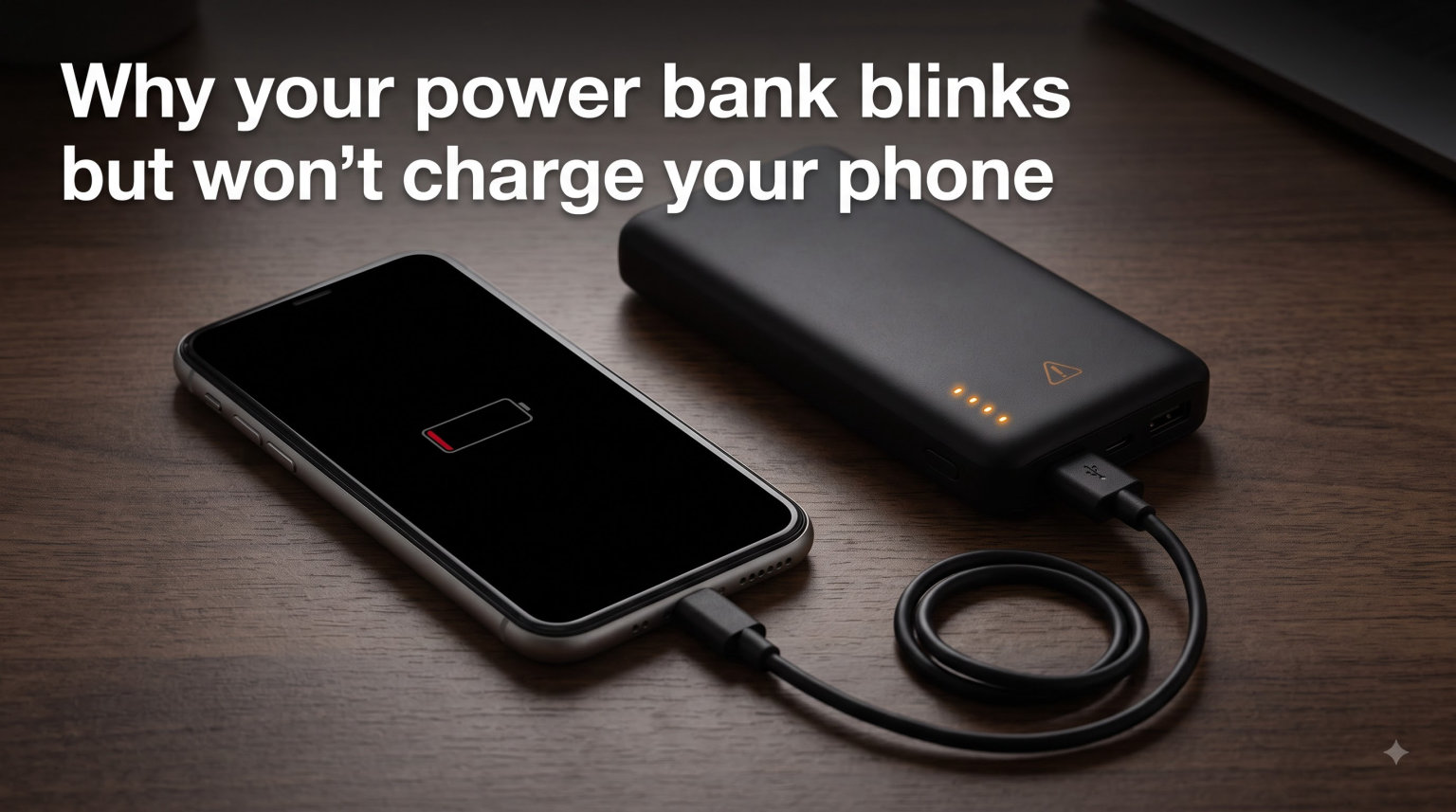
You plug in your power bank, the lights start blinking, and you walk away expecting a topped-up phone later. Instead, your phone battery stays exactly where it was. Sound familiar? This is one of the most common portable-charger complaints we hear, and the good news is that most cases are completely fixable at home.
The phrase “my power bank blinks but won’t charge” shows up constantly in forums like Reddit’s r/anker, r/AskElectronics, and r/UsbCHardware. People describe lights cycling on and off, a single LED blinking endlessly, or all four lights flashing at once. None of those patterns tell you, in plain words, what is wrong.
In this guide, we walk through why your power bank blinks but won’t charge your phone, what each blinking pattern actually means, and how to fix the problem step by step. We cover cables, ports, temperature, protection mode, resets, and the signs that tell you it is time to replace the unit entirely. Most issues take under five minutes to solve, and the first fix we recommend works more often than any other.
Table of Contents
Why Your Power Bank Blinks But Won’t Charge Your Phone?
A power bank that blinks but won’t charge is almost always in protection mode or stuck on a bad connection. The blinking LED is the battery management system (BMS) telling you it has detected a fault and either cannot safely pull power in or push power out. The most common triggers are a faulty cable, a dirty port, overheating, deep discharge, or a wall charger that is too weak to drive the input.
Think of the lights as a check-engine indicator rather than a charge meter. When everything is healthy, LEDs light up steadily to show charge level or pulse slowly to show charging in progress. When something is wrong, they blink fast, cycle in unusual patterns, or flash all at once. Each pattern points to a specific cause, and we break those down later in this guide.
The important thing to remember is that a blinking power bank is rarely dead. In most cases, you can bring it back to life with a few targeted fixes.
Common Causes of the Blinking-But-Not-Charging Problem
Before you start swapping parts, it helps to know what you are actually looking for. These are the eight causes we see most often, ranked roughly by how common they are.
Faulty or Worn-Out Charging Cable
The single most common reason a power bank blinks but won’t charge is a bad cable. Cables fail far more often than the power banks themselves, and the damage is not always visible from the outside.
Internal wire breaks, bent connector pins, and frayed shielding all reduce or cut the current. The BMS sees unstable voltage and refuses to charge. You might still see lights blink because a small amount of current is getting through, but not enough to actually fill the battery.
Always test with a different cable before assuming the power bank is broken. We recommend using a cable that you know works with another device, ideally a certified one from a reputable brand.
Dirty or Damaged Charging Port
Lint, dust, pocket fuzz, and pocket debris build up inside USB ports over time. A packed port stops the connector from seating fully, which means the data and power pins never make solid contact.
The result is the same as a bad cable: low or unstable current triggers the BMS, and the lights blink instead of staying steady. This problem affects both the input port on the power bank and the charging port on your phone.
Corrosion from moisture is another culprit, especially if you carry the power bank in a bag or use it outdoors. Greenish or white residue inside a port is a clear sign of corrosion damage.
Power Bank Stuck in Protection Mode
Modern lithium-ion power banks have a built-in battery management system that constantly monitors voltage, current, and temperature. When the BMS detects something unsafe, it locks the battery into protection mode to prevent fires, swelling, or cell damage.
In protection mode, the unit will often blink its LEDs but refuse to charge in either direction. This is a feature, not a defect. The system is keeping you safe.
Common triggers for protection mode include a short circuit on the output, a voltage spike on the input, overheating, or a deeply discharged cell. The fix is usually a reset, which we cover in detail later.
Deep Discharge and Over-Discharge
If a power bank sits unused for weeks or months, its lithium-ion cells slowly self-discharge at a rate of about 3 to 5 percent per month. Drop below a certain voltage threshold, and the BMS locks the battery out to prevent permanent cell damage.
This is called deep discharge, and it is one of the most frustrating problems because the power bank acts completely dead. You might see a single LED blink weakly when you plug it in, then nothing.
The good news is that deeply discharged power banks can often be recovered with a slow trickle charge, which we explain in the troubleshooting section.
Overheating or Extreme Cold
Lithium-ion batteries only work well in a specific temperature range, roughly 10 to 30 degrees Celsius (50 to 86 degrees Fahrenheit). Outside that range, charging slows down or stops entirely.
If your power bank has been sitting in a hot car, in direct sunlight, or next to a heater, it may have tripped thermal protection. The lights blink to signal the fault, and charging resumes once the cells cool back down.
Cold is just as bad. A power bank left in a freezing car or an unheated garage in winter may blink but refuse to charge until it warms up. This is a seasonal issue that catches a lot of people off guard.
Weak Input Charger
Power banks need a minimum input current to start charging. If you plug them into an old 5V/1A phone charger, a low-power laptop USB port, or a cheap gas-station adapter, the BMS may not see enough voltage to begin the charge cycle.
The lights blink because the unit detects some power, but the charge never actually progresses. This is incredibly common with older wall chargers and is one of the easiest fixes on this list.
Always use a charger rated for at least 5V/2A, and preferably a USB-C Power Delivery charger if your power bank supports it.
Battery Degradation Over Time
Lithium-ion cells have a finite lifespan, typically 300 to 500 full charge cycles before capacity drops noticeably. After two to four years of regular use, internal resistance rises and the cells can no longer hold or deliver a full charge.
A degraded power bank may blink normally when plugged in but only charge your phone a small amount before dying. Or it may refuse to charge at all because the cells cannot reach the voltage the BMS expects.
There is no fix for degraded cells. If your power bank is more than three years old and showing these symptoms, replacement is the realistic option.
Device Compatibility Issues
Some power banks and phones simply do not play well together. This is especially common after iOS updates, where iPhone users report that a power bank that worked fine yesterday suddenly will not charge after installing a new iOS version.
The issue is usually a handshake problem between the phone’s charging controller and the power bank’s output protocol. Quick Charge, Power Delivery, and proprietary fast-charging standards all negotiate voltage before transferring power, and a mismatch can leave you with blinking lights and a dead phone.
Trying a different cable, a different port on the power bank, or disabling fast charging on the phone sometimes resolves this.
LED Light Pattern Meanings: What the Blinking Is Telling You?
One of the biggest gaps in most troubleshooting guides is that nobody explains what the different blinking patterns actually mean. We pulled reports from Reddit, manufacturer manuals, and forum threads to put together this reference.
Keep in mind that patterns vary by brand, but the following behaviors show up across most major power banks including Anker, Samsung, INIU, UGREEN, and generic models.
Single LED Blinking Slowly
This usually means the power bank is charging normally. One light blinks to indicate the current charge level being filled, and the lights climb as the battery fills up. If your phone is also charging, this is normal behavior and not a fault.
All Lights Blinking Rapidly at Once
Rapid simultaneous blinking almost always means protection mode has triggered. The BMS has detected a fault such as overheating, a short circuit, or a voltage spike, and it has locked the battery down. A reset is usually the first thing to try.
Lights Cycling One By One in a Loop
A common Reddit complaint describes lights turning on one by one and then all turning off, repeating in a loop. This pattern typically indicates a fault on the input side, often a charger or cable that the BMS cannot negotiate with. Try a stronger charger and a different cable.
First LED Blinking But No Other Activity
If only the first light blinks and nothing else happens for an extended period, the power bank is likely deeply discharged. The BMS is letting in a small trickle of current to safely raise the cell voltage before allowing a full charge. Leave it plugged in for several hours.
No Lights at All
No lights when you plug in or press the button usually means the battery is completely drained, the unit is fully broken, or the charging port has failed. Try a trickle charge first. If that does not work after 12 hours, the unit is likely dead.
Brand-Specific Quirks
Anker power banks tend to use a steady pulse for normal charging and rapid blinking for faults. Samsung power banks often cycle through all four LEDs during charging and go solid when full. INIU models sometimes flash all lights briefly when entering or exiting protection mode. When in doubt, check the user manual for your specific model.
How to Fix a Power Bank That Blinks But Won’t Charge?
Work through these steps in order. Each one takes only a minute or two, and we have ranked them by how often they solve the problem.
Step 1: Swap the Cable
Replace the cable with one you have confirmed works on another device. This single step fixes the majority of blinking-but-not-charging cases. Use a certified cable, not a cheap gas-station replacement, and make sure it is rated for the current your power bank needs.
Step 2: Clean Both Ports
Inspect the charging port on the power bank and the charging port on your phone with a flashlight. If you see lint or debris, gently remove it with a wooden toothpick or a non-metallic tool. Never use a metal needle, because it can short the pins and cause more damage.
You can also use a can of compressed air to blow out dust. After cleaning, plug the cable back in and check whether the lights behave differently.
Step 3: Try a Stronger Wall Charger
If you are using an old 5V/1A charger, switch to a 5V/2A model or a USB-C Power Delivery charger rated for 18W or higher. Many power banks will not start charging on a weak input, and a stronger charger solves the problem instantly.
Step 4: Let the Power Bank Reach Room Temperature
If the unit is hot from sitting in a car or cold from being outside, let it sit indoors for 30 to 60 minutes. Do not put it in the freezer or the oven. Just let it reach room temperature naturally, then try charging again.
Step 5: Force a Reset
Hold the power button down for 10 to 15 seconds. On models with a dedicated reset pinhole, use a paperclip to press the recessed button inside. This clears protection mode on most modern power banks and often brings a blinking unit back to life immediately.
Step 6: Trickle-Charge a Deeply Discharged Unit
If the power bank has been sitting unused for months and only the first LED blinks weakly, plug it into a low-power USB port (like a laptop) and leave it for 6 to 12 hours. The slow trickle gently raises the cell voltage back to a safe level so the BMS will allow a full charge.
If there is still no response after 12 hours of trickle charging, the cells are likely damaged beyond recovery.
How to Reset a Power Bank?
Resetting a power bank clears protection mode and forces the BMS to re-evaluate the battery state. There are four common reset methods, depending on your model.
Power Button Reset
Hold the power button down for 10 to 15 seconds until all LEDs turn off, then release. Plug the power bank back into a charger. This works on most Anker, INIU, and UGREEN models.
Pinhole Reset Button
Some power banks have a small reset recess on the side or back. Insert a straightened paperclip and press gently for 2 to 3 seconds. You should feel a tiny click. This is common on larger 20,000mAh and 26,800mAh models.
Plug-and-Unplug Method
With no phone connected, plug the power bank into a charger, then unplug and replug it five or six times in quick succession. This can wake up a BMS that has locked itself into a fault state. It sounds strange, but it works surprisingly often.
Full Discharge and Recalibration Cycle
If your power bank has been showing incorrect charge levels or behaving erratically, run it down completely by charging a phone until the power bank shuts off. Then recharge it fully to 100 percent without interruption. This recalibrates the BMS to the actual cell capacity and can fix persistent blinking issues.
Preventing the Problem: Power Bank Maintenance Tips
Most blinking-but-not-charging problems are preventable with a few simple habits. These are the practices we recommend to keep your power bank running for years.
Store your power bank at 50 to 70 percent charge if you are not going to use it for a while. Fully charged or fully empty cells degrade faster in storage. Top it up every three months to prevent deep discharge.
Keep the power bank between 10 and 30 degrees Celsius. Avoid leaving it in a hot car, in direct sun, or in a freezing garage. Temperature extremes are the second most common cause of premature failure.
Always use certified cables and chargers. Cheap no-name accessories deliver unstable voltage and can damage the BMS over time. Stick with brands that meet USB-IF certification or an equivalent standard.
Keep the ports covered when the power bank is in a bag or pocket. A simple dust plug or even a strip of tape prevents lint buildup, which is one of the top causes of charging failure.
Avoid dropping the power bank. Internal cells and solder joints are sensitive to impact, and a single hard drop can crack a cell or break an internal connection, leading to protection-mode faults.
When to Replace Your Power Bank
If you have tried every fix in this guide and the power bank still blinks but will not charge, it may be time to replace it. Here are the signs that point to a dead unit rather than a fixable one.
The power bank charges but only delivers a small fraction of its rated capacity. This means the cells have degraded and can no longer hold a full charge. Typical lifespan is 300 to 500 cycles, or roughly two to four years of regular use.
The unit feels swollen, the casing is bulging, or it gets unusually hot during charging. Stop using it immediately. Swollen lithium-ion cells are a fire risk and should be recycled at a battery drop-off, not thrown in the trash.
You smell burning plastic or see any sign of melting around the ports. The unit is unsafe and must be replaced right now. Do not attempt to charge or open it.
The power bank is more than four years old and showing any combination of the above symptoms. Replacement is almost always cheaper and safer than trying to revive an aging unit.
FAQs
What to do if a power bank blinks but doesn’t charge?
Swap the cable first, clean both charging ports, try a stronger wall charger (5V/2A or higher), let the unit reach room temperature, then hold the power button for 10 to 15 seconds to reset protection mode. If only the first LED blinks, leave it on a low-power USB port for 6 to 12 hours to trickle-charge a deeply discharged battery.
Why is my power bank on but not charging my phone?
The power bank is likely in protection mode, or there is a connection problem between the power bank and your phone. Common causes include a faulty cable, a dirty charging port on either device, a voltage mismatch after a software update, or a power bank that has tripped its battery management system. Try a different cable and a different port before anything else.
How do I reset my power bank?
Hold the power button down for 10 to 15 seconds until all LEDs turn off, then release and reconnect the charger. If your model has a small reset pinhole, insert a paperclip and press for 2 to 3 seconds. You can also unplug and replug the charger five or six times quickly to wake a locked battery management system.
How do you fix a power bank that is not charging?
Work through the fixes in order: replace the cable, clean the ports with a wooden toothpick, switch to a 5V/2A or USB-C PD charger, bring the unit to room temperature, perform a power-button reset, and if the battery is deeply discharged, trickle-charge it on a low-power USB port for 6 to 12 hours. Most power banks respond to one of these steps.
How can I tell if my power bank is bad?
Signs of a failing power bank include charging but delivering only a small fraction of the rated capacity, swelling or a bulging case, unusual heat during charging, a burning smell, or no response after 12 hours of trickle charging. If the unit is more than three to four years old and shows any of these symptoms, replace it and recycle the old one at a battery drop-off.
Conclusion
A power bank that blinks but won’t charge is usually trying to tell you something specific, and most of the time that message is fixable. The most common causes are a worn-out cable, a dirty port, a weak wall charger, or a protection-mode lockout triggered by overheating or deep discharge.
Work through the troubleshooting steps in order, starting with a cable swap, and you will resolve the vast majority of cases within five minutes. Pay attention to the LED pattern, because it points you toward the right fix faster than trial and error.
If nothing in this guide brings your power bank back to life after a full trickle charge and a reset, the cells are likely degraded or damaged. That is your signal to replace the unit and recycle the old one safely. A new power bank, with proper storage and maintenance habits, should give you two to four years of reliable service.