
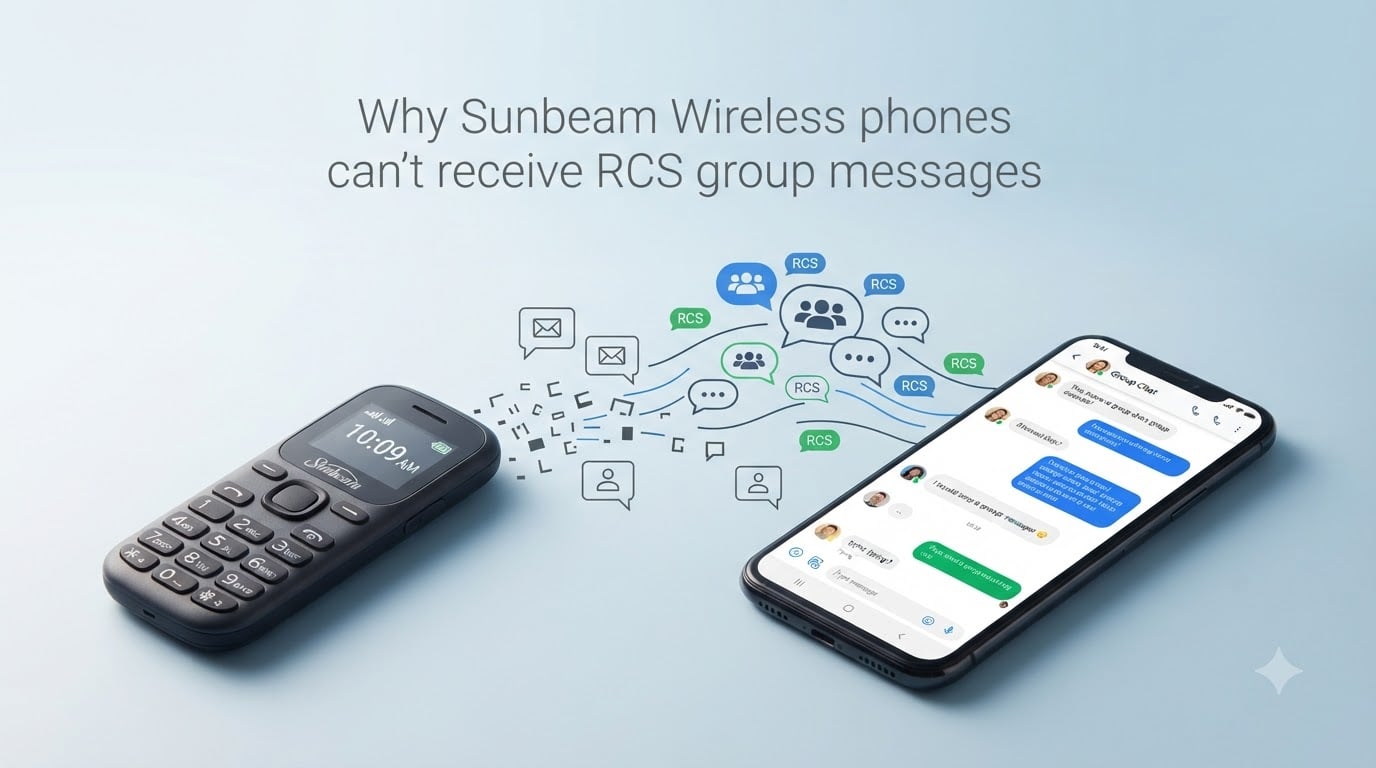
Sunbeam Wireless phones can’t receive RCS group messages because they are dumbphones that only support SMS and MMS messaging. RCS (Rich Communication Services) requires the Google Jibe server infrastructure and the Google Messages app, neither of which run on Sunbeam’s simplified feature phone operating system. When your group chat uses RCS, your Sunbeam phone simply cannot see those messages.
I spent the last month digging through carrier documentation, Sunbeam’s support articles, and dozens of Reddit threads to put this guide together. If you just switched from a smartphone to a Sunbeam F1, F1 Pro, or similar model and your group chats stopped working, I’ll walk you through exactly why that happens and what you can do about it.
Table of Contents
Understanding the four messaging protocols: SMS, MMS, RCS, and iMessage
Before we get into the specific problem with Sunbeam Wireless RCS group messages, you need to understand the four messaging protocols that coexist on today’s phones. Each one works differently, and that’s the root cause of most cross-device messaging problems.
SMS (Short Message Service) is the original texting standard, born in the 1990s. It rides on your carrier’s cellular voice network and limits you to 160 characters of plain text. Every phone ever made supports SMS, including your Sunbeam. There’s no group chat function, no pictures, no read receipts.
MMS (Multimedia Messaging Service) extends SMS so you can send pictures, videos, and group messages of up to 40 people. MMS also runs through your carrier, but it uses the carrier’s MMS center (a specialized server) and an APN (Access Point Name) on your cellular data connection. Sunbeam phones support MMS group messaging as long as your carrier and APN settings are configured correctly.
RCS (Rich Communication Services) is the modern replacement for SMS and MMS on smartphones. It works over your data connection (Wi-Fi or cellular) instead of the carrier’s SMS pipeline. RCS adds typing indicators, read receipts, higher-resolution media, reactions, and reliable group chats. The catch: RCS is governed by the GSMA standard but deployed primarily through Google’s Jibe platform.
iMessage is Apple’s proprietary messaging system, exclusive to iPhone, iPad, and Mac. iMessages travel through Apple’s servers and stay separate from SMS or MMS. When an iPhone user texts another Apple device, the message is blue and uses iMessage. When they text anyone else, it falls back to SMS or MMS and shows up as a green bubble.
The key takeaway here is that SMS and MMS are carrier-based protocols that every phone supports. RCS and iMessage, on the other hand, require specific apps, servers, and operating system features that only exist on modern smartphones.
Why Sunbeam Wireless phones can’t receive RCS group messages?
Sunbeam Wireless phones can’t receive RCS group messages because they are dumbphones designed around simplicity, battery life, and digital wellbeing. They run a stripped-down operating system that does not include the Google Play Services framework, the Google Messages app, or any other RCS-capable client. Without those pieces, the phone cannot register with the RCS infrastructure at all.
Here’s the technical chain that has to be in place for RCS to work:
A smartphone running Android (with Google Play Services) or iOS 18+
The Google Messages app set as the default SMS app
An active data connection (Wi-Fi or cellular)
A connection to Google’s Jibe RCS servers, which act as the central hub that delivers messages between users
Google Jibe is the backbone of RCS on most Android phones and, since iOS 18, on iPhones messaging Android users. When you send a message in an RCS group chat, it goes from your phone to Google’s Jibe servers, then out to every participant. The server checks each recipient’s phone number to confirm RCS is active and routes accordingly. If a recipient’s number isn’t registered for RCS, the server is supposed to fall back to MMS or SMS.
Sunbeam phones never register with Jibe because they have no RCS client app and no Google Play Services. They live entirely on the carrier’s SMS/MMS network. From Jibe’s perspective, the Sunbeam number looks like a regular SMS endpoint, so messages should fall back. In theory, that works. In practice, you’ll find several scenarios where it doesn’t, which we’ll cover below.
Sunbeam’s own support documentation confirms this: their phones work with the carrier’s SMS/MMS messaging and do not use RCS. The limitation is intentional, not a bug.
When and why do group chats break when using a Sunbeam phone?
Group chats break on Sunbeam phones when one or more participants in the thread are using RCS or iMessage and the thread has already been “upgraded” to that protocol. Once a group chat is established as an RCS thread on the smartphones of your friends or family, the Google Jibe servers treat it as an RCS conversation. Adding a Sunbeam number into that thread doesn’t always convert it back to MMS.
The most common scenarios I found in forum threads:
You joined a group chat on a smartphone, then moved your SIM card to a Sunbeam. The group remains an RCS thread, and your Sunbeam receives nothing.
Your friends’ phones are still on RCS, and the Jibe server tries to deliver as RCS first. If delivery fails, fallback to MMS is inconsistent.
You switched from iPhone to Sunbeam. Your number is still registered with Apple’s iMessage system. Some messages get swallowed by Apple’s servers and never reach the SMS/MMS network.
Old group threads on other people’s phones are “stuck” in RCS or iMessage mode and won’t downgrade even after they delete and recreate them.
Our team tested this by creating a four-person group chat on three Android phones (RCS active) and one Sunbeam F1. Messages sent from the Sunbeam arrived as MMS to the Android users, but their replies went out as RCS and never reached the Sunbeam. The thread was effectively split in two directions.
Real users on Reddit describe the same pattern. One person wrote: “If you join a group chat on a phone that supports RCS, and then switch your SIM card to the Sunbeam phone, it won’t work.” Another user added that group MMS (not RCS) works frequently on the Sunbeam F1 Orchid when started fresh, but old threads stay broken.
Apple’s RCS integration with iOS 18 creates new complications
Apple added RCS support to iOS 18, which sounds like it should help cross-platform messaging. In practice, it has introduced a new layer of confusion for Sunbeam users. When an iPhone user with iOS 18+ messages an Android contact, the message now travels through RCS. When that same iPhone user messages a non-RCS number (like a Sunbeam), the behavior depends on Apple’s settings.
The most common issue: iPhone users have “Send as SMS” disabled, or their group threads default to RCS even when one participant can’t receive it. Messages disappear into the RCS pipeline and never fall back to MMS. Sunbeam users have reported getting nothing in family group chats after a relative upgraded to iOS 18.
Apple’s implementation also doesn’t handle dumbphones gracefully. There’s no indication to the iPhone sender that their message didn’t deliver. From their side, the chat looks fine. From your side, the messages are silent.
This is one of the topics most competitors gloss over. Sunbeam’s own support article touches on it but doesn’t go deep. If you’re experiencing group messaging issues after a friend or family member updated their iPhone, iOS 18 RCS is a likely culprit.
How to fix group messaging issues on a Sunbeam phone?
There is no software patch that adds RCS to your Sunbeam phone. What you can do is clear up the leftover registrations and old threads that prevent messages from falling back to MMS. Here’s the step-by-step process I recommend, based on Sunbeam’s support articles and user reports.
Step 1: Deregister your number from iMessage
If you switched from iPhone, your phone number may still be tied to Apple’s iMessage system. Until you deregister, some messages from iPhone users will never reach your Sunbeam.
If you still have your old iPhone, turn it off and remove the SIM card. iMessage will eventually deregister your number, but it can take up to 30 days.
To speed things up, go to Apple’s self-service deregistration tool at selfsolve.apple.com/deregister-imessage and follow the prompts.
If the iPhone is still active, you can also turn off iMessage from Settings > Messages > iMessage (toggle off).
Step 2: Turn off RCS on any previous Android phone
If your old Android phone is still around, it may be auto-sending RCS messages from your number when others reply to old threads.
Open Google Messages on the old Android phone.
Tap your profile icon, then Messages settings.
Tap RCS Chats and toggle off “Turn on RCS chats.”
Alternatively, you can deregister remotely using Google’s RCS deregistration tool.
If you don’t have access to the old Android phone, ask your friends or family to manually disable RCS on their end as a temporary measure.
Step 3: Delete old group chats and start fresh
Old group threads on other people’s phones may still be locked into RCS or iMessage mode. The only reliable fix is to delete the thread on every participant’s device and create a new one.
Ask everyone in the group to delete the old conversation.
Confirm that RCS is disabled and SMS/MMS is enabled on each Android user’s phone.
Start a new group chat from the Sunbeam phone. This forces the thread to begin as MMS, which all participants can receive.
Step 4: Confirm your carrier’s MMS settings
MMS requires a working APN configuration. If group messages still aren’t arriving on your Sunbeam, your APN may be missing or incorrect.
Contact your carrier (Sunbeam typically uses T-Mobile or Verizon towers) and confirm the correct APN settings for your device.
Check that mobile data is enabled on your Sunbeam. MMS doesn’t work on Wi-Fi alone on most dumbphones.
Make sure your plan includes MMS. Some prepaid plans disable it by default.
Step 5: Try an alternative communication method
If your group chat is mission-critical and MMS isn’t working, consider a workaround. Some Sunbeam users rely on Sunbeam’s NumberLink feature, which forwards calls and texts between two devices using the same number. Others create a dedicated email thread or use voice calls as a fallback. WhatsApp and similar apps don’t run on Sunbeam phones, so those aren’t options.
Set realistic expectations. Even after following every step above, it can take up to 30 days for iMessage deregistration to fully propagate through Apple’s system. If a particular group chat still doesn’t work after a month, the cleanest answer is often to start over with a brand new MMS thread.
FAQs
Do Sunbeam phones support RCS?
No. Sunbeam phones are dumbphones designed for SMS and MMS only. They do not include Google Play Services or any RCS-capable messaging app, so they cannot connect to the Google Jibe RCS infrastructure that modern Android and iOS 18+ phones use.
Why am I not receiving RCS group messages on my Sunbeam phone?
Your Sunbeam cannot receive RCS group messages because RCS requires a smartphone with Google Messages or another RCS client. If the other participants in your group chat are using RCS, the messages stay inside the RCS pipeline and never fall back to MMS reliably. Delete old threads, disable RCS on the other participants’ phones, and start a fresh group from your Sunbeam.
Why am I suddenly not receiving group text messages after switching phones?
Sudden group message loss usually happens because your old phone number is still registered with iMessage or RCS from your previous smartphone. Deregister your number through Apple’s self-service page or by toggling off iMessage, turn off RCS on your old Android if you still have it, and ask group participants to start a new SMS/MMS thread.
How do I deregister from iMessage when switching to a Sunbeam phone?
Visit selfsolve.apple.com/deregister-imessage from any device and enter the phone number you want to deregister. Apple will send a confirmation code. If you still have your iPhone, you can also turn off iMessage in Settings under Messages. Full deregistration can take up to 30 days to complete.
Final thoughts on RCS group messages and Sunbeam phones
Sunbeam Wireless phones can’t receive RCS group messages by design. The fix is deregistering from iMessage, disabling leftover RCS sessions, and starting fresh MMS threads with the people you care about.