
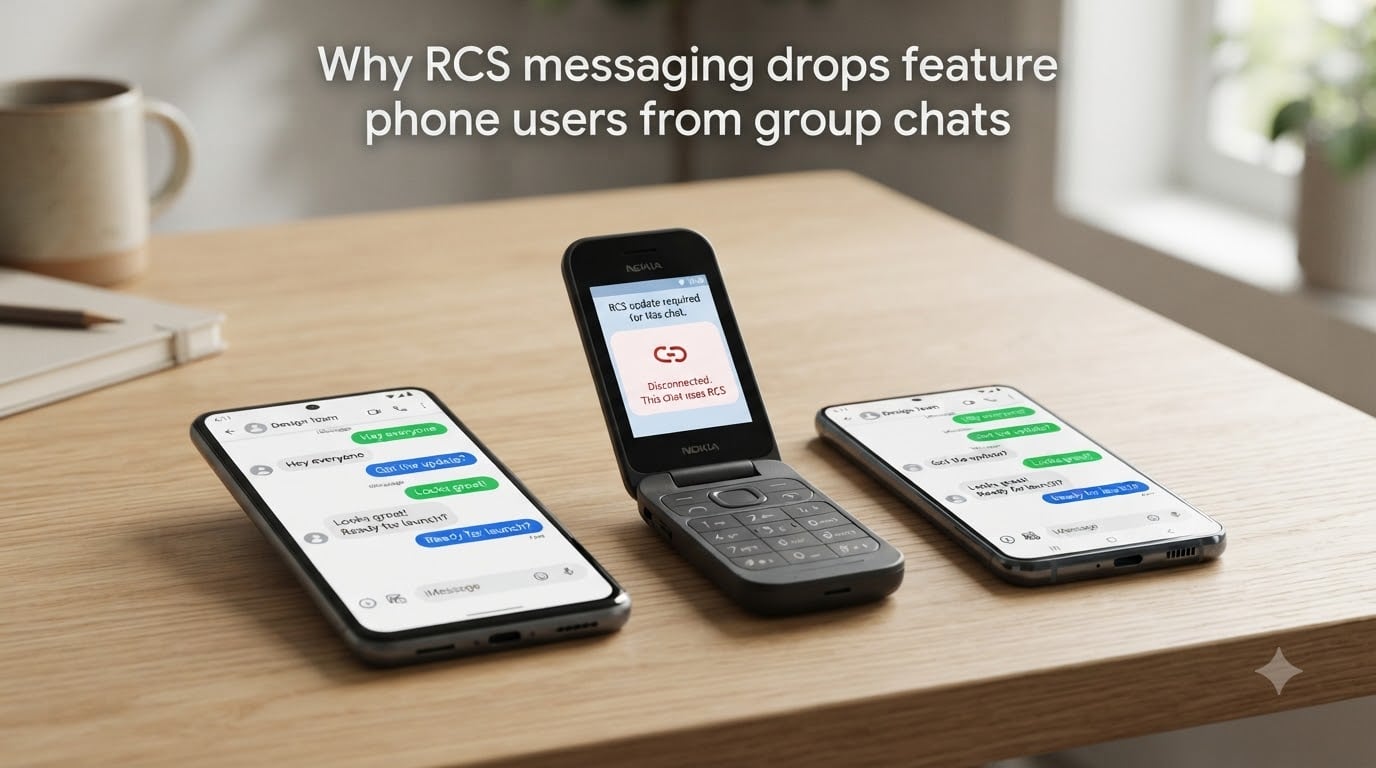
You set up a group chat with family or friends, and everything works fine until someone with a basic phone stops receiving messages. If you have wondered why RCS messaging drops feature phone users from group chats, you are not alone. This is one of the most reported frustrations in messaging forums across Reddit, Apple Discussions, and dedicated phone communities like the Mudita forum.
RCS, or Rich Communication Services, is the modern messaging standard that replaces SMS and MMS with richer features like read receipts, typing indicators, and high-resolution photo sharing. But it comes with a hard requirement: every participant needs a smartphone with an active data connection. Feature phones simply cannot meet that bar.
In this guide, I will walk you through exactly why this happens, how RCS group chats work under the hood, and what workarounds exist if you need to keep everyone in the conversation. Whether you are troubleshooting a family group chat or just curious about the technology, you will have clear answers by the end.
Table of Contents
What Is RCS Messaging and Why It Matters?
RCS messaging is the next-generation replacement for SMS and MMS, built directly into the default messaging apps on Android and iOS. Instead of sending text through the old circuit-switched voice channels that SMS uses, RCS sends messages over Wi-Fi or mobile data, similar to how WhatsApp or iMessage works.
The features are a significant upgrade. You get read receipts showing when someone has seen your message, typing indicators so you know a reply is coming, high-resolution photo and video sharing without the compression MMS applies, and larger group chats without the strict participant limits MMS imposes.
RCS matters because it brings the modern messaging experience to the default texting app without requiring anyone to download a third-party application. Google Messages supports it natively on Android, and Apple added RCS support in iOS 18. For smartphone users, it is generally a better experience than SMS.
The catch is that RCS is a smartphone-only protocol. It requires an app capable of interpreting the Rich Communication Services standard, a data connection to transmit messages, and carrier infrastructure to support the Universal Profile. Feature phones meet none of these requirements.
Why RCS Messaging Drops Feature Phone Users From Group Chats
RCS messaging drops feature phone users from group chats because RCS is an all-or-nothing protocol for group conversations. When you start an RCS group chat, the messaging client checks whether every participant supports RCS. If even one person does not have RCS enabled, the entire group is supposed to fall back to SMS or MMS so everyone can participate.
In practice, this fallback does not always work cleanly. Users across Reddit and Apple Discussions report that feature phone users get silently dropped instead of receiving the fallback SMS. The RCS-enabled smartphones in the group continue chatting using the enhanced protocol, while the feature phone user simply stops receiving messages with no notification.
The core reason is a protocol mismatch. RCS group chats operate as a single RCS thread where all participants must be registered on the RCS network through their carrier. Feature phones cannot register because they have no RCS-capable app, no data connection for the RCS channel, and no way to authenticate with the carrier’s RCS infrastructure.
One user on the Mudita forum described the problem clearly: both Android and iOS default to RCS if a person ever used RCS in the past, which means even deregistering from the service does not reliably restore SMS fallback. The system keeps trying to send messages through a channel the feature phone cannot access.
The Data Connection Requirement
RCS requires an active internet connection, either through Wi-Fi or mobile data, to send and receive messages. This is fundamental to how the protocol works. Unlike SMS, which travels through the voice channel of the cellular network, RCS packets are data payloads routed through internet infrastructure.
Feature phones, by design, either lack data capabilities entirely or have such limited data access that they cannot maintain the persistent connection RCS needs. A basic flip phone on a talk-and-text plan has no data channel for RCS to use. Even feature phones with rudimentary browsers typically cannot sustain the background data session that RCS requires for real-time message delivery.
This is why the issue is not just about software compatibility. It is a hardware and network limitation. Without a data connection, there is no way for a feature phone to participate in an RCS conversation, period.
No RCS App on Feature Phones
Even if a feature phone somehow had a data connection, it still could not use RCS because it lacks the software. RCS support requires a messaging application that implements the Universal Profile, which is the industry standard for RCS features. On Android, that app is typically Google Messages. On iOS, it is the built-in Messages app starting with iOS 18.
Feature phones run operating systems like KaiOS, Series 30+, or proprietary firmware from manufacturers like Nokia, Alcatel, or Doro. None of these platforms have a messaging app that implements the RCS Universal Profile. The RCS protocol stack is simply not available as an installable application on these devices.
This means feature phone users are permanently locked out of RCS conversations through no fault of their own. There is no settings toggle to enable, no app to download, and no update that will add support. The capability does not exist on the platform.
What Happens When a Feature Phone User Joins an RCS Group
When a feature phone user is added to a group chat that has RCS enabled, one of three things typically happens, and none of them are ideal.
First, the group chat may silently split. The RCS-enabled participants continue in an RCS thread with full features, while the feature phone user is either dropped entirely or starts receiving messages in a separate, degraded SMS thread that fragments the conversation.
Second, the entire group may fail to fall back to MMS properly. Users on the Google Messages support forum report that messages are only partially delivered in these mixed groups. Some participants get the message, others do not, and there is no clear indication of who is missing out.
Third, on iOS in particular, the group thread may behave erratically. A user on Apple Discussions reported that after the iOS 18 update added RCS, Android users started getting kicked out of group messages entirely. iOS puts RCS and MMS groups in the same thread despite them being fundamentally incompatible protocols, which creates confusion and dropped messages.
How RCS Group Chat Works Technically?
Understanding the technical mechanics helps explain why the exclusion happens. When you create a group chat in Google Messages or Apple Messages with RCS enabled, your device registers the group with the RCS backend, which is typically hosted by your carrier or by Google’s Jibe platform.
The RCS backend then checks each participant’s phone number against its registry. If a number is registered with an RCS-capable device and app, that participant is added to the RCS thread. If a number is not registered, the system is supposed to downgrade the entire group to MMS or SMS so that person can still participate.
The problem is that this downgrade process is unreliable across different carriers and devices. AT&T users have reported that the carrier was unable to resolve RCS group chat dropping issues even after escalation. Samsung devices show inconsistent RCS support by region, and Pixel devices have been observed creating new group threads that other members see under different names.
All of this stems from the fact that RCS was designed as a universal standard but is implemented differently by each carrier and manufacturer. The result is a fragmented ecosystem where fallback behavior is unpredictable, and feature phone users often fall through the cracks.
RCS vs SMS vs MMS in Group Chats
To understand why feature phone users get excluded, it helps to compare the three messaging protocols that operate in this space.
SMS, or Short Message Service, is the oldest protocol and works on virtually every phone ever made, including feature phones and landline-based texting services. It sends short text-only messages through the cellular voice channel. Every phone supports it, which makes it the universal baseline for messaging.
MMS, or Multimedia Messaging Service, extends SMS to support photos, videos, and group messages. MMS requires a data connection to download media content, but the signaling still works through the cellular network. Most feature phones support basic MMS, though group size limits are typically capped at around 10 participants by carriers.
RCS is the newest protocol and operates entirely over data. It supports the largest group sizes, highest quality media, read receipts, and typing indicators. But it requires a smartphone with a compatible app and an active data plan. Feature phones are excluded by design.
The key difference for group chats is how each protocol handles mixed participants. SMS and MMS groups work because every phone supports those standards. RCS groups break when a feature phone is included because the protocol has no way to accommodate a device that cannot connect to the RCS network.
Requirements for RCS Group Chat Participation
For every member of a group chat to use RCS, each participant needs all of the following:
1. A smartphone running Android or iOS 18 or later. No feature phone, KaiOS device, or basic phone qualifies.
2. An RCS-capable messaging app installed and set as the default. On Android, this is typically Google Messages. On iOS, it is the built-in Messages app with RCS toggled on.
3. An active mobile data or Wi-Fi connection. RCS will not work without internet access.
4. Carrier support for the RCS Universal Profile. Not all carriers support RCS, and coverage varies by region.
5. RCS enabled in messaging settings. The toggle must be turned on for each device individually.
If even one participant in a group fails to meet all five requirements, the group cannot function as a pure RCS conversation. The system is supposed to fall back to MMS or SMS, but as we have seen, that fallback is unreliable.
How to Check If RCS Is Enabled on Your Phone?
If you are troubleshooting a group chat where someone is being dropped, checking RCS status is the first step.
On Android, open Google Messages, tap your profile picture in the top right, then select Messages settings. Tap RCS chats and look at the connection status. If it says Connected, RCS is active. If it says Connecting or Status unavailable, RCS is not fully functional.
On iPhone with iOS 18 or later, open Settings, scroll to Apps, select Messages, and look for RCS Messaging. If the toggle is on and your carrier supports it, RCS is active. If the toggle is missing, your carrier may not support RCS yet.
Checking this on all participants’ phones helps you identify whether the issue is RCS-related or something else entirely. If someone in your group has an older iPhone without iOS 18, they will not have RCS, and the group should fall back to MMS automatically.
Workarounds for Including Feature Phone Users
If you have a family member or friend on a feature phone who keeps getting dropped from group chats, here are practical solutions that work.
The most reliable fix is to disable RCS for the group initiator. If the person who starts the group chat turns off RCS in their messaging settings, the entire conversation defaults to SMS and MMS, which feature phones support. This is a sacrifice in features but guarantees everyone can participate.
On Android, you can disable RCS by going to Google Messages settings, selecting RCS chats, and turning the toggle off. On iPhone, go to Settings, then Apps, then Messages, and turn off RCS Messaging. The group will switch to MMS immediately.
Another option is to use a third-party messaging app like WhatsApp, Telegram, or Signal for your group chat. These apps work over data on smartphones but also have lightweight versions or web interfaces that can sometimes be accessed from more capable feature phones. WhatsApp, for example, works on KaiOS devices like the Nokia 8110.
If the feature phone user is being dropped because they previously had RCS on a smartphone and then switched devices, they may need to deregister their number from RCS. Google provides a deregistration page where you can enter your phone number and remove it from the RCS network. This forces future messages to route through SMS instead.
Finally, if you absolutely need RCS features for most of the group, consider creating two threads. Use an RCS group for smartphone users who want the enhanced experience, and maintain a separate SMS thread for the feature phone user. It is not ideal, but it prevents silent message drops.
FAQs
Does RCS messaging affect group messages?
Yes. RCS changes how group messages are delivered by routing them through a data connection instead of the cellular voice channel. If any participant does not have RCS enabled, the group is supposed to fall back to SMS or MMS, but this fallback often fails and silently drops the non-RCS user.
Why are RCS messages disappearing?
RCS messages can disappear from group chats when the protocol fails to fall back to SMS for participants who lack RCS support. Messages may be partially delivered, meaning some group members receive them while others do not. This commonly happens when a feature phone user or a non-RCS smartphone is in the group.
Does iPhone RCS work in group chats?
Yes, iPhones running iOS 18 or later support RCS in group chats with other RCS-enabled devices. However, iOS places RCS and MMS groups in the same thread despite them being incompatible protocols, which can cause erratic behavior like Android users being kicked out of messages.
Why did group chat switch to RCS?
Group chats switch to RCS automatically when all participants have RCS-capable smartphones with the feature enabled. Both Android and iOS default to RCS when available because it provides better features like read receipts, typing indicators, and high-resolution media sharing compared to SMS and MMS.
Why is my phone not RCS compatible?
Your phone may not support RCS if it is a feature phone without a data connection, if it runs an older operating system without RCS support, if your carrier does not support the RCS Universal Profile, or if you do not have an RCS-capable messaging app installed. Feature phones cannot support RCS under any circumstances.
What dumb phones support RCS?
No traditional dumb phones or feature phones support RCS. The RCS Universal Profile requires a smartphone operating system with a compatible messaging app and an active data connection. Some KaiOS devices support WhatsApp, but none support RCS natively.
Should I have RCS on or off?
Keep RCS on if everyone in your frequent group chats uses smartphones with RCS support. Turn it off if you regularly message feature phone users or people whose devices or carriers do not support RCS, since this prevents silent message drops and ensures everyone receives your messages through SMS fallback.
What phones are compatible with RCS?
RCS is compatible with Android smartphones running Google Messages or other RCS-enabled messaging apps, and iPhones running iOS 18 or later. The device must have an active data connection and be on a carrier that supports the RCS Universal Profile.
Conclusion
Understanding why RCS messaging drops feature phone users from group chats comes down to one fundamental fact: RCS is a data-based protocol that requires smartphones, compatible apps, and active internet connections. Feature phones have none of these, and there is no software update or settings change that will bridge that gap.
The protocol is supposed to fall back to SMS or MMS when a participant cannot use RCS, but real-world implementation across carriers and manufacturers is unreliable. Users experience silent drops, partially delivered messages, and split threads instead of a clean downgrade. This is a known problem documented across Google support forums, Apple Discussions, and community spaces like Reddit.
If you need to include feature phone users in your group conversations, the most dependable solution is to disable RCS on the group initiator’s device. This forces the entire group to use MMS, which feature phones support. Alternatively, move the conversation to a third-party app like WhatsApp that has broader device compatibility.
As RCS adoption grows and more carriers implement the Universal Profile, the fallback behavior may improve over time. But for now, feature phone users remain on the outside of RCS group chats by design. Knowing how the protocol works and how to work around its limitations gives you control over who stays connected and who gets left behind.