
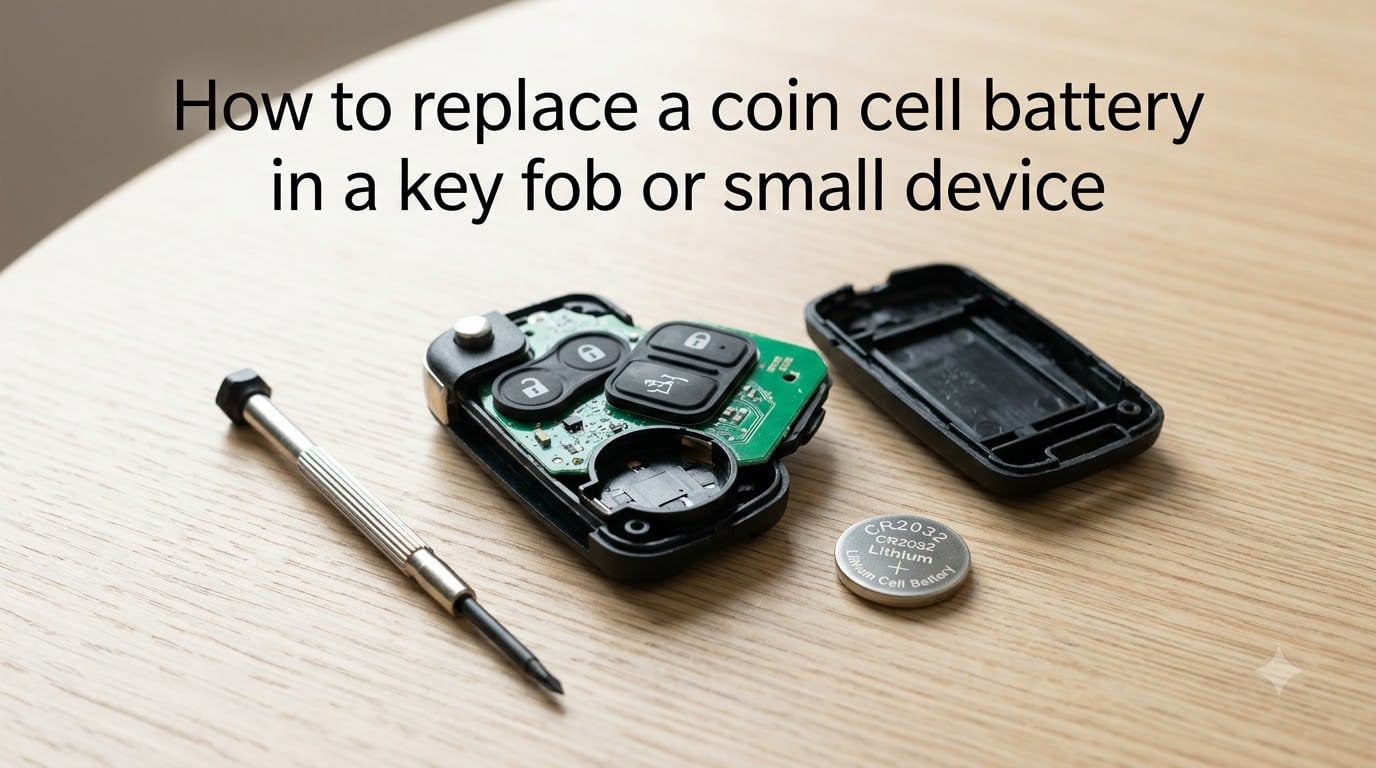
A dead key fob battery always seems to fail at the worst moment, usually in a parking lot when you are already running late. The good news is that replacing a coin cell battery takes about five minutes and requires almost no tools. Whether you drive a Honda, Toyota, Ford, or Chevy, the process is remarkably similar across most vehicles and small electronic devices.
In this guide, I will walk you through exactly how to replace a coin cell battery in a key fob or small device. I have changed dozens of these batteries across cars, garage remotes, calculators, and watches, and I will share the same step-by-step method I use every time. By the end, you will know the correct battery type for your device, how to open stubborn fob covers safely, and what to do if the fob still does not work after replacement.
Table of Contents
Signs Your Coin Cell Battery Is Dying
Your key fob rarely dies without warning. Most vehicles give you clear signals over a period of weeks before the battery gives out completely. Catching these signs early means you can swap the battery on your own schedule instead of being stranded.
Here are the most common warning signs that your coin cell battery needs replacing:
Reduced signal range: You need to be much closer to the car for the lock or unlock button to work.
Multiple presses required: You have to press the button two or three times before the doors respond.
Dashboard warning light: Many modern cars display a “key fob battery low” or “replace key battery” message on the dash.
Intermittent function: The fob works sometimes but not others, especially in cold weather.
Complete failure: The buttons do nothing, and you must use the physical key blade hidden inside the fob to enter the vehicle.
If you are experiencing any of these symptoms, it is time to replace the battery. A typical coin cell battery in a key fob lasts one to three years depending on usage. If your fob has a remote start feature, expect closer to one year because remote start draws more power.
Tools You Need to Replace a Coin Cell Battery
You do not need a special toolkit for this job. Most coin cell battery replacements require only common household items. I keep a small kit in my junk drawer specifically for this purpose.
Here is what you will need:
Replacement coin cell battery (typically CR2032, CR2025, or CR2016) matched to your device
Small flathead screwdriver or a plastic pry tool (a guitar pick also works)
A coin (a quarter works well for fobs with a coin-slot release)
Cotton swab for cleaning battery contacts if corroded
Good lighting so you can see the small battery orientation markings
That is it. Some people use a knife, but I recommend against sharp metal tools because they can slip and damage the circuit board inside the fob.
How to Identify the Correct Battery Type?
The single most important step is buying the right replacement battery. Using the wrong battery type can cause poor contact, intermittent function, or even damage to the device. The good news is that identifying the correct coin cell is straightforward once you know where to look.
The vast majority of car key fobs use one of these three battery types:
CR2032: The most common coin cell for key fobs. Used by most Honda, Toyota, Ford, Chevy, Hyundai, and Nissan models. It is 20mm in diameter and 3.2mm thick.
CR2025: Slightly thinner at 2.5mm. Found in some BMW, VW, and older Mazda fobs.
CR2016: Even thinner at 1.6mm. Less common but used in some older or compact fob designs.
All three are 3V lithium batteries. The first two digits (20) indicate the diameter in millimeters, and the last two digits (32, 25, 16) indicate the thickness in tenths of a millimeter.
To find the exact battery your device needs, check three places: the old battery itself (the number is printed on it), the inside of the battery compartment (often stamped into the plastic), or your vehicle owner’s manual. For non-automotive devices like calculators, watches, and garage door openers, the battery type is almost always printed on the back of the device or inside the battery door.
How to Replace a Coin Cell Battery in a Key Fob or Small Device?
This is the core procedure I follow every time I swap a coin cell battery. The same basic steps apply whether you are working on a car key fob, a garage remote, a calculator, or a small toy. Work on a clean, well-lit surface, and take your time with the opening step since that is where most people run into trouble.
Step 1: Open the Key Fob or Device
Most key fobs split into two halves along a seam. Look for a small notch or slot along the edge of the fob. This is your entry point. Insert the tip of a small flathead screwdriver or a plastic pry tool into the notch and twist gently until the two halves begin to separate.
Some fobs, like certain Honda and Toyota models, have a sliding release. You slide a small switch or remove the metal key blade first, then pull the back panel off. Other fobs, including many Ford and Chevy designs, simply pry apart with gentle pressure around the seam.
If the fob feels stuck, do not force it. Run your pry tool around the entire edge slowly, popping each clip one at a time. Forcing one side open can crack the plastic casing.
Step 2: Note the Battery Orientation
Before you remove the old battery, look at how it is sitting in the compartment. The battery will have a plus sign (+) stamped on one side. Note whether that side faces up or down. Taking a quick photo with your phone is a great way to remember the orientation.
Wrong battery orientation is one of the most common mistakes people make. The fob will not work if the battery is upside down, even though it is brand new and fully charged.
Step 3: Remove the Old Battery
Use your small screwdriver or a fingernail to lift the old battery out of its slot. Some compartments have a small metal tab or clip holding the battery in place. Gently push the tab aside and the battery will pop up so you can grab it.
If the old battery is corroded or leaking, clean the contacts with a cotton swab before inserting the new one. White or green residue on the contacts can prevent the new battery from making a proper connection.
Step 4: Insert the New Battery
Slide the new coin cell battery into the compartment with the same orientation as the old one. If the compartment has metal tabs, slide one edge of the battery under the tabs first, then press the other side down gently until it clicks into place.
The battery should sit flat and flush in the compartment. If it is bulging or sitting at an angle, double-check that you have the correct battery type. A CR2032 will not fit properly in a slot designed for a CR2016 because of the thickness difference.
Step 5: Reassemble the Key Fob
Line up the two halves of the fob and press them together. You should feel the clips snap back into place. Press firmly around all edges to make sure the seam is fully closed with no gaps.
If your fob has screws, tighten them gently. Over-tightening can strip the plastic threads.
Step 6: Test the Key Fob
Stand near your vehicle and press the lock or unlock button. The doors should respond immediately. Try the panic button and any other features your fob has, such as remote start or trunk release. If everything works, you are done.
Battery Replacement for Other Small Devices
The same process applies to many other devices powered by coin cell batteries. Here is how the procedure differs slightly depending on the device type.
Garage door remotes: These usually have a small door on the back that slides open. No prying required. Just slide the door, pop out the old battery, and drop in the new one. Most use a CR2032.
Calculators: Many scientific calculators use a CR2032 or CR2025. Remove the back cover screws or slide off the battery door, then swap the battery. Some calculators also have a small reset hole you may need to press with a paperclip after changing the battery.
Watches: Watches typically require a watchmaker’s caseback tool or a small screwdriver to open the back. The battery is held in place by a small metal contact. Use a plastic tool to avoid short-circuiting.
Toys and small electronics: Check the battery compartment door. Some toys use screws to keep the battery secure, which is a child-safety feature. Use a Phillips screwdriver to open, swap the battery, and re-secure the door.
Safety Precautions and Proper Disposal
Coin cell batteries are safe to handle, but a few precautions go a long way. Lithium batteries can be dangerous if swallowed, damaged, or disposed of improperly.
Keep these safety tips in mind:
Keep away from children: Coin cell batteries are a serious swallowing hazard. If swallowed, they can cause severe internal burns within hours.
Avoid static discharge: Touch a metal object before handling the circuit board inside your key fob. Static electricity can damage the sensitive electronics.
Never force a battery: If the new battery does not fit smoothly, you may have the wrong type. Forcing it can bend the contacts or crack the casing.
Do not short-circuit: Never carry a loose coin cell battery in your pocket with keys or coins. Metal touching both sides of the battery can cause it to overheat.
Check the expiration date: Coin cell batteries have a shelf life. A battery that has been sitting in a drawer for five years may already be partially depleted.
For disposal, never throw coin cell batteries in the regular trash. Lithium batteries can leak harmful chemicals into landfills. Drop them off at a battery recycling location, most hardware stores, electronics stores, or auto parts stores accept used coin cell batteries for free. Many communities also have household hazardous waste collection programs.
Troubleshooting After Battery Replacement
Sometimes a fresh battery does not immediately fix the problem. If your key fob or device still does not work after you have replaced the battery, run through this checklist before assuming the device is broken.
Check the battery orientation again: Flip the battery over and try the other direction. This is the number one cause of “dead” fobs after a battery swap.
Verify the battery number: Make sure you actually installed the correct type. A CR2025 in a CR2032 slot may make contact but not sit properly.
Clean the contacts: Use a cotton swab lightly dampened with rubbing alcohol to clean the metal contacts inside the battery compartment.
Check for a dead new battery: Occasionally, a new battery from the package is already dead. Try a second one if you have a spare.
Look for circuit board damage: If the fob was dropped or exposed to water, the circuit board itself may be damaged and need professional repair.
If none of these steps work, the issue is likely with the fob electronics or the vehicle’s receiver, not the battery. At that point, a dealership or automotive locksmith can diagnose the problem.
DIY vs Professional Replacement Cost
Replacing a coin cell battery yourself costs between $5 and $25, depending on the battery type and whether you buy a single battery or a multi-pack. A two-pack of CR2032 batteries from a major brand typically runs $6 to $8 at most stores.
Having a dealership or auto parts store replace the battery costs significantly more. Dealerships often charge $50 to $150 for the service, partly because they use the visit as an opportunity to run diagnostics. Some auto parts chains will replace the battery for free if you purchase the battery from them, though this varies by location.
For most people, DIY replacement is the clear choice. It takes five minutes, requires tools you already have, and saves a significant amount of money. The only exception is if your fob has a sealed, non-replaceable battery. Some modern fobs, particularly on luxury vehicles, are designed so the entire fob must be replaced when the battery dies. Check your owner’s manual to confirm whether your fob is user-serviceable.
FAQs
How do you replace the battery in a mini key fob?
Locate the seam or notch on the edge of the mini key fob, insert a small flathead screwdriver or plastic pry tool, and twist gently to separate the two halves. Note the battery orientation, swap in a new CR2032 or CR2025 battery the same way up, then snap the fob back together.
How to remove coin battery from key fob?
Once the fob is open, look for a small metal tab or clip holding the battery in place. Gently push the tab aside with a screwdriver or fingernail and the coin cell will pop up so you can lift it out. If there is no tab, simply lift the battery edge with a fingernail.
How do I open a key fob cover?
Look for a small notch along the seam of the fob. Insert a small flathead screwdriver, plastic pry tool, or guitar pick into the notch and twist. Work your way around the edge, popping each clip until the two halves separate. Some fobs have a sliding switch or require removing the metal key blade first.
How to change CR2032 battery in key fob?
Open the fob, note which side of the old battery faces up (the plus sign), remove the old CR2032, slide the new CR2032 in with the same side facing up, press it under the metal tabs if present, and snap the fob closed. Test the lock and unlock buttons to confirm it works.
Does a key fob need to be reprogrammed after changing the battery?
In almost all cases, no. Changing the battery does not erase the programming code stored in the fob. Simply insert the new battery and the fob should work immediately. Reprogramming is only needed if the fob is completely new, was left without a battery for an extended period, or has a separate electronic issue.
Will AutoZone change my key fob battery?
Some AutoZone locations will help you replace the battery for free if you purchase the replacement battery from them. Availability varies by store and depends on staff. It is best to call ahead and confirm. The process is simple enough that most people do it themselves in about five minutes.
Conclusion
Learning how to replace a coin cell battery in a key fob or small device is one of those small skills that pays off repeatedly. Most replacements take under five minutes, cost less than $10, and require nothing more than a small screwdriver and the correct battery. The key steps are identifying the right battery type, opening the device carefully along the seam, noting the battery orientation, swapping in the new one, and testing before you close everything up.
If you run into trouble, work through the troubleshooting checklist first. Wrong orientation and incorrect battery type account for the vast majority of failed replacements. And remember that reprogramming is almost never needed after a simple battery swap. Keep a spare CR2032 in your glovebox or junk drawer, and you will never be caught off guard by a dead key fob again.