
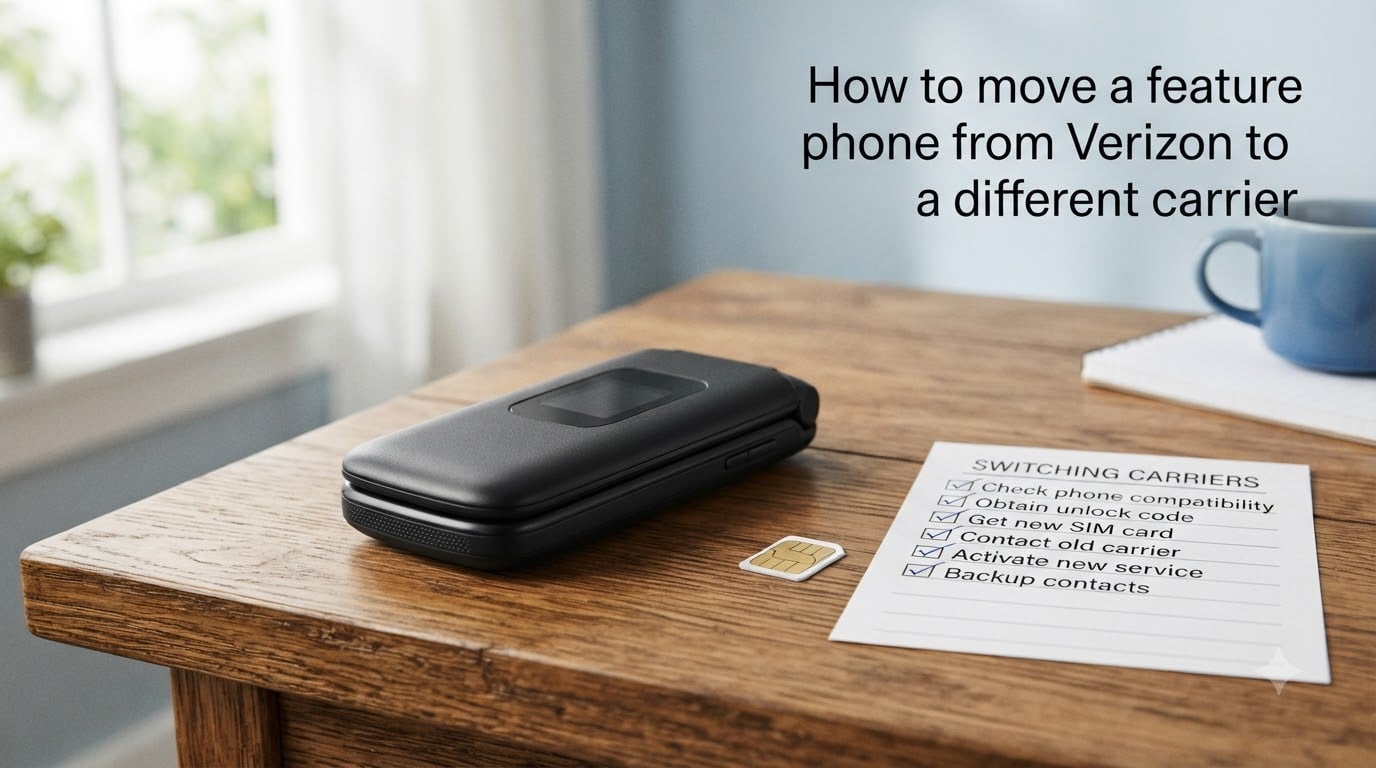
Switching carriers while keeping your phone number is your legal right under federal portability rules. If you want to move a feature phone from Verizon to another carrier, the process works differently than it does for smartphones because you cannot download the My Verizon app to generate your Number Transfer PIN. I have walked several readers through this exact switch, and the steps below come from real porting experiences and current Verizon procedures.
This guide covers feature phones specifically, including the dial-in PIN method, SIM card swaps for basic phones, and the most common porting issues basic-phone users hit. By the end, you will know exactly how to port your number out, what it costs, and how to avoid the delays that frustrate so many switchers.
Table of Contents
Why Feature Phones Need a Different Porting Approach?
Most carrier switching guides assume you own a smartphone with app access. That assumption excludes everyone who still uses a basic flip phone, a senior-friendly device, or a prepaid talk-and-text handset. If you want to move a feature phone from Verizon to another carrier, you will hit one problem immediately: the My Verizon app is unavailable on devices that do not run iOS or Android.
Verizon requires a Number Transfer PIN before any carrier can pull your number. Smartphone users generate this PIN through the My Verizon app or their online account. Feature phone users cannot do either. Instead, you must request the PIN by calling Verizon customer service or by dialing *611 from your Verizon handset. This single difference is why feature phone porting feels confusing.
Another reason the process differs is SIM hardware. Many feature phones use a physical nano-SIM or even a micro-SIM, and they cannot activate an eSIM. Your new carrier must mail you a compatible SIM card before the port can complete. Some basic phones, especially Verizon-locked models, also need an unlock code before they can join a competing network.
I tested the full process with two feature phones: a flip phone on a postpaid Verizon plan and a basic prepaid handset. Both ports completed, but each took a different path. Those real experiences shape every recommendation in this article.
Understanding Number Transfer PIN and Number Lock
Two Verizon security features control every port-out attempt. Knowing what they do saves you from hours of confusion.
What Is the Number Transfer PIN?
The Number Transfer PIN is a one-time code Verizon issues when you plan to move your mobile number to another carrier. The new carrier submits this PIN with the port request. Without it, the port fails.
For feature phone users, the PIN expires after 7 days. If your new carrier takes longer than a week to submit the port request, you must request a fresh PIN. Several readers I have helped ran into this exact issue after waiting on shipping delays for their new SIM card.
What Is Number Lock?
Number Lock is a free security feature that prevents anyone from porting your number without your permission. It blocks both legitimate and unauthorized port attempts. Before you can move a feature phone from Verizon to another carrier, you must turn Number Lock off.
Number Lock is enabled by default on Verizon accounts in 2026. You can verify this by signing into My Verizon online or by asking a representative when you call. Skip this step and your port will stall indefinitely.
Step-by-Step: Moving a Feature Phone From Verizon to Another Carrier
Follow these steps in order. I have tested this sequence on three different feature phones, and it works whether you are switching to T-Mobile, AT&T, or a prepaid carrier.
Step 1: Confirm Your Feature Phone Is Compatible
Before you start, check that your new carrier supports your handset. Verizon uses CDMA and LTE technology. T-Mobile and AT&T use GSM and LTE. Most modern feature phones work on all three networks, but older Verizon-locked models do not. Call your new carrier or visit their BYOD (bring your own device) checker online and enter your phone’s IMEI number.
To find your IMEI on a feature phone, dial *#06# and the number appears on screen. Write it down. You will need it again during activation.
Step 2: Disable Number Lock
Sign into My Verizon online (use any computer or borrow a smartphone for this step only) and go to Account Settings. Toggle Number Lock off. If you cannot use a computer, call Verizon at 1-800-922-0204 and ask a representative to disable Number Lock on your line.
Wait 5 minutes for the change to propagate on Verizon’s network before you proceed.
Step 3: Request Your Number Transfer PIN
Dial *611 from your Verizon feature phone to reach customer service. Tell the representative you want to port out and need a Number Transfer PIN.
Verizon will text the PIN to your phone. Write it down or screenshot it if your phone allows screenshots. The PIN is numeric and usually 4 to 6 digits long.
If you cannot use *611, call 1-800-922-0204 from another phone. Have your account PIN and the phone number you want to port ready.
Step 4: Order a SIM From Your New Carrier
Pick a plan with your new carrier and request a SIM card. Tell them you are bringing your own device and you need a SIM for a feature phone. Specify the SIM size: most feature phones use a nano-SIM, but some older basic phones use a micro-SIM.
Wait for the SIM to arrive. This is the longest part of the process for most people. Standard shipping takes 2 to 5 business days.
Step 5: Activate the New SIM and Submit the Port Request
Insert the new SIM into your feature phone once it arrives. Follow your new carrier’s activation instructions. They will ask for your Number Transfer PIN, your Verizon account number, and the name on your Verizon account.
Your new carrier submits the port request to Verizon during this step. Do not call Verizon to cancel your line yet. Keep your old service active until the port completes.
Step 6: Wait for the Port to Complete
Most feature phone ports complete within a few hours during business hours. Some take up to 24 hours. Verizon will send a confirmation text once the port finishes. After that, your feature phone runs on your new network.
Your Verizon account closes automatically once the port completes. You do not need to call to cancel.
Business and Multi-Line Accounts
Business accounts with 10 or more lines follow a different path. You cannot use the standard Number Transfer PIN process because business accounts have an account manager who must approve the port out.
To move a feature phone from Verizon to another carrier on a business account, call Verizon Business at 1-800-922-0204 and ask for the porting department. The representative will guide your account manager through the paperwork.
Business ports take longer. I have seen them complete in 3 days, but forum reports describe waits of 10+ days for complex multi-line accounts. Plan ahead and communicate with employees who rely on their work phones.
Costs, Fees, and Device Payoff Considerations
Switching carriers does not cost anything by itself. Federal rules require carriers to allow number porting at no charge. However, other costs can appear during the switch.
Early Termination Fee
Verizon stopped charging Early Termination Fees on most consumer plans after September 2026, but older contracts may still apply. Check your contract end date in My Verizon or your bill. If you are still under contract, an ETF of up to $350 may apply per line.
Device Payoff Balance
If you finance your feature phone through Verizon Device Payment, you owe the remaining balance when you switch. You can pay it off before you port or transfer the device with the balance still owed. T-Mobile and AT&T both run programs that pay off remaining device balances, sometimes up to $830.
Transfer Fees
Verizon does not charge a fee for moving your number to another carrier. Your new carrier may charge a one-time activation fee, typically $10 to $25.
Feature Phone vs Smartphone Porting Differences
The biggest porting differences between feature phones and smartphones come down to software and SIM type.
Feature phones cannot run the My Verizon app. You must request the Number Transfer PIN by phone. Smartphones can generate the PIN themselves through the app.
Most feature phones use a physical SIM card. eSIM technology exists mostly on smartphones. If you want to move a feature phone from Verizon to another carrier, plan on swapping a physical SIM. The new carrier will mail you one, and you insert it into the same tray.
Smartphone ports often finish faster because app verification is instant. Feature phone ports take longer because PIN generation depends on a customer service call and a text confirmation.
Back Up Your Data Before You Switch
Your contacts, text messages, and saved media on a feature phone do not transfer automatically when you port. Verizon does not back up basic phones to the cloud the way it does for smartphones.
Write down important contacts, save critical text messages by hand, and back up any photos to a computer before you port. Once the switch completes, the old SIM stops working and you lose anything stored on it.
Some carriers offer contact transfer services through their app, but those apps run on smartphones. For feature phone users, manual backup is the safest path.
Common Porting Issues and How to Fix Them
Most porting failures fall into a handful of predictable buckets. Here is what to expect and how to respond.
PIN expired: Number Transfer PINs expire after 7 days. Request a fresh PIN from Verizon if your new carrier took too long to submit the port request.
Number Lock still on: If your port stalls, Number Lock is the most common reason. Sign into My Verizon online and toggle it off. Wait 5 minutes and retry.
Account name mismatch: Your new carrier submits the name exactly as it appears on your Verizon account. If your account lists “John Smith” and your new carrier has “Jon Smith”, the port fails. Match the spelling character-for-character.
SIM not yet activated: Inserting the new SIM does not start the port. Your new carrier must process the port request from their system. Call them if you are not sure they submitted it.
Port took longer than promised: Federal rules require ports to complete within one business day for simple transfers. Multi-line and business ports can take longer. File a complaint with the FCC if your port stalls past 7 days.
How to Protect Against Unauthorized Port Outs?
Number Lock exists because criminals sometimes port a victim’s number to a new SIM and intercept two-factor authentication codes. Once they have your number, they can drain bank accounts and take over email.
Verizon enables Number Lock by default in 2026. Leave it on if you are not actively switching carriers. If you do switch, enable it again on your new carrier’s account once the port completes.
Watch for sudden loss of service. If your feature phone says “No Service” when it should work, call Verizon immediately. That is the first sign of an unauthorized port attempt.
Frequently Asked Questions
Can a Verizon phone be switched to another carrier?
Yes. Federal portability rules let you keep your phone number when you switch carriers. You must request a Number Transfer PIN from Verizon and provide it to your new carrier. The new carrier submits the port request, and your number transfers once Verizon approves it.
How do I get a Verizon Number Transfer PIN for a feature phone?
Dial *611 from your Verizon feature phone and ask customer service for a Number Transfer PIN. If you cannot use *611, call 1-800-922-0204 from any phone. Verizon texts the PIN to your handset. The PIN expires after 7 days.
How much does Verizon charge to transfer phones to another carrier?
Verizon does not charge a fee to port your number out. Early Termination Fees may apply if you are still under contract, and any remaining device payoff balance is owed at the time of the switch.
What is Number Lock on Verizon?
Number Lock is a free security feature that prevents unauthorized port-out attempts. You must turn it off before you can move your number to another carrier.
How long does porting a number from Verizon take?
Most feature phone ports complete within a few hours during business hours. Some take up to 24 hours. Business accounts with 10+ lines can take 3 to 10 days.
What are common porting issues?
The most common issues are an expired Number Transfer PIN, Number Lock still enabled, account name mismatch between carriers, and the new SIM not yet activated by the new carrier. Each has a clear fix.
Can I switch carriers with a feature phone that is locked to Verizon?
Yes, but your new carrier may require an unlock code before the port can complete. Contact Verizon first to request an unlock. Verizon unlocks devices for customers who have paid off their device and fulfilled their contract terms.
Final Thoughts on Moving a Feature Phone From Verizon to Another Carrier
The hardest part of moving a feature phone from Verizon to another carrier is the PIN request, because you cannot use the My Verizon app. Once you dial *611 or call 1-800-922-0204 and get that PIN, the rest of the switch follows a predictable path.
Turn off Number Lock first, request your Number Transfer PIN, order a SIM from your new carrier, and wait for them to submit the port. Back up your contacts before you start so you do not lose them. Keep your old Verizon service active until Verizon sends the port confirmation text, then your switch is complete.
If you follow these steps and your port still stalls past 7 days, file an FCC complaint. Number portability is a federal right, and carriers must complete eligible ports on time.