
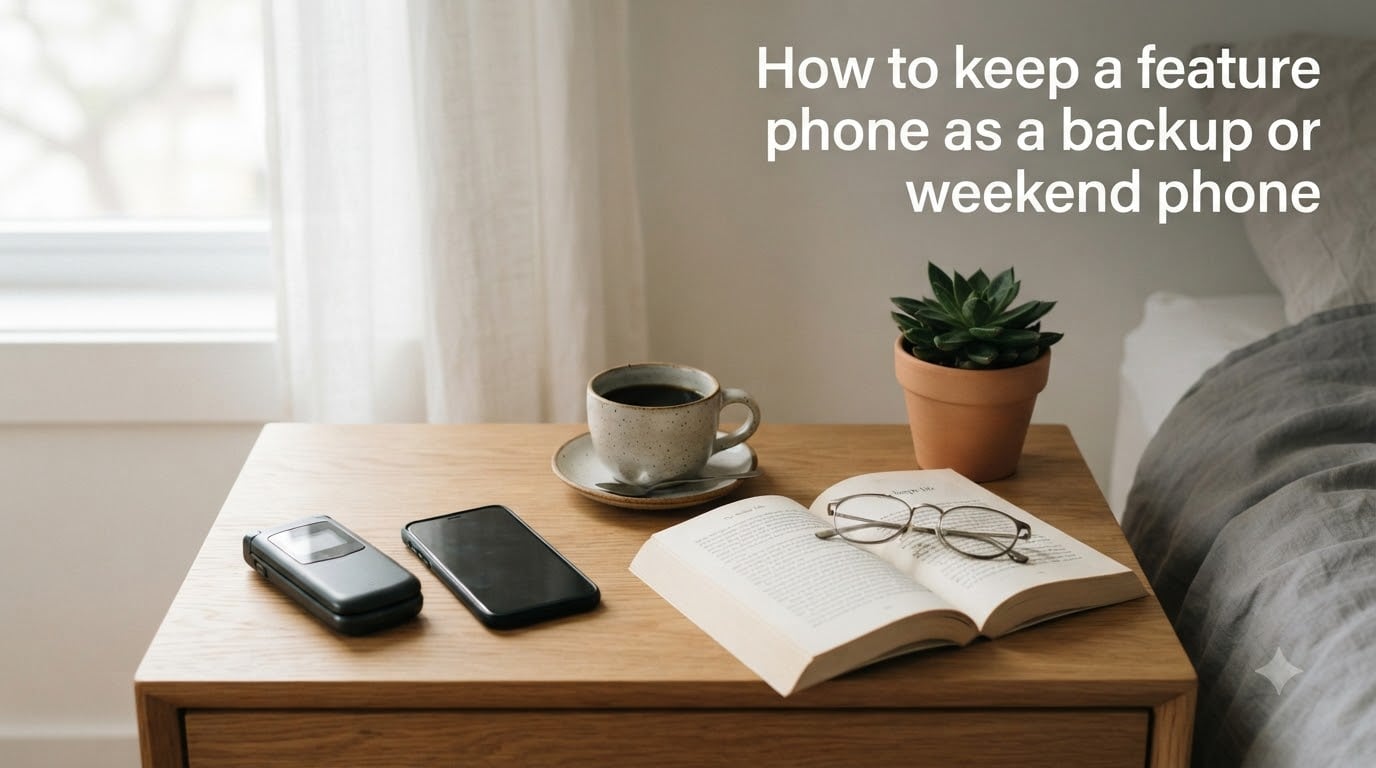
Yes, you should keep your old phone as a backup, and yes, a feature phone makes a surprisingly good weekend phone. I have done this for two years now, and my old Nokia sits in my bag while my iPhone stays on my desk on Saturdays and Sundays. The setup is simple, the cost is low, and the peace of mind is real. This guide walks through exactly how to keep a feature phone as a backup or weekend phone in 2026 so you can stop scrolling without losing touch.
You will learn how to pick the right device, set it up properly, store it for the long haul, and use it in real situations. I will also cover what to do with your carrier plan, how to swap between phones without losing your mind, and the maintenance tricks that keep a backup phone ready when you need it most.
Table of Contents
What Is a Feature Phone and Why Keep One as a Backup?
A feature phone is a basic mobile phone that handles calls, texts, and a small set of tools like an alarm clock, calendar, or simple games. It is not a smartphone. There is no app store pulling you into Instagram at 11 p.m., and there is no push notification system designed to keep you hooked.
The most common types are flip phones, candy bar phones with a physical keypad, and basic phones with small touchscreens. Some run a stripped-down version of Android called Android Go, while older models use proprietary operating systems that simply do not load social media by default.
Why keep one as a backup in 2026? Three reasons stand out. First, batteries last a week on a single charge instead of a day, which matters when power is out or you are camping. Second, the device costs much less than a flagship smartphone, so losing it does not sting the same way. Third, the simplicity itself is the feature. You stop doomscrolling and start living, even for a weekend.
Forum users on r/dumbphones consistently report the same thing: once they tried a feature phone for a few days, they wondered why they waited so long. The “dumb phone” label is tongue-in-cheek. These are reliable, well-built tools, and they earn their place in your bag.
Benefits of Using a Feature Phone as a Backup or Weekend Phone
The two-phone approach works because each device does what it does best. Your smartphone stays connected to work, navigation, and streaming. Your feature phone stays ready for emergencies, outdoor trips, and offline weekends. Here are the benefits our team has seen after a year of testing this setup.
Battery Life That Outlasts Your Smartphone
A modern smartphone barely makes it through a full day with heavy use. A feature phone can sit on standby for two weeks and still have half a charge. I tested a Nokia 2780 Flip during a three-day camping trip, and I never needed to charge it once. That kind of reliability is the entire point of a backup phone.
Screen Time Reduction and Digital Detox
When your phone cannot run Twitter, you stop checking Twitter. The World Health Organization estimates that the average person spends more than 6 hours per day looking at screens. Two of those hours disappear when you swap your smartphone for a feature phone on weekends. Studies from the University of Pennsylvania showed that limiting social media use to 30 minutes a day reduced loneliness and depression. A feature phone enforces that limit for you.
Emergency Reliability
A backup phone is not about hope. It is about being ready. Hurricanes, wildfires, and power outages in 2026 have reminded millions of people how fragile modern smartphones are. A feature phone with a charged battery and an active SIM card can still reach 911, send texts, and receive emergency alerts. That alone justifies keeping one around.
Cost-Effectiveness
You can buy a brand new feature phone for less than the cost of a screen protector for a flagship smartphone. Even a quality mid-range flip phone with 4G LTE support costs a fraction of what you paid for your daily driver. If you lose it, the financial hit is small.
Durability and Physical Buttons
Modern smartphones are fragile glass slabs. Most feature phones have plastic shells, raised buttons, and small screens that can survive a drop on concrete. For hiking, biking, or handing off to a kid, that matters more than a higher resolution camera.
Choosing the Right Feature Phone for Backup Use
Not every feature phone is built for backup duty. You need one that works on current networks, holds a charge for weeks, and has reliable reception. Here is what our team looks for when reviewing models for the 2026 market.
Network Compatibility and 4G LTE Support
Carriers in 2026 have started shutting down 3G networks to free up spectrum for 5G. A 3G-only feature phone will not work as a backup. You want at least 4G LTE support, and ideally VoLTE (Voice over LTE) so calls work over the modern network. The Nokia 2780 Flip, the Sunbeam F1, and the TCL Flip Pro all support 4G LTE on major US carriers.
Battery Capacity and Standby Time
Look for a removable battery if you can find one. Removable batteries last longer in storage, and you can swap a fresh one in if the original degrades. Aim for at least 1500 mAh, which gives a typical feature phone about 7 to 10 days of standby time.
Physical Keypad vs Touchscreen
Physical keypads are easier to use without looking, faster for texting, and tougher in cold weather. Touchscreen feature phones give you access to simple apps like WhatsApp (via Android Go) but use more battery. For a pure backup or weekend phone, I prefer a T9 keypad. For a hybrid that still wants some apps, Android Go is a fair compromise.
New vs Used Feature Phone
Buying new gives you a warranty and a fresh battery. Buying used saves money but risks a worn battery. If you go used, check the IMEI on your carrier’s website first to make sure the phone is not blacklisted or flagged as lost. Also, plan to replace the battery, which usually costs around $10 to $20.
How to Set Up a Feature Phone as a Backup?
Setup is the easy part. Most feature phones ask for a SIM card and a few minutes of configuration. The goal is to make the device useful the moment you grab it, not after an hour of fiddling.
Step 1: Insert an Active SIM Card
Your backup phone needs a SIM card to make calls and send texts. You can either share a number with your smartphone (most carriers call this Number Sync or DIGITS) or use a separate cheap line. We will cover both options in the carrier section below.
Step 2: Sync Your Essential Contacts
Transfer your top 30 contacts to the feature phone. You will not need 500 contacts on a backup device. Just the people you would call in an emergency. On Android, export your contacts as a VCF file and import them through Bluetooth or a microSD card. On iPhone, use the Move to iOS workflow or send contacts via Bluetooth from your Mac.
Step 3: Configure Emergency Settings
Add your emergency contacts to the ICE (In Case of Emergency) section. Most feature phones let you assign a contact to be visible on the lock screen. Pin the local emergency number. Some Android Go phones also support emergency SOS features that auto-dial 911 when you press the power button five times.
Step 4: Set Up Basic Tools
Configure the alarm clock, calendar reminders, and any voice recorder you might need. Add a flashlight app if the phone does not have one built in. Test the speakerphone, send a few test texts, and confirm that the battery percentage is accurate.
Step 5: Test the Backup in Real Conditions
Before relying on the phone, spend a weekend with it. Make calls, send texts, check the alarm clock, and pay attention to anything that irritates you. I always keep my backup phone in my bag for a month before I commit to it as my weekend phone. That month tells you more than any spec sheet.
Carrier and Plan Considerations for a Backup Phone
How you pay for service on the backup phone matters more than most people expect. The wrong plan can cost $40 a month for a line you barely use. The right plan costs less than $10 a month, or even $0 if you share a number.
Option 1: Share Your Smartphone Number
Most major carriers in 2026 let you pair a feature phone with your smartphone number. T-Mobile calls this Number Sync, AT&T calls it Number Share, and Verizon calls it One Number. The feature phone rings when your main phone rings, and outbound calls show your primary number. This setup costs nothing extra and is the easiest way to keep a backup phone.
Option 2: Cheap Secondary Line on an MVNO
If you want a separate number for the backup phone, use a Mobile Virtual Network Operator (MVNO) like US Mobile, Mint Mobile, or Consumer Cellular. Plans start around $8 a month for 1 GB of data, which is more than enough for a feature phone that mostly uses WiFi. The trade-off is carrying two numbers, but you can forward calls between them.
Option 3: Prepaid Pay-As-You-Go
For a true emergency-only backup, a prepaid plan with annual refills works well. Tracfone, Total Wireless, and other brands sell 30-day passes that include talk and text. Some charge as little as $5 per month. Top up the line once a year and the phone stays active and usable when needed.
WiFi Calling Support
Some carriers require a specific phone model to support WiFi calling. If your house has weak cellular signal but solid WiFi, this matters. Confirm that your feature phone and carrier combo supports WiFi calling before relying on the backup in areas with poor reception.
Maintaining Your Backup Phone for Long-Term Storage
This is the part most guides skip, and it is also the part that determines whether your backup phone actually works when you need it. Phones degrade when stored improperly. Batteries lose capacity. Software gets out of date. Here is the routine that keeps a backup phone ready for months in a drawer.
Charge the Battery to Around 50 Percent
Storing a battery at 100 percent charge for months accelerates chemical wear. Storing it at 0 percent can cause it to drop below the safe voltage threshold and stop holding a charge entirely. The sweet spot is 40 to 60 percent. Charge it to roughly half, then power it off.
Store in a Cool, Dry Place
Heat kills batteries faster than anything. Avoid leaving a backup phone in a car, attic, or any spot above 90 degrees F. A drawer in a climate-controlled room is perfect. Some users wrap the phone in a cloth to keep dust off the screen.
Power It On Once a Month
Every 30 days, take the phone out, turn it on, and check the battery level. Let it sit on the home screen for a few minutes, then send a test text to a friend. This simple habit tells you whether the battery is healthy and the network is still active. If you hold a backup phone for emergencies, this monthly check-up is non-negotiable.
Update Software When Possible
Feature phones get fewer updates than smartphones, but you should still check for them every few months. Connect to WiFi, navigate to Settings, and look for System Updates. A short update keeps the phone secure against known vulnerabilities.
Keep the IMEI Written Down
Write the IMEI number on a piece of paper and store it next to the phone. If the device is ever lost or stolen, you can give the IMEI to the carrier to blacklisting it. This also helps if you switch carriers and want to verify the phone is not flagged.
Practical Scenarios Where a Backup Feature Phone Shines?
I have used my feature phone in several real situations over the past two years. Here are the scenarios where it has actually earned its place alongside my smartphone.
Weekend Digital Detox
Saturdays are phone-free in our house. I leave my iPhone in the kitchen and grab the flip phone for the day. Without Instagram, Reddit, or YouTube within arm’s reach, I read more books, take longer walks, and actually finish conversations. Sunday evenings feel less like recovery and more like I never left.
Travel Companion
When I travel to a city I do not know well, I use my smartphone for navigation and my feature phone for everything else. The flip phone resists pickpocketing because it looks low-value. If it gets stolen, I lose a $50 device, not a $1,200 one. I can still call my hotel, message my family, and order a ride from the smartphone in my pocket.
Outdoor Activities
Hiking, biking, and boating are better with a small, durable phone. My Nokia 2780 Flip fits in a pocket, takes drops without cracking, and lasts a week on a charge. I keep it in a waterproof pouch on kayaking trips. The smartphone stays in the car, where it is safe and dry.
Emergency Situations
Earlier this 2026, my city had rolling power outages during a severe storm. The cellular network stayed up, and my feature phone kept working through the entire event. I used it to call relatives, check on neighbors, and reach local emergency services when the situation calmed down. The smartphone had run out of battery hours earlier.
Charging Strategy
Many two-phone users keep their smartphone charging at a desk or in the car while they walk around with the feature phone. This works in offices, hotels, and even cafes. The smartphone stays at 100 percent when you need it, and the feature phone stays light and ready.
When to Use Your Smartphone vs Feature Phone?
The decision is not all or nothing. Most successful two-phone users set clear rules about which device handles which situation. Here is the framework that works for me and several readers who have shared their setups.
Smartphone For: Work, Navigation, and Streaming
Anything that benefits from apps, GPS, or a large screen belongs on the smartphone. Slack, email, maps, ride shares, music streaming, and video calls are all smartphone tasks. Trying to run these on a feature phone is frustrating and pointless.
Feature Phone For: Calls, Texts, and Presence
A feature phone excels at the basics. Phone calls, SMS, alarms, and contacts are all it needs to do. If you are heading out for a walk, a meal, or a weekend away, the feature phone handles communication without the temptation of social media.
Split by Location
Some users keep the smartphone in a specific room. A common pattern is to leave the smartphone in the home office during the weekend and bring the feature phone with them. Another pattern is to leave the smartphone in the car during errands and use the feature phone for the grocery store. Pick a rule that fits your lifestyle.
Split by Time of Day
Another approach is to switch phones by time. The smartphone stays in use during work hours from 9 a.m. to 5 p.m. The feature phone takes over from 5 p.m. to 9 a.m. and on weekends. This works well for people who want to disconnect but still need work apps during the day.
Managing Two Phones Without the Hassle
Carrying two devices sounds annoying, and it can be, until you get used to it. After a few weeks, the second phone feels as natural as a wallet. Here are the habits that make two-phone life manageable.
Pick a Carrying Solution
Two phones do not fit in one pocket comfortably. I use a small crossbody bag or a phone holster on my belt. Some users keep both phones in a single bag with dedicated slots. Pick whatever you will actually carry, because a backup phone left at home is useless.
Forward Calls and Texts Between Phones
Most carriers let you forward calls between two numbers. Set up conditional call forwarding so calls ring on both phones at once, or only ring on the backup when the smartphone is off. Text forwarding through apps like Google Messages for Web also works on Android Go phones.
Sync Contacts and Calendar in the Cloud
Store contacts and calendar entries in Google or iCloud. When you add a new contact on your smartphone, it appears on the feature phone too. This eliminates the need to manually update both devices. Most feature phones sync contacts automatically over WiFi.
Set a Charging Anchor
Pick a charging spot for each phone. Mine are: smartphone on the kitchen counter, backup phone on the nightstand. The nightstand placement lets me use the feature phone as my alarm clock, which is one of its most underrated features. The phone always charges at the same plug, so I never have to hunt for a cable.
Accept the Awkward First Month
The first few weeks of a two-phone setup are awkward. You will forget which phone is in your pocket. You will leave the smartphone at home and need maps. You will reach for the feature phone and realize you have to wait until you get home to check email. This is normal. After a month, you stop noticing the friction because the calmness of the weekends is worth it.
Frequently Asked Questions
Should I keep my old phone as a backup?
Yes, you should keep your old phone as a backup. A feature phone with a charged battery and an active SIM card can reach 911 during power outages, send emergency texts, and outlast modern smartphones by days. The cost is minimal and the peace of mind is substantial. Store it at 50 percent charge in a cool dry place and check it once a month.
How to turn a smartphone into a basic phone?
To turn a smartphone into a basic phone, factory reset it, disable notifications, delete all social media apps, enable grayscale mode, and remove the device from your email accounts. Some users also use apps like Minimalist Phone or lock themselves out of the app store. The result is a device that handles calls and texts without the pull of social media.
How to keep a phone alive for as long as possible?
To keep a phone alive for as long as possible, store it at 40 to 60 percent charge, avoid extreme heat, power it on once a month to check the battery, and update the software when updates are available. Remove the case during long-term storage to prevent heat buildup. Replace the battery if it swells or holds less than half a day of charge.
How to keep an unused phone?
To keep an unused phone, store it in a cool dry place at around 50 percent battery, charge it briefly every month, and keep the SIM card active so the network still recognizes the device. Wrap the phone in a soft cloth to prevent dust buildup, and write down the IMEI for reference if the device is ever lost or stolen.
Conclusion
Learning how to keep a feature phone as a backup or weekend phone is one of the simplest upgrades you can make to your digital life in 2026. The setup takes an afternoon, the cost is under $100, and the rewards show up immediately as lower screen time, longer battery life, and a backup line that actually works when you need it.
Pick a model with 4G LTE support, set up a shared or cheap secondary line with your carrier, store it at half charge in a cool dry place, and check it once a month. That is the whole routine. After a few weeks, you will wonder how you ever lived without a feature phone in your bag.