
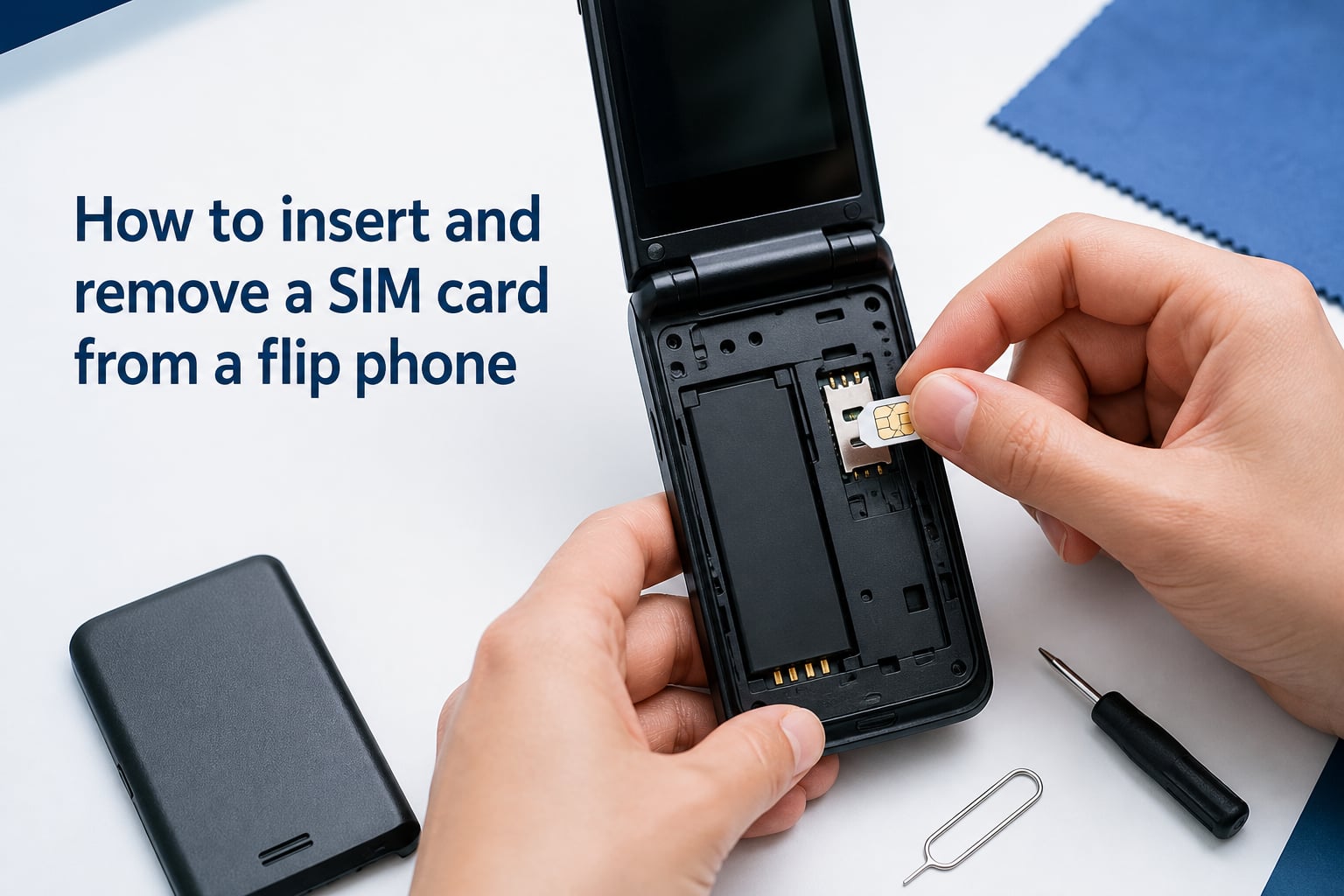
Learning how to insert and remove a SIM card from a flip phone is a skill that saves you time, money, and frustration. Whether you are switching carriers, activating a new line, traveling internationally, or retiring an old device, you will need to handle the SIM card correctly. Most flip phones hide the SIM slot under the battery, and the removal process is not always obvious.
This guide walks you through every step using plain language and real-world tips gathered from user forums and carrier support documents. I have also included troubleshooting advice for stuck cards, a SIM size reference, and brand-specific notes for popular flip phone models in 2026.
Table of Contents
What You Need Before You Start?
The process of changing a SIM card in a flip phone requires almost no tools, but having a few items ready makes things smoother. Here is what to gather before you begin.
A clean, well-lit workspace so you do not lose small parts
Your SIM card (make sure it is the correct size for your phone)
A SIM ejector tool, paperclip, or your fingernail depending on slot type
Optional: a small piece of tape if your SIM slot has a loose grip
You do not need any special technical knowledge. If you can open a battery cover, you can swap a SIM card in under five minutes.
Understanding Flip Phone SIM Card Slots
Flip phones use a different SIM slot design than most smartphones. Instead of an external side tray that pops out with a pin, the SIM card typically sits inside the phone beneath the battery.
There are two common designs you will encounter. The first is a slide-in slot where the SIM slides under a metal bracket or into a shaped pocket. The second is a spring-loaded tray that locks the card in place when you push it down.
Some models, like the Kyocera Digno series, use a spring-loaded mechanism that ejects the card when you press on it. Others, like many TCL and Alcatel flip phones, use a simple slide holder secured by a small tab you press to release the card.
Knowing which type your phone uses helps you avoid forcing anything and damaging the slot.
How to Insert and Remove a SIM Card from a Flip Phone (Step by Step)
This is the core process that works for the vast majority of flip phones, including TCL, Alcatel, Samsung, and Kyocera models. Follow each step in order.
Step 1: Power Off the Phone
Always turn the phone completely off before opening it. Removing a SIM card while the device is powered on can corrupt data and damage the card or the phone’s circuitry.
Hold the power button, confirm shutdown, and wait until the screen goes fully dark.
Step 2: Remove the Back Cover
Flip the phone over so the back faces up. Look for a small notch or groove along one edge of the battery cover. Insert your fingernail into the notch and gently pry the cover away from the body.
Work your way around the edges if the cover feels tight. Most back covers are plastic clips that release with light pressure. Do not use metal tools, which can crack the cover.
Step 3: Remove the Battery
On nearly all flip phones, the SIM slot sits underneath the battery. Locate the pull tab at the bottom of the battery compartment and lift the battery straight out.
If there is no pull tab, use a fingernail to gently pry the battery from the bottom edge. Set the battery aside on a flat surface.
Step 4: Locate the SIM Card Slot
With the battery removed, look for a rectangular metal bracket or a shaped outline marked “SIM.” The slot is usually in one of the upper corners of the battery compartment.
You will see a diagram embossed in the plastic showing the correct orientation of the SIM card. Pay close attention to the notched corner, which tells you which way the card faces.
Step 5: Insert or Remove the SIM Card
To remove: If your phone uses a slide holder with a retention tab, press down lightly on the tab and slide the SIM card out. If it uses a spring-loaded tray, push the card gently inward and it will pop up for removal. Use a fingernail, never a metal tool, to pull the card free.
To insert: Align the notched corner of the SIM card with the diagram on the phone. Slide the card into the holder with the gold contacts facing down. For spring-loaded slots, push the card in until you feel it click into place.
Never force the card. If it does not slide in smoothly, double-check the orientation and size.
Step 6: Reassemble and Power On
Replace the battery first, making sure the contacts align with the terminals in the compartment. Press the battery flat until it seats fully.
Snap the back cover back on by pressing around the edges until all clips engage. Power the phone on and wait for the signal bars to appear, which confirms the SIM is reading correctly.
Troubleshooting a Stuck or Jammed SIM Card
One of the most common pain points in flip phone SIM removal is a card that refuses to budge. Forum users on r/dumbphones frequently report this issue with older or budget models.
Here is how to handle a stuck SIM card safely:
Press the release tab again while gently wiggling the card side to side with your fingernail
If the card has no grip surface, place a small piece of tape on the back of the card and use the tape as a pull handle
For spring-loaded slots, try pushing the card slightly deeper before releasing to reset the spring mechanism
Inspect for a bent SIM card edge that may be catching on the slot frame
Avoid using needles, knives, or metal picks that can short the contacts or scratch the gold pads
If the card is visibly damaged or bent, ease it out as gently as possible and replace it with a new one. A damaged SIM can cause intermittent signal loss even if it still fits in the slot.
SIM Card Sizes Explained
Flip phones use different SIM sizes depending on the model and year of manufacture. Using the wrong size means the card will either not fit or sit loosely and lose connection.
Here are the three standard sizes you will encounter:
Standard SIM: The largest size, used in older flip phones from the mid-2000s. Measures 25mm by 15mm.
Micro SIM: Found in some mid-generation flip phones. Measures 15mm by 12mm.
Nano SIM: The most common size in current 2026 flip phones from TCL, Alcatel, and Kyocera. Measures 12.3mm by 8.8mm and is the smallest standard.
Many carriers ship a triple-cut SIM that includes all three sizes in one card. You simply snap out the size your phone needs. If your current SIM is too large, you can punch it down to a smaller size with a SIM cutter tool or request the correct size from your carrier for free.
Never trim a SIM card with scissors, as uneven edges will damage the slot contacts.
Brand-Specific Tips for Popular Flip Phones
Different brands place and secure the SIM card in slightly different ways. These model-specific notes address the most common questions users ask.
TCL FLIP Pro and TCL FLIP Go: The SIM slides into a holder above the battery. Press down on the small tab at the base of the holder and slide the card outward to remove it. These phones use a nano SIM.
Alcatel GO FLIP: Remove the back cover and battery, then locate the SIM slot in the upper right corner. The card slides in with the notched corner aligned to the lower right. Use the same tab-press-and-slide motion to remove it.
Samsung flip phones (older models): Many older Samsung flip phones use a standard or micro SIM seated in a hinged metal bracket. Lift the bracket, place or remove the card, then press the bracket back down until it clicks.
Kyocera flip phones: Some models like the Digno 902KC use a spring-loaded slot. Push the card inward gently and it will spring up for removal. This design is convenient but can feel stiff at first.
CAT flip phones: These rugged models often have a sealed battery compartment secured with screws. Check whether your specific model allows user-accessible SIM replacement or requires a service visit.
FAQs
Can I take my SIM card out and put it in a flip phone?
Yes, in most cases you can move a SIM card from a smartphone to a flip phone as long as the card size matches the flip phone’s slot. Most current flip phones use a nano SIM, which is the same size used by modern smartphones. However, if the SIM is carrier-locked or tied to a specific data plan, you may need to contact your carrier to activate service on the new device.
Why won’t the SIM tray eject?
If the SIM will not slide out, the retention tab may not be fully pressed. Try pressing the tab down again while gently wiggling the card. For spring-loaded slots, push the card slightly deeper to reset the spring. You can also place a small piece of tape on the card to create a pull handle. Never use metal tools, which can damage the slot contacts.
How to take SIM card out of flip phone before discarding them?
Power off the phone, remove the back cover and battery, press the SIM release tab, and slide the card out. Always remove the SIM before discarding, recycling, or donating a phone. The SIM contains your carrier account information and contacts, so you should either keep it, transfer it to a new phone, or cut it in half with scissors to destroy the embedded chip before disposal.
Does removing a SIM card erase everything on a phone?
No. Removing a SIM card does not erase photos, contacts stored on the phone, text messages, or any other data on the device. It only disconnects the phone from the cellular network. However, contacts stored on the SIM card itself will not be accessible until the SIM is reinserted or the contacts are transferred to the phone’s internal memory.
Conclusion
Knowing how to insert and remove a SIM card from a flip phone gives you full control over your device and service. The process comes down to powering off, removing the back cover and battery, sliding the SIM in or out of its slot, and reassembling everything. Keep the troubleshooting tips handy for stuck cards, double-check your SIM size, and always remove the card before discarding any phone.