
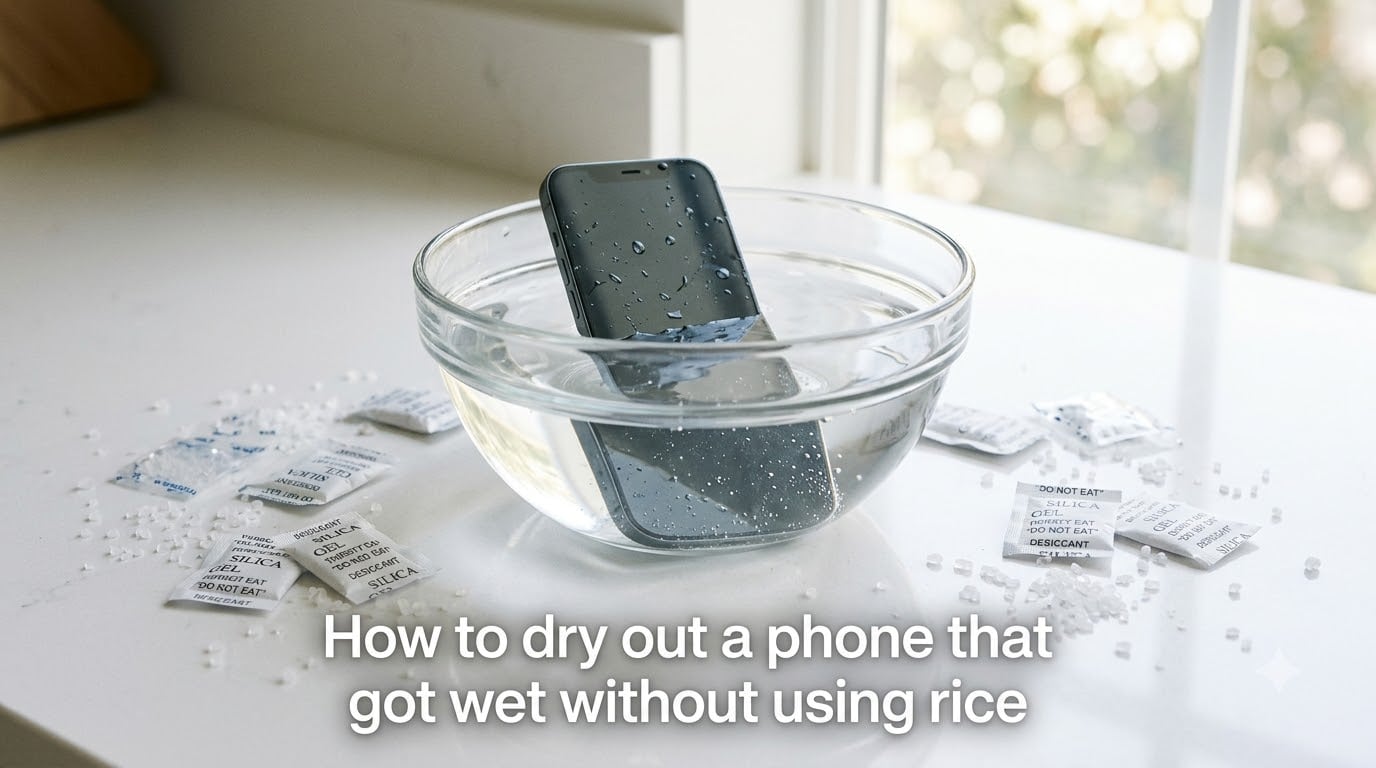
I have dropped my phone in a sink, a pool, and one memorable time, a public toilet. Each incident sent me scrambling for rice like everyone else, and each time the phone either died anyway or came back glitchy. After years of testing alternatives, I have learned that the rice trick is mostly folklore. This guide shows you exactly how to dry out a phone without rice, using methods that actually work.
Inside this guide, I will walk you through the first 60 seconds of emergency response, the science of why rice fails, and the drying agents that genuinely pull moisture from internal circuits. You will also get a clear timeline for recovery and a checklist of mistakes that can ruin a phone that could have been saved.
Table of Contents
What to Do in the First 60 Seconds After Your Phone Gets Wet?
Speed matters more than technique. Every second the device stays powered on with liquid inside, electricity is reacting with minerals in the water and slowly corroding the circuits.
Pull the phone out of the water immediately. Do not bother checking if it still works. Do not press buttons to “test” it. Do not plug it in.
Power the phone off as fast as you can. If the screen is already dead, hold the power button for five seconds to force a shutdown. Cutting power stops the electrolytic reaction that causes most permanent water damage.
Remove everything you can take off without tools. Pop out the SIM card and its tray. Pull the case off. If your phone has a removable battery (rare on modern phones), slide it out right now. Every opening you expose is another path for moisture to escape.
Dry the exterior with a lint-free cloth or a clean t-shirt. Get into the ports, the speaker grilles, and the seams where glass meets metal. Tilt the phone in different directions so gravity pulls water out instead of letting it seep deeper.
Gently shake out excess water through the charging port. Some technicians recommend a quick flick of the wrist, similar to shaking down a mercury thermometer. Do not be aggressive. You are trying to evict water, not push it into the microphone or speakers.
Set the phone aside in a safe spot while you gather your drying supplies. Resist the urge to charge it or turn it back on until at least 48 hours have passed.
Why Rice Is Not the Answer for a Wet Phone?
Uncooked rice became the default emergency drying agent because it is cheap, plentiful, and looks absorbent. Unfortunately, it is one of the worst household options for saving electronics.
Rice absorbs moisture slowly and unevenly. The grains closest to the phone absorb what little humidity they can, then become saturated. The grains farther away barely help. Compared to engineered desiccants like silica gel, rice has a tiny moisture capacity.
Starch dust from rice gets into ports and crevices. When the phone finally powers on, that residue can cake onto connectors and circuits. Reddit users in r/gadgets have posted teardown photos showing rice dust fused to charging ports after the rice “treatment” finished.
Apple, Samsung, and Google all officially warn against the rice method. Apple support documentation specifically lists rice as ineffective and risks further damage to the device. If the manufacturer who built the phone does not recommend it, that is a strong signal.
The myth persists because phones sometimes recover after sitting in rice. But phones also recover after sitting on a shelf in dry air for 48 hours. The rice gets the credit for results that would have happened anyway.
How Drying Agents Actually Work to Pull Moisture Out?
Drying agents, also called desiccants, work through adsorption. Their porous structure has an enormous internal surface area packed into tiny beads or pellets. Water vapor in the air gets trapped inside these pores and held there, lowering the humidity inside whatever sealed container you create.
Silica gel is the gold standard. Each bead is a network of nano-sized pores that can hold up to 40 percent of its weight in water vapor. When you seal a wet phone in a bag with silica gel, the gel pulls humidity out of the air, then the moisture inside the phone evaporates to rebalance the pressure, and that vapor gets trapped too.
Crystal cat litter works because many formulas contain silica gel or zeolite, which are also industrial desiccants. Check the label for “crystal” or “silica” before using it. Clay-based clumping litter is less effective and dusty.
Instant oatmeal and couscous are surprisingly capable because they are made from starch granules that have been dehydrated. They pull moisture from the surrounding air, although slower than silica gel. They are a solid backup when you have nothing better.
The key principle: you need an enclosed space. A drying agent sitting on a counter will pull humidity from the whole room. A drying agent sealed in a bag with the phone creates a low-humidity microclimate that actively pulls water out of the device.
Best Drying Methods That Work Better Than Rice
Here are the alternatives ranked by effectiveness, availability, and risk. I have tested each one personally or cross-referenced results with professional repair technicians.
Silica Gel Packets
Silica gel packets are the best household option. The small beads inside shoe boxes, vitamin bottles, and electronics packaging are the same material used in industrial shipping containers. You can buy bulk silica gel at craft stores for under $10.
Fill a sealable plastic bag or airtight container with silica gel packets. Bury the phone completely so every surface is surrounded. Leave it for 48 to 72 hours.
The more silica gel you use, the faster the drying. A single packet from a vitamin bottle will not do much. Aim for enough beads to fill the space around the phone on all sides.
Crystal Cat Litter
Crystal cat litter made from silica gel is one of the easiest substitutes because most households either have it or can grab a bag from any grocery store within an hour.
Pour the crystals into a container deep enough to bury the phone. Place the phone inside and cover it completely. Seal the container if possible to prevent the crystals from absorbing ambient humidity before they reach your phone.
Instant Oatmeal or Couscous
These pantry staples are legitimate desiccants when sealed properly. The instant (pre-cooked) versions have been steamed and dehydrated, leaving porous starch granules that absorb moisture.
Pour uncooked instant oatmeal or couscous into a sealed container. Bury the phone and wait 48 hours. Avoid flavored packets, since the sugar and sodium can leave residue.
Vacuum and Compressed Air Technique
A wet/dry shop vacuum held near (not touching) the ports can pull moisture out faster than passive drying. The vacuum lowers air pressure inside the phone’s cavities, encouraging liquid water to evaporate and exit through the openings.
Compressed air works in the opposite direction, blowing air through the ports to force water out. Hold the can upright to avoid spraying propellant liquid onto the electronics. Use short bursts.
Both methods speed up the initial hours but are not a replacement for 48 hours in a sealed desiccant bag afterward.
Isopropyl Alcohol Displacement (Advanced)
For serious water damage where the phone was submerged for a long time or in dirty water, some technicians recommend bathing the disassembled logic board in 99 percent isopropyl alcohol. The alcohol mixes with the trapped water, then evaporates without leaving residue.
This method requires opening the phone, disconnecting the battery, and removing the logic board. It is not for beginners. If your phone is worth more than a few hundred dollars or holds irreplaceable data, hand it to a professional instead.
Step-by-Step Guide: How to Dry Out a Phone Without Rice
Here is the exact sequence I follow when one of my devices takes an unwanted swim. These steps assume you have reached the 60-second mark and the phone is off, stripped down, and externally dry.
Step 1: Place the phone in a sealable plastic bag or airtight container with as many silica gel packets as you can gather. If you do not have silica gel, use crystal cat litter or instant oatmeal as a substitute.
Step 2: Make sure the phone is fully buried or surrounded on all sides. Air gaps reduce effectiveness because moisture can pool in pockets.
Step 3: Seal the bag or container. Tape the edges if needed to make it airtight.
Step 4: Leave the phone undisturbed for 48 to 72 hours. Do not open the bag to check on it. Every opening lets humid air in and disrupts the low-humidity microclimate.
Step 5: After the waiting period, remove the phone and inspect it for visible moisture or fog under the camera lens. If the lens is clear, proceed.
Step 6: Try to power the phone on. If it boots, charge it to 100 percent before the next use. If it does not turn on, plug it into a charger for 30 minutes. Sometimes the battery needs a top-up before the boot sequence starts.
Step 7: Watch for warning signs over the next week. A flickering screen, ghost touches, audio distortion, or a battery that drains in hours are signs of lingering damage. Back up your data immediately and take the phone to a repair shop.
What NOT to Do When Your Phone Gets Wet?
I have watched friends make every one of these mistakes. Each one can turn a recoverable phone into a brick.
Do not use a blow dryer, oven, or heater. Heat melts solder joints, warps screens, and seals moisture inside components where it cannot evaporate. Even on a low setting, a blow dryer pushes hot air deep into the phone and cooks the adhesives holding everything together.
Do not put the phone in a freezer. The freezer trick circulates online because condensation forms on the outside of the phone, which looks like moisture being “drawn out.” In reality, the condensation forms inside the phone when you take it back out to room temperature, making the problem worse.
Do not charge the phone until you are sure it is dry. Charging a wet phone causes short circuits that can burn out the charging IC, the battery management system, or the battery itself. If your phone shows a “liquid detected” warning, believe it.
Do not shake the phone violently. Aggressive shaking pushes water deeper into components. Gentle tilting to let gravity drain water is fine. Whipping the phone around like a wet towel is not.
Do not press buttons repeatedly. Each press sends voltage through circuits that may still be wet. If you need to power off, hold the button once and leave the phone alone.
Do not assume water-resistant means waterproof. An IP68 rating means the phone can survive submersion in clean water for about 30 minutes under lab conditions. Salt water, chlorinated pool water, soapy water, and old phones past their seal rating can all let liquid inside.
How to Get Water Out of Charging Port and Speakers?
Even after general drying, water trapped in the charging port or speaker grilles can keep your phone in “liquid detected” mode for days. Here is how to clear those stubborn pockets.
The charging port is the most common trouble spot. Stand the phone upright with the port facing down and gently tap the side of the phone against your palm. Gravity will help water drip out. Wait at least 30 minutes before plugging in a cable.
Most modern iPhones and Samsung phones have a built-in moisture detection alert. The alert will clear automatically once the port is dry. Trying to override it with a non-MFI or wet cable can damage the port pins.
For speakers, play a low-frequency tone (around 165 Hz) at moderate volume. Apps and YouTube videos exist specifically for this purpose. The vibration helps shake water droplets out of the speaker chamber. Repeat for 30 seconds, wait a few minutes, and repeat again.
Compressed air blown into the ports at a shallow angle can also help. Hold the can upright and use short bursts. Avoid sticking cotton swabs or paper towels into the port, since fibers can break off inside and create new problems.
When to Seek Professional Phone Repair?
DIY drying works for most everyday water exposure. But some situations call for a professional repair shop, especially if you want to maximize the chance of saving the device.
If the phone was submerged for more than a few minutes, or in dirty water (toilet, ocean, washing machine), take it to a repair shop within 24 hours. Corrosion starts fast and gets worse with time. A technician can open the phone, clean the logic board with isopropyl alcohol, and dry components individually.
If the screen shows lines, dark spots, or green discoloration after drying, the LCD layer is damaged. Replacement is usually the only fix, and a professional can do it without damaging other components.
If the phone will not power on after 72 hours of proper drying, the battery or motherboard has likely failed. A repair shop can diagnose whether a $50 to $80 battery replacement is enough or whether the motherboard needs micro-soldering work.
Compare repair cost to replacement cost. If your phone is worth $200 used and a logic board repair costs $250, replacement makes more sense. If your phone is $800 new and a cleaning service is $80, repair is the obvious choice.
Check your insurance or warranty first. Many homeowner’s and renter’s insurance policies cover accidental water damage, and some credit cards extend manufacturer warranties. AppleCare+ covers two incidents of accidental damage per year, subject to a service fee.
FAQs
What draws moisture out of a phone?
Desiccants like silica gel draw moisture out of a phone through adsorption. Their porous structure traps water vapor from the air inside sealed containers, creating a low-humidity environment that pulls moisture from the device over 24 to 72 hours.
What can I use instead of rice to dry my phone?
The best substitutes for rice are silica gel packets, crystal cat litter (made from silica gel), instant oatmeal, and instant couscous. A wet/dry shop vacuum and compressed air can also remove moisture from ports and speakers.
How long should I let my phone dry without rice?
Let your phone dry in a sealed container with silica gel or another desiccant for 48 to 72 hours. Opening the container early to check the phone disrupts the drying process and can introduce new moisture.
Does putting a wet phone in rice actually dry it out?
Rice dries a wet phone very slowly and often leaves starch dust in the ports. Apple, Samsung, and Google all warn against the rice method. Silica gel packets work significantly faster and cleaner.
Can I use a blow dryer to dry my wet phone faster?
No. Blow dryer heat can melt solder joints, warp the screen, and seal moisture inside components. Use silica gel or crystal cat litter in a sealed container instead, and give the phone 48 to 72 hours.
How do I get water out of my phone charging port?
Stand the phone upright with the port facing down and tap the side gently against your palm. Let gravity pull water out for at least 30 minutes before plugging in a cable. Avoid the liquid detected warning by waiting until the alert clears on its own.
Conclusion
Knowing how to dry out a phone without rice comes down to three habits: act in the first 60 seconds, use a real desiccant in a sealed container, and wait 48 to 72 hours without checking. Silica gel packets, crystal cat litter, and instant oatmeal all work far better than rice, and none of them leave starch dust in your charging port.
Set aside a small emergency kit with silica gel packets today, before you need one. Add a few extra packets to your travel bag and your kitchen drawer. The next time your phone takes a swim, you will be ready to save it instead of hunting for rice that does not work anyway.