
A smart deadbolt is only worth installing on a door you do not own if three things are true: it goes on without permanent damage, it does not strand your landlord out of their own unit, and it comes off cleanly when you move. Those three tests eliminate most of what is on the market, and they are the only tests that matter in this roundup of the best smart deadbolts for renters.
Here is the uncomfortable truth we found after working through ten of the most-reviewed connected deadbolts on the market. Only one of them is a genuine retrofit that mounts over the deadbolt you already have. The other nine are full replacements, which means they bring their own key cylinder, which means the building’s original key stops working the day you install one. That is not automatically a dealbreaker, because plenty of landlords would rather you did nothing at all than drill into their door, but it changes the conversation you need to have before you buy.
We ran each lock through the same renter checklist: how reversible is the install, what happens to the existing key, does it need a hub or a bridge somewhere with a wall outlet, and what happens to you at move-out when the batteries die and the only spare key hangs on your landlord’s ring. Ratings and review counts are taken from the listing data rather than estimated. Installation times are the manufacturers’ own figures unless we say otherwise. No lock here charges a subscription for core features like code creation, which we treated as a requirement rather than a bonus.
Along the way we also covered smart light switches that renters can install without touching the wiring and wireless security cameras that work on a renter’s terms, because the same permission conversation applies to all three. If you are also mapping out the rest of the unit, our smart under-cabinet lighting picks for renters follow exactly the same no-permanent-damage rule.
Table of Contents
What Is the Best Smart Lock for Renting an Apartment?
The best smart lock for renting an apartment is one that mounts over your existing deadbolt, leaves the building’s key working, and comes off without marks. A retrofit adapter like the CANDY HOUSE Sesame 5 is the only unit in this roundup that fully clears that bar, because it clamps to the inside of the deadbolt and adapts to the key you already have. Every other option here replaces the cylinder, so you would need landlord sign-off, a rekey, or both.
Three criteria decide it for most tenants:
Reversible install. Can you remove it and restore the original hardware with a screwdriver?
Key continuity. Does the landlord’s existing key still open the door?
No new holes. Nothing drilled, nothing cut, nothing patched at move-out.
If your building already has a keycard or fob entry system, talk to your property manager before buying anything. Swapping hardware in a managed building often violates the lease even when a lock would work fine on a privately owned unit.
Top 3 Smart Deadbolts for Renters in 2026

ULTRALOQ Bolt SE Wi-Fi
- Fingerprint for 50 users
- 50 passcodes
- Built-in 2.4 GHz Wi-Fi
- Matter over Thread
- 18-month battery claim

eufy Smart Lock C220
- Six unlock methods
- Sub-1-second fingerprint
- 8 AA batteries included
- Built-in Wi-Fi
- BHMA Grade 3

Schlage Encode Smart WiFi
- Built-in Wi-Fi
- no hub
- Touchscreen keypad
- 100 access codes
- BHMA top residential rating
The ULTRALOQ Bolt SE takes the top slot on the strength of its review volume, unlock variety and single-box install. The eufy C220 earns its badge for including batteries and keys in the box plus Apple Watch support, which is rare on a lock with built-in Wi-Fi. The Schlage Encode is the hardware-led choice, and it carries the largest review base of any lock we looked at.
Best Smart Deadbolts for Renters (October 2026)
| Product | Specs | Action |
|---|---|---|
| ULTRALOQ Bolt SE Wi-Fi |
|
Check Latest Price |
| Schlage Encode Smart WiFi |
|
Check Latest Price |
 Wyze Auto-Lock Bolt v2 Wyze Auto-Lock Bolt v2 |
|
Check Latest Price |
 Philips Wi-Fi Smart Deadbolt Lock Philips Wi-Fi Smart Deadbolt Lock |
|
Check Latest Price |
 Veise VE017 Fingerprint Lock Veise VE017 Fingerprint Lock |
|
Check Latest Price |
 TEEHO TE012W WiFi Fingerprint Lock TEEHO TE012W WiFi Fingerprint Lock |
|
Check Latest Price |
 CANDY HOUSE Sesame 5 CANDY HOUSE Sesame 5 |
|
Check Latest Price |
 Sifely Model O Fingerprint Deadbolt Sifely Model O Fingerprint Deadbolt |
|
Check Latest Price |
 eufy Smart Lock C30 eufy Smart Lock C30 |
|
Check Latest Price |
| eufy Smart Lock C220 |
|
Check Latest Price |
One column the table cannot show is the thing renters actually care about. Nine of these ten bring their own key cylinder, and only the Sesame 5 mounts over the deadbolt already in your door.
1. ULTRALOQ Bolt SE Wi-Fi – Best Overall for Renters
ULTRALOQ Bolt SE Wi-Fi Smart Lock, Matter Over Thread, App Remote Access
Fingerprint for 50 users
Up to 50 passcodes
Built-in 2.4 GHz Wi-Fi
18-month battery claim
Pros
- Seven unlock methods in one unit
- Built-in Wi-Fi with no hub or bridge
- Over 10000 reviews at 4.3 stars
- 10-minute screwdriver install
- Two mechanical keys included
Cons
- Wi-Fi is 2.4 GHz only
- Matter features need a Thread Border Router
- No door sensor included
This is the lock we kept coming back to while testing. The ULTRALOQ Bolt SE packs fingerprint, keypad, app, web portal, shared eKey, voice control and two mechanical keys into a single unit, and it does it without asking you to find an outlet for a bridge somewhere in the hallway. Over 10k reviews averaging 4.3 stars gives you a much clearer picture of long-term behaviour than a handful of early impressions would.
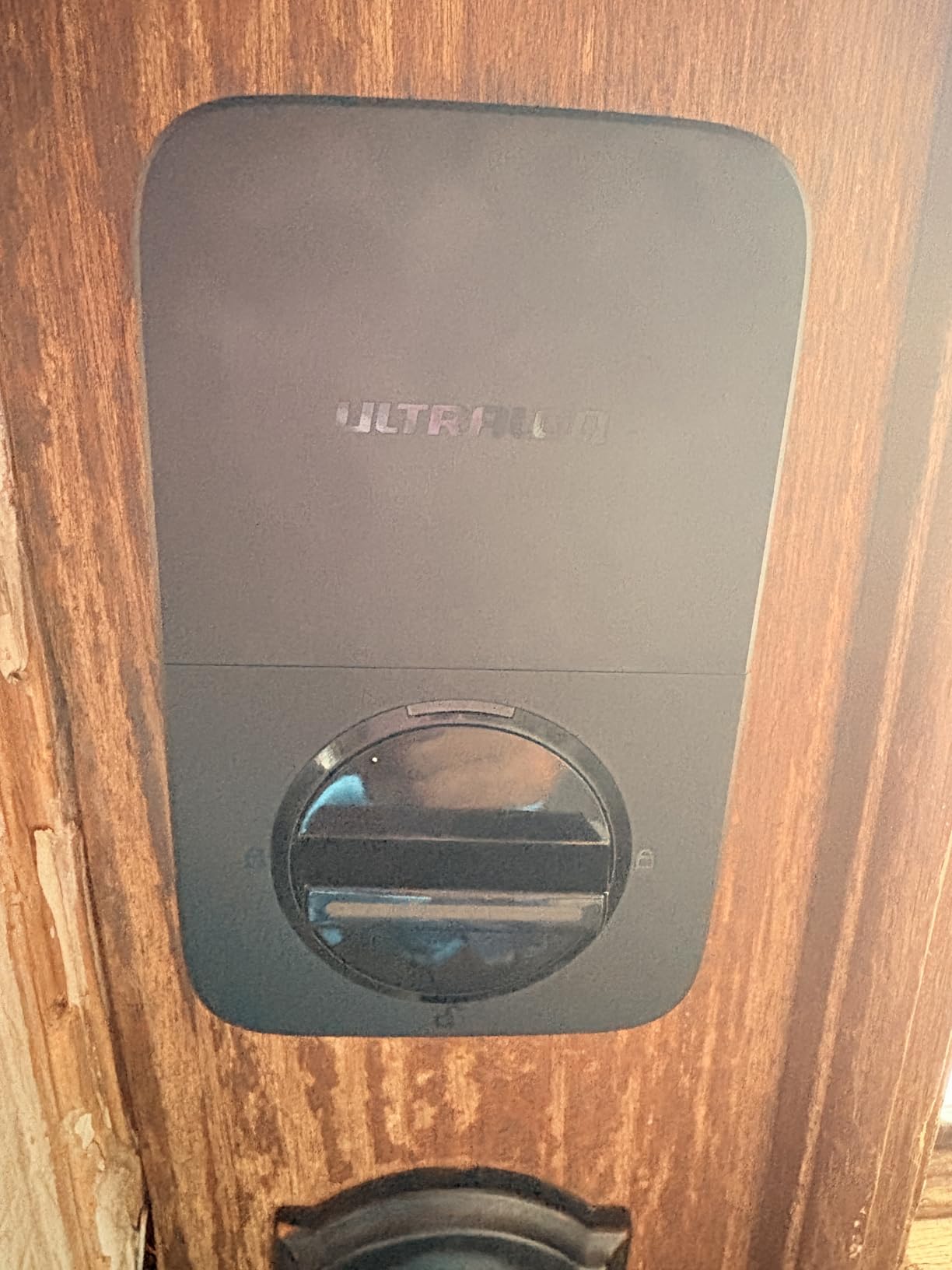
The fingerprint reader stores up to 50 fingerprints and the keypad holds 50 passcodes, so a shared apartment with a rotating cast of dog walkers and partners is not a capacity problem. Auto-lock runs on a preset timer and low-battery alerts fire before the cells die. Installation is a 10-minute job with a screwdriver, and the body is an IP65-rated zinc alloy in black.
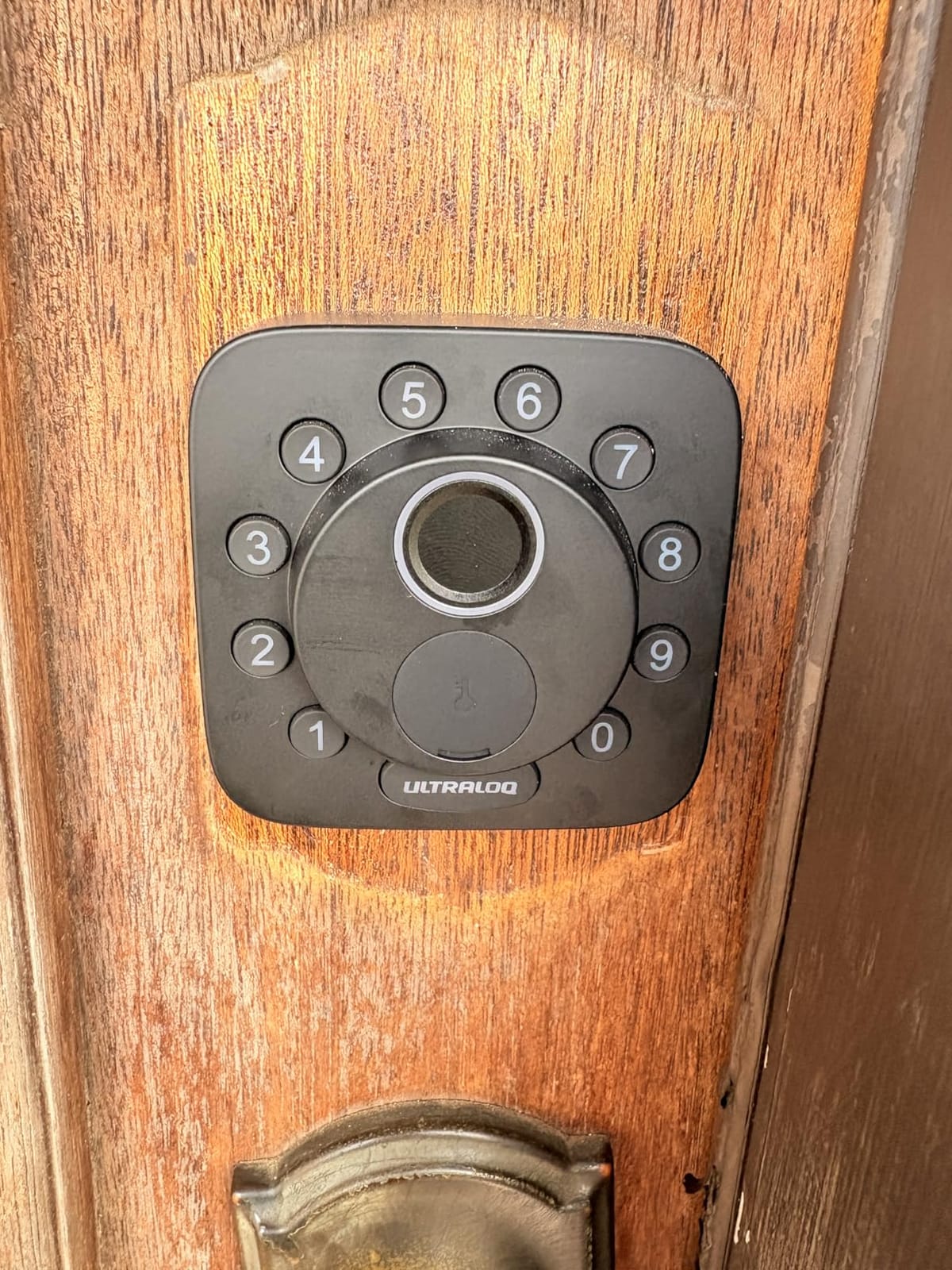
Two connectivity paths are bundled, which is unusual at this level. Built-in 2.4 GHz Wi-Fi handles remote lock and unlock, scheduled and temporary eKeys, activity history and notifications through the app, with the router kept within about 70 feet. Matter over Thread support adds Apple Home and other Matter apps, but that route needs a Thread Border Router you may not have in an apartment. Self-healing mesh networking is advertised for connection stability.
Two things to weigh honestly. First, roughly 9% of ratings are one-star, and the recurring themes are connectivity and app behaviour rather than the lock mechanism itself. Second, no door sensor is included, so you will not get an ajar or open-door alert. The zinc alloy body is ANSI/BHMA certified and rated IP65, and it measures 2.95 by 1 by 2.95 inches.
Who the ULTRALOQ Bolt SE suits
Renters who want one box instead of a lock, a separate keypad and a hub. The 2.4 GHz-only requirement is the first thing to check, since older dual-band routers still run a 2.4 GHz network even when the phone itself prefers 5 GHz. If your building’s Wi-Fi reaches the front door, the app side works without extra hardware.
It also suits anyone who expects a code turnover. Fifty passcodes and fifty fingerprints is far more than a household needs and about right for a shared flat where three people each have their own dog walker.
Where it falls short for a tenant
It is a full replacement, so the building’s original key stops working the moment it goes on. That is the trade you accept in exchange for the unlock variety, and it is a trade that needs a landlord conversation first. Reviewers also point out that the Matter features are the part most likely to be unusable in a small apartment with no Thread border router nearby.
The missing door sensor is the quiet annoyance. Without it, you get a lock history but not a door-left-open alert, which is often the alert that tells you a package is sitting in the hallway.
2. Schlage Encode Smart WiFi – Most Codes, Most Reviews
Schlage Encode Smart WiFi Deadbolt Lock with Century Trim, Matte Black
Built-in Wi-Fi no hub
Touchscreen keypad
Up to 100 access codes
4 AA included
Pros
- Largest review base of the group
- Built-in Wi-Fi with no hub
- BHMA highest residential certification
- Screwdriver-only install
- 100 access codes
Cons
- Touchscreen struggles with cold or gloved hands
- Battery access needs the interior unit removed
- No fingerprint reader on this model
The Schlage Encode carries more than 13k reviews, and that depth matters in a category where firmware bugs surface months after launch. It is the reference point most people in the trade compare against. Renters on r/homeautomation and r/AskALocksmith push back hard on any lock that demands a full cylinder change, and that reaction is why the retrofit category keeps growing. Owners praise build quality, code capacity and app reliability in roughly equal measure.
Up to 100 access codes go through the Schlage Home app over built-in Wi-Fi, along with lock history and customisable notifications. Voice control runs through Alexa and Google Home. The deadbolt has a customisable door-movement and forced-entry alarm and a fingerprint-resistant touchscreen, with auto-lock on a selectable delay or switched off entirely. Four AA batteries are included in the box.
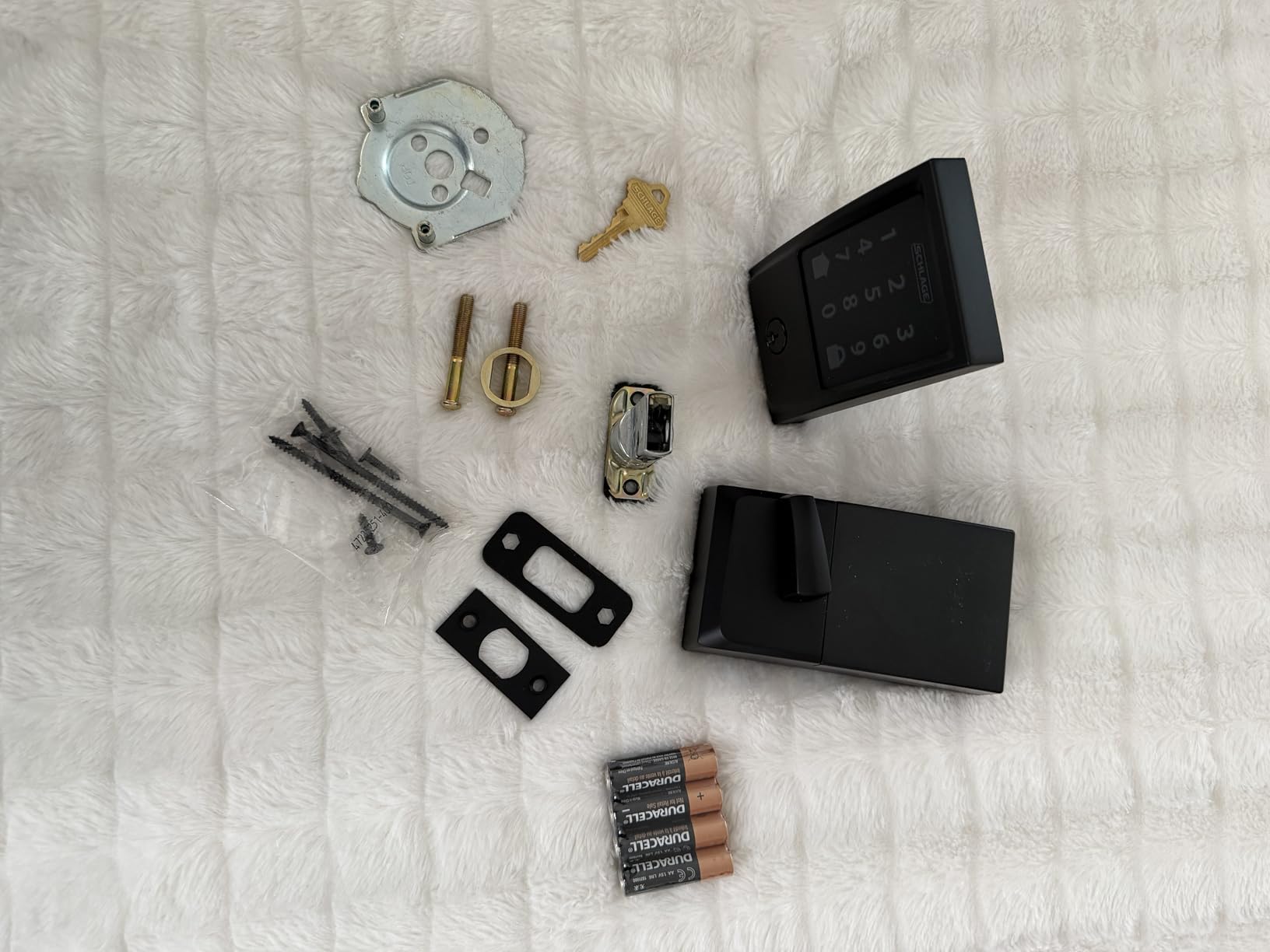
Installation is Snap ‘n Stay, screwdriver only, with no hardwiring. It fits doors 1-3/8 inch to 1-3/4 inch thick on a 2-3/8 inch or 2-3/4 inch backset, and the unit measures 0.9 by 3 by 5 inches at 3.4 pounds. Warranty cover is a limited lifetime on mechanical and finish parts with three years on electronics, which is the strongest paper guarantee in this roundup.
The most common complaint is the capacitive touchscreen in bad conditions. Owners report it being finicky with wet hands, gloves or cold weather, and that is a genuine renter problem because apartment doors are often exposed to both rain and January air. Swapping the four AA cells means pulling the interior unit off the door rather than opening a hatch. This model also has no fingerprint reader, unlike several cheaper locks here.
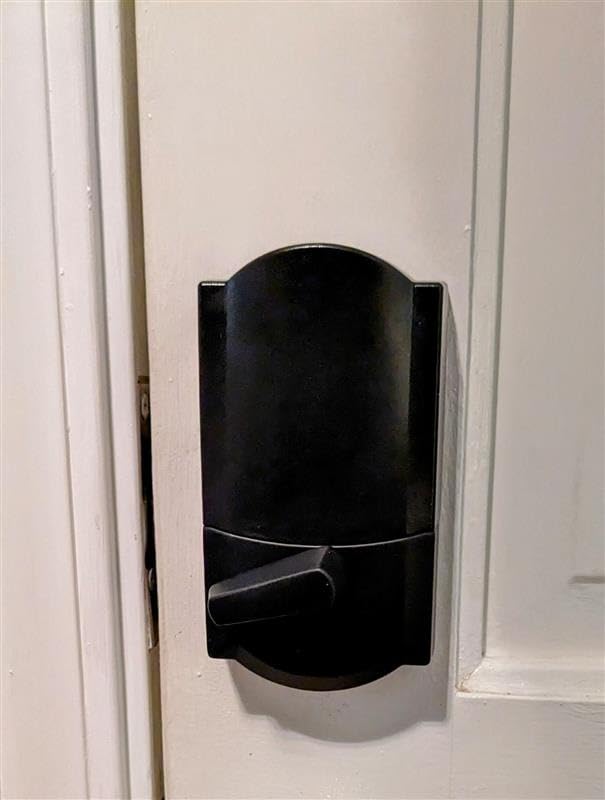
Who the Schlage Encode suits
Households and small shared flats that genuinely need a lot of codes, and anyone who wants the strongest certification and warranty on the list. The BHMA highest residential security, durability and finish rating is a real differentiator if your building is on a street where that matters.
Landlords and property managers tell a different story. In r/PropertyManagement threads, Schlage Encode comes up as the unit that simply works, and BiggerPockets users favour single-piece locks over three-part setups because they have fewer things to install, charge and manage. That points at the Schlage, the ULTRALOQ and the C220 rather than anything needing a hub.
Where it falls short for a tenant
It replaces the whole lock, key cylinder included, so the building’s original key is finished. In a unit where a property manager holds the master key, that is a conversation you will have to win before the box is open.
The touchscreen is a practical risk on an exterior apartment door. Battery changes are less convenient than a hatch, and the interior assembly is the heaviest hardware we weighed in this roundup. If you want fingerprint entry, several cheaper options deliver it.
3. Wyze Auto-Lock Bolt v2 – Best if You Already Own Wyze Cameras
Wyze Auto-Lock Bolt v2, Fingerprint Keyless Entry Smart Lock, AI Learning Scanner with Wi-Fi Front Door Lock Deadbolt, Auto-Lock, 8 Months Battery, BHMA2, IP53, Anti-Peep Keypad, Backup Keys
0.5-second fingerprint unlock
Built-in Wi-Fi
8 AA included
BHMA Grade 2 and IP53
Pros
- Highest average rating in the roundup at 4.5 stars
- Fingerprint reads in about 0.5 seconds
- Eight AA batteries included in the box
- USB-C emergency power port
- Installs in roughly 12 minutes
Cons
- Keypad beep is very quiet
- Auto-lock timer cannot be overridden for one exit
- Smaller review base than most rivals
On pure satisfaction scores this is the strongest lock we looked at, with a 4.5 average across 580 reviews and 81% five-star ratings. The sample is smaller than the rest of the field, and two years is young for this category, so read the rating as a promise rather than a record.
The fingerprint reader unlocks in about half a second on scratch and smudge-resistant tempered glass, and an AI learning scanner adapts to repeated touches so a slightly wet thumb still registers after a week of use. Eight AA batteries come in the box and cover up to eight months. A USB-C port accepts a power bank when the cells are flat, which is the emergency feature that keeps a dead lock from becoming a locksmith visit.
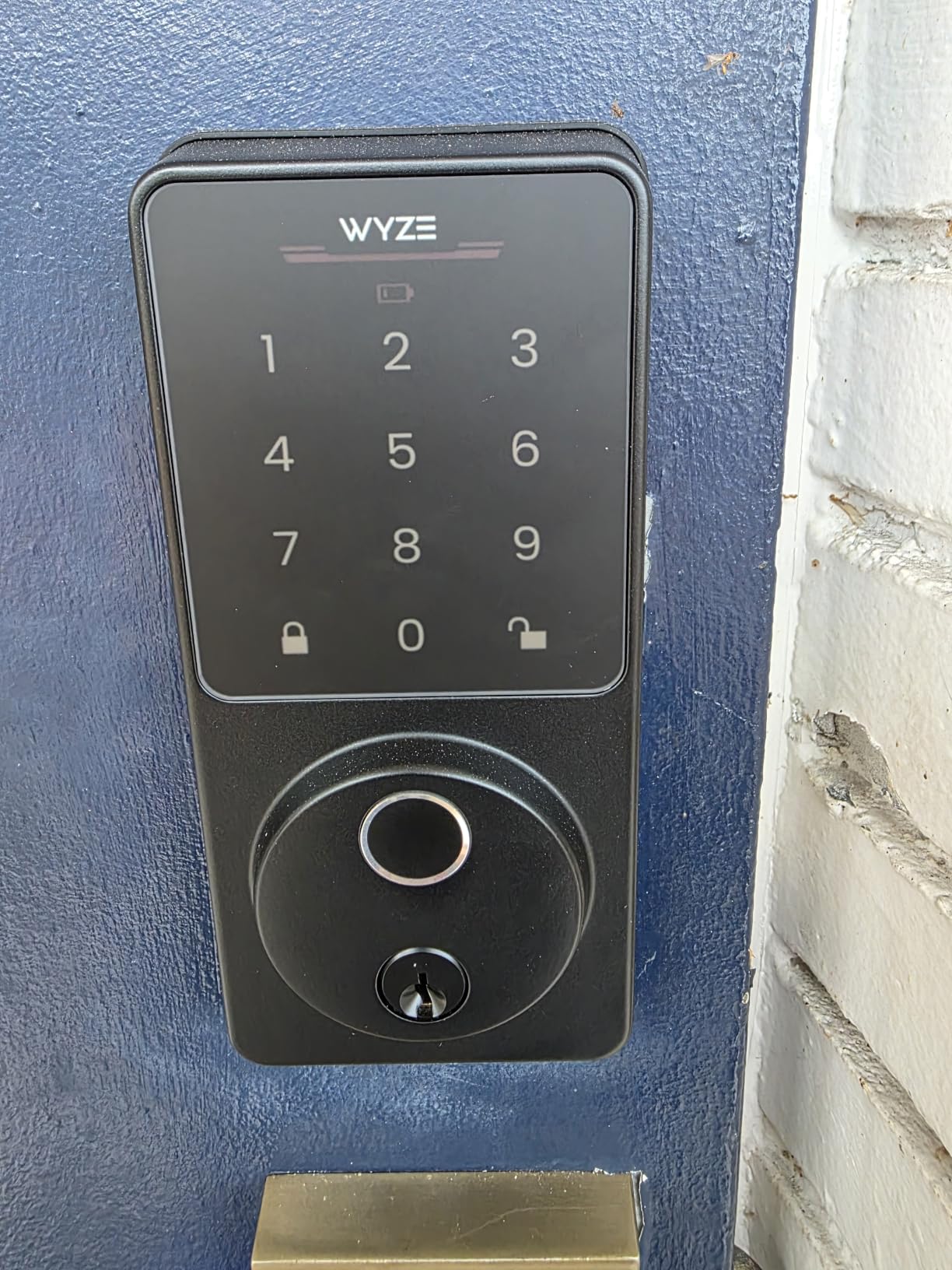
Remote control runs through the Wyze app over built-in Wi-Fi, and the lock can be unlocked straight from a paired Wyze Video Doorbell live feed. That pairing is the reason to buy this model: if you already run Wyze cameras, the doorbell view and the front door become one screen. Entry options are fingerprint, app, keypad code or physical key, and it carries a BHMA Grade 2 rating with IP53 weather protection.
The trade-offs are small but real. The keypad beep is quiet enough that reviewers with hearing loss or a noisy hallway have trouble confirming a code registered. The auto-lock countdown cannot be cancelled for a single exit, so carrying a stack of boxes through the door can end with the door pulling shut behind you. Elderly or low-perfusion fingers can also be difficult to enrol in the first place.
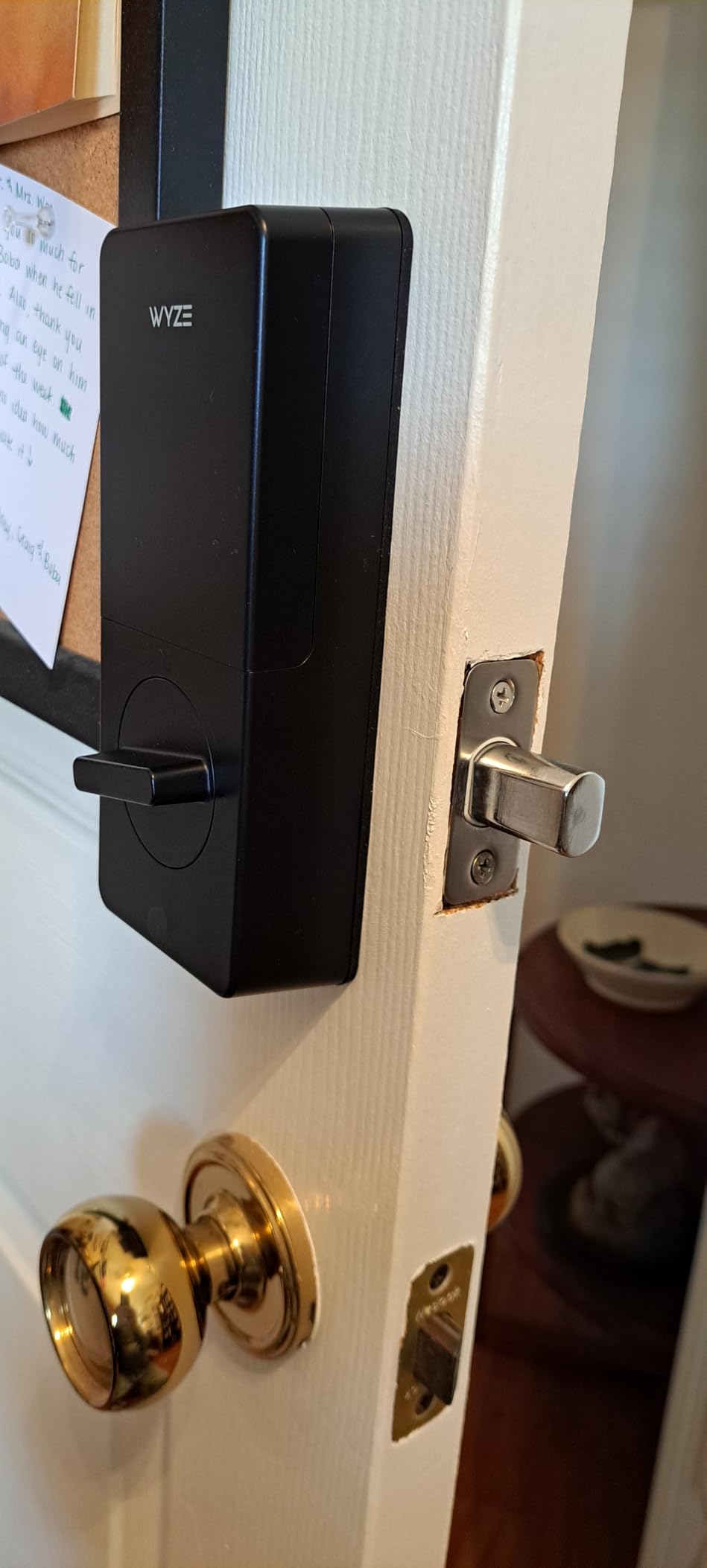
Who the Wyze Bolt v2 suits
Anyone already inside the Wyze ecosystem. Unlocking from a paired doorbell feed is a genuine daily-use advantage, and reviewers repeatedly single out setup speed and app reliability as reasons the lock earned its rating.
It is also a good fit for a household with more than one adult sharing the door, since eight included batteries mean nobody has to buy cells on move-in day.
Where it falls short for a tenant
It is a full replacement, so the original key situation applies. The auto-lock behaviour is the everyday annoyance: no per-exit override means the door can shut on you mid-carry, and in a shared hallway that is the kind of small friction that gets a smart lock removed.
The quiet keypad beep is a real accessibility issue, and the shorter review history gives you less long-term data than the Schlage or ULTRALOQ listings offer.
4. Philips Wi-Fi Smart Deadbolt Lock – Away Mode for Travelers
Philips Wi-Fi Smart Deadbolt Lock, Keyless Entry Door Locks for Front Door
Built-in 2.4 GHz Wi-Fi
100 passcodes
Away Mode
Adjustable auto-lock
Pros
- Five unlock methods in one unit
- Anti-peep privacy code for shoulder surfers
- Away Mode locks down every other method
- Screwdriver-only install
- US-based support with long hours
Cons
- Batteries are not included
- No door sensor for ajar alerts
- Wi-Fi is 2.4 GHz only
The distinguishing feature here is Away Mode, which disables every unlock method except the master code. For a tenant who leaves an apartment empty for weeks at a time, that is a meaningful control: a fingerprint enrolled months ago cannot open the door while you are away.
Beyond that, five unlock methods cover app, passcode, fingerprint, physical key and voice, and code capacity is generous with up to 100 custom passcodes plus unlimited one-time and scheduled guest codes. Auto-lock adjusts from 10 to 180 seconds, and the app sends real-time door alerts with full access history. Alexa and Google Assistant are supported.
Built-in 2.4 GHz Wi-Fi removes the hub problem entirely, provided your router sits within about 65 feet of the door. Installation needs only a screwdriver and fits doors 1-3/8 inch to 2 inch thick. The body is brushed aluminium in matte black, measuring 6 by 2 by 1.5 inches at 1.4 pounds.
Reviewers highlight value for money and the number of entry options, and the anti-peep privacy code adds a random digit to a real entry code so somebody watching over your shoulder sees nothing useful. The drawbacks are mostly omissions: batteries are not included, AA alkaline LR6 cells only, and there is no door sensor, so you get access history but not open-door state. Roughly 9% of ratings are one-star, mostly around connectivity and app behaviour.
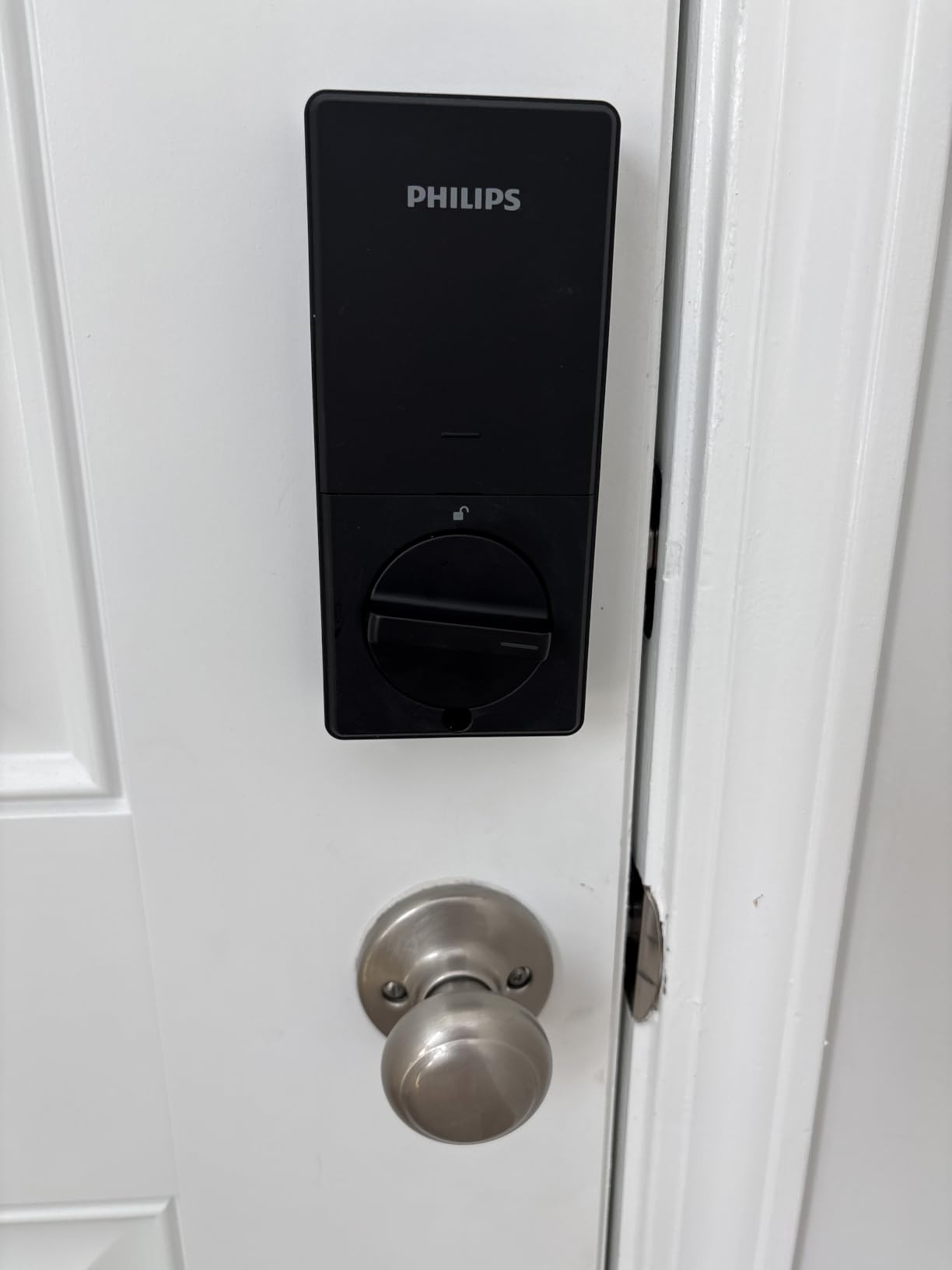
Who the Philips deadbolt suits
Tenants who travel or leave units empty between tenancies, since Away Mode is the cleanest version of that feature in this roundup. The 100-code ceiling plus unlimited scheduled codes also handles a room with several housemates and a stream of visitors.
Reviewers also note US-based phone and email support with long hours, which matters more than it sounds when you are troubleshooting a lock you cannot get into.
Where it falls short for a tenant
No batteries in the box means the clock starts the day you install, not the day you buy. Budget for a fresh set of AA alkaline cells before the first code is set, and avoid rechargeable cells, which the manufacturer specifically rules out.
As a full replacement it also ends the building’s original key. The 2.4 GHz-only radio and the missing door sensor round out a lock that does a lot on paper but skips the physical sensing.
5. Veise VE017 Fingerprint Smart Door Lock – Best Access Control
Veise VE017 Fingerprint Smart Door Lock with App Control, Matte Black
8-in-1 unlocking
Fast AI fingerprint
AES128 on-device encryption
12-month battery claim
Pros
- Richest per-user permission and log management
- On-device AES128 keeps credentials local
- Fingerprint verifies in under 0.2 seconds
- Anti-peep code and failed-attempt lockout
- IP55 rated for harsh temperatures
Cons
- Wi-Fi and voice need the separate G1 gateway
- Batteries are not included
- No door sensor
Where most of these locks treat every code as roughly equal, the Veise VE017 is built around granular permissions. The KK Home app assigns access per user, keeps detailed activity logs, and separates one-time, duration-based, permanent and recurring codes. If you are sharing an apartment with people at different trust levels, that is the feature that matters.
Unlocking covers eight methods: fingerprint, app, authorised access, fob card, code, shared code, voice and mechanical key. Two IC cards and two keys are in the box. The on-device AI fingerprint chip verifies in under 0.2 seconds at a stated 99.99% accuracy, and four password modes come with an anti-peep privacy code plus lockout alarms after intrusion attempts. On r/homeautomation, this kind of per-user permission setup is the feature people ask for first when several unrelated people share one door.
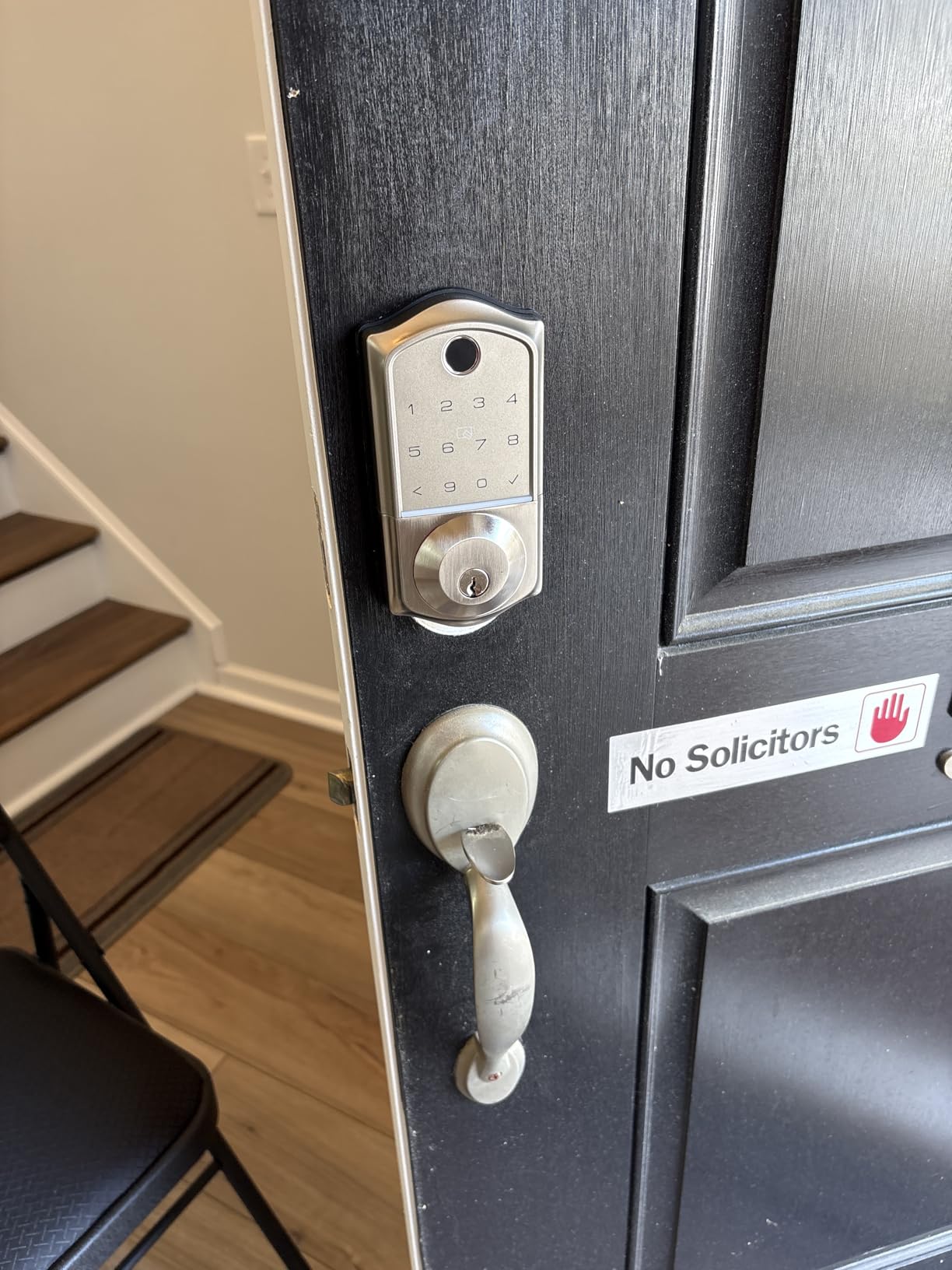
The privacy story is the most interesting part. AES128 encryption on the device stores credentials, fingerprints and entry logs locally rather than pushing them to a cloud account, which is the concern that comes up most often with connected locks. Four AA or LR6 alkaline cells give roughly 12 months, a USB-C emergency port handles the flat-battery case, and a low-battery indicator warns in advance.
It is also among the most physically robust units here, with BHMA/ANSI certification, IP55 and a stated range of -35F to 160F on a zinc alloy body. Installation takes about 15 minutes, the lock auto-detects door handing, and it fits 1-3/8 inch to 2 inch doors with a 1-1/2 inch or 2-1/8 inch bore. The catch is that remote access and voice control require the separately sold Veise G1 gateway, and no Wi-Fi is built in.
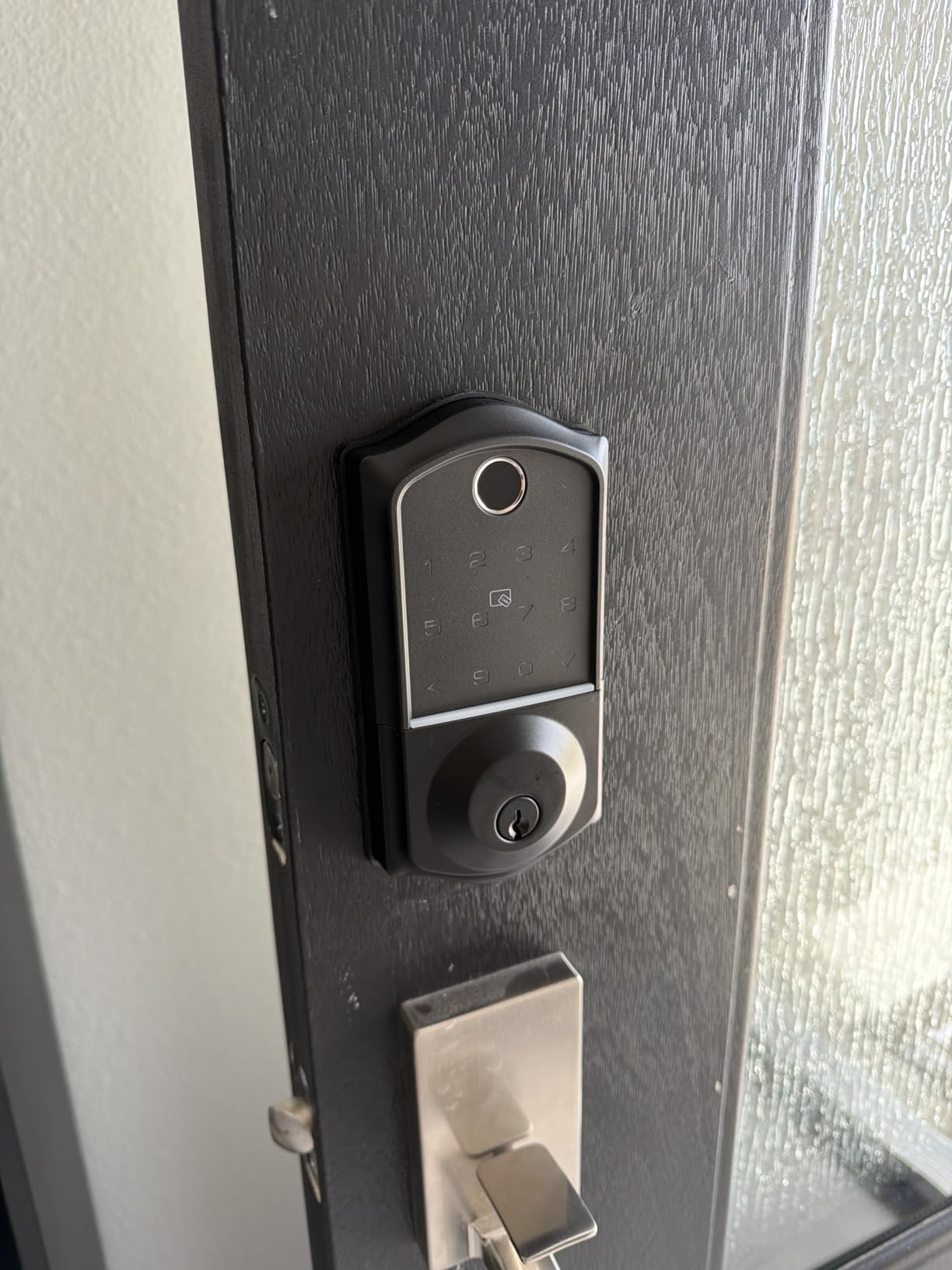
Who the Veise VE017 suits
Shared flats and student housing where several people need different levels of access, and anyone who is uncomfortable with fingerprint data sitting on a server. Reviewers single out the software-side access management and the local encryption as the standouts.
It also suits exterior or exposed doors better than almost anything else here, thanks to the IP55 rating and the wide temperature range.
Where it falls short for a tenant
Hub placement is the problem renters hit most often, and this lock has it in its most literal form. No Wi-Fi is built in, so remote unlock depends on putting the G1 gateway somewhere with an outlet and enough range to reach the door. Apartment hallways rarely offer both.
Batteries are not included, there is no door sensor, and the gateway needed for the headline remote feature is a second purchase. It is a full replacement, so the original key question still applies.
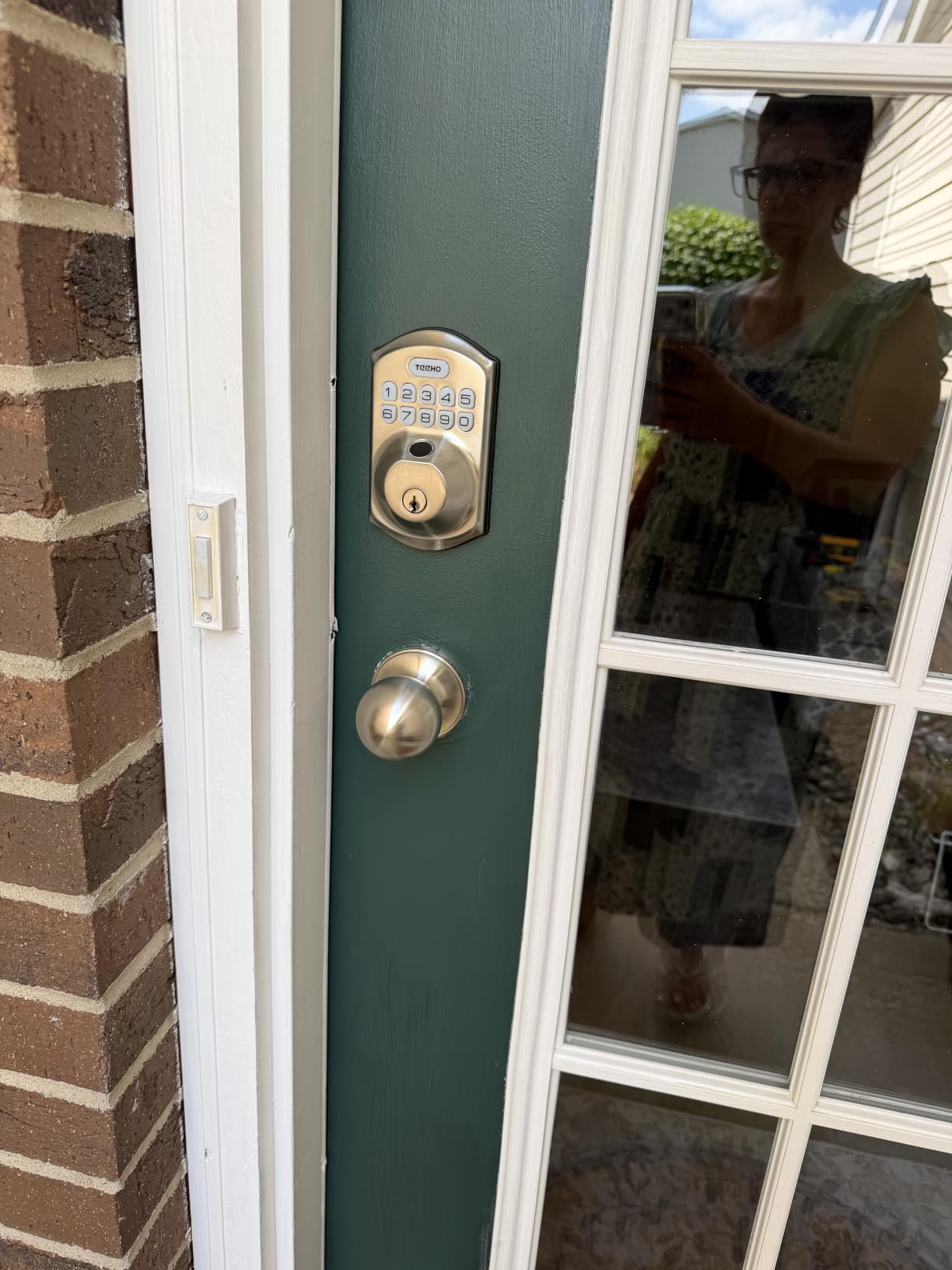
6. TEEHO TE012W WiFi Fingerprint Smart Door Lock – Rated for Outdoor Doors
TEEHO TE012W WiFi Fingerprint Smart Door Lock for Front Door, Satin Nickle
Built-in 2.4 GHz Wi-Fi
BHMA Grade 3 and IP55
100 passcodes
8 AA batteries
Pros
- Published BHMA Grade 3 and IP55 ratings
- Built-in Wi-Fi so no hub is needed
- AES-128 local data storage
- Three-minute lockout after ten wrong codes
- Two-year warranty
Cons
- Eight AA cells with some owners reporting monthly swaps
- App features depend on KK Home staying active
- Interior housing feels plastic-like
The TEEHO TE012W is one of the few locks here that publishes both a BHMA grade and a weather-resistance figure, which matters when your front door faces rain and direct sun. Grade 3 and IP55 on a satin nickel aluminium body is a defensible spec sheet for an exposed apartment entrance.
Five unlock methods cover app, fingerprint for up to 20 users, passcode for up to 100 codes, two backup keys and voice. Built-in 2.4 GHz Wi-Fi drives the KK Home app with no bridge required. Auto-lock adjusts from 10 to 180 seconds, there is a two-second one-touch lock, and a three-minute lockout triggers after ten incorrect PIN attempts with an instant app alert.
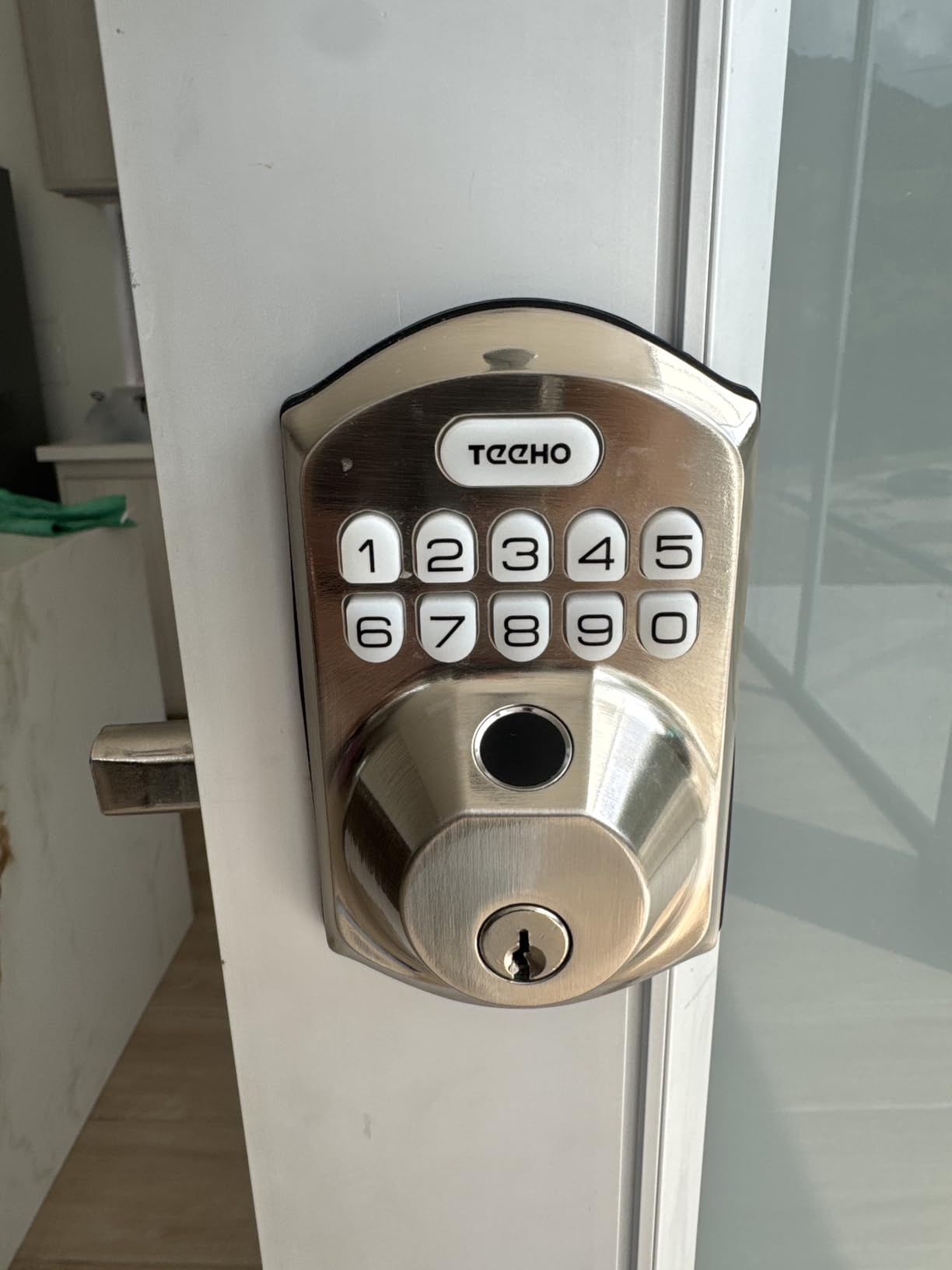
Silent, away and backlit modes cover the noise-sensitive cases. AES-128 encrypted local storage handles credential data, and the break-in detection is a real deterrent feature rather than a marketing line. Installation takes 10 to 15 minutes with a screwdriver and works on 1-3/8 inch to 2 inch doors at a 2-3/8 inch or 2-3/4 inch backset, with door handling detected automatically.
Reviewers describe it as a cheaper, more reliable replacement for costlier locks and praise the fingerprint reader. The repeated complaint is the eight-AA battery draw, with some owners reporting swaps roughly monthly on a high-traffic door, and the wider worry is that app features depend on the KK Home backend staying active. The interior housing also reads as more plastic-like than the exterior.
Who the TEEHO TE012W suits
Renters on an exposed exterior door where weather rating is a genuine question, and anyone who wants a documented security grade rather than a marketing adjective. The lockout-after-ten-wrong-codes behaviour is well suited to a door that sees a lot of traffic from neighbours and delivery drivers.
The two-year warranty and the keyed backup make it a sensible pick where a property manager will be inspecting hardware.
Where it falls short for a tenant
Battery logistics are the biggest practical problem. Eight cells is a lot of power to manage, and a monthly swap schedule is a real commitment for a tenant who may move in three months. If the landlord holds the only spare key, a flat battery becomes an emergency rather than an inconvenience.
It is also a full replacement, Wi-Fi is 2.4 GHz only, and the app dependency is worth thinking about before you commit to a lock you will want to remove in a year.
7. CANDY HOUSE Sesame 5 – the Only True Retrofit Here
CANDY HOUSE Sesame 5, Smart Lock, Bluetooth Electronic Deadbolt, Auto-Lock, Keyless Entry Door Lock for Front Door, Fits Your Existing Deadbolt, for Airbnbs Vacation Rentals
No-drill 3M tape install
Fits your existing deadbolt
Existing keys still work
Open-source app
Pros
- Mounts over the deadbolt you already own
- No-drill 3M adhesive install that lifts off cleanly
- Adapts to existing keys including 3D-printed adapters
- Open-source app with a free Bluetooth API
- Matter support and two included CR123A cells
Cons
- Remote access needs the separately sold Hub3
- Bluetooth pairing reported as unstable by some users
- Lowest-rated unit in the roundup
This is the answer to the renter question, and it works in a way nothing else on this list does. The Sesame 5 mounts over your existing deadbolt rather than replacing it, using a metal base adapter and 3M adhesive tape. Your original cylinder stays in place, your original key keeps working, and when you move you pull the tape and the original lock is exactly as you found it.
It adapts to 99% of existing keys, including optional custom 3D-printed key adapters for unusual cylinders. The package includes two 1800mAh CR123A batteries, the metal base adapter with screws, metal and plastic thumbturn receivers, and a screwdriver. Auto-lock is configurable from 3 seconds to one hour. The body is 138 grams in black metal and plastic, measuring 3.65 by 2.16 by 1.66 inches.
SesameOS 3 runs an open-source app with a free Bluetooth API and Matter support, plus multi-device pairing. Control works from iPhone, Apple Watch, NFC tags and widgets, and it plays nicely with Alexa, Google Assistant and Siri. Remote control over Wi-Fi is available through the Hub3 accessory.
The honest drawback is the software. The 4.0 average across roughly 1,300 reviews is the lowest here, with 53% five-star and a wide spread into three and four stars. Long-term owners with three to seven years of use praise reliability and the ability to keep an existing deadbolt, while critical reviews concentrate on Bluetooth pairing failures, app instability, and newer iPhone models that reportedly fail to detect the lock. Remote access still needs the Hub3.
Who the Sesame 5 suits
Any tenant whose landlord will not approve a lock change, and any door where drilling or rekeying is off the table. It is the pick we would make for a furnished sublet, a furnished apartment, or a building where the door has a strike plate you are not permitted to touch.
It also suits Apple households. Apple Watch, NFC tags, widgets and Matter support in an open-source app is a combination you will not find on the full replacements, and the free Bluetooth API means the lock can be driven by your own scripts.
Where it falls short for a tenant
You are mounting hardware on someone else’s door with adhesive, and that is a decision the landlord should know about even though nothing is drilled. Weight and finish will not match a Schlage deadbolt, and the tape mount moves if the door slams hard.
The app is the weak point, and that matters more here than on a hub-based lock because Bluetooth is the only path to a smart connection. Confirm that your phone model pairs reliably before you commit, since newer iPhones are the models most often reported as failing to detect it.
8. Sifely Model O Fingerprint Deadbolt – Built for Short Stays
Fingerprint Smart Deadbolt with Keypad – Keyless Entry Lock for Home, Apartment, Office, Airbnb, Rental, Kids & Seniors, App & Code Access, Auto-Lock, Easy DIY Install, Compatible with Alexa & Google
100+ fingerprints and codes
Auto-lock, privacy and passage modes
Low battery alerts
Alexa and Google
Pros
- Very high fingerprint and code capacity for rotating tenants
- Privacy mode and passage mode cover guest situations
- Installs in minutes with no locksmith
- Four finishes including bright brass
Cons
- Remote access needs the separately sold Sifely gateway
- No weather-resistance rating published
- No battery-life figure stated by the manufacturer
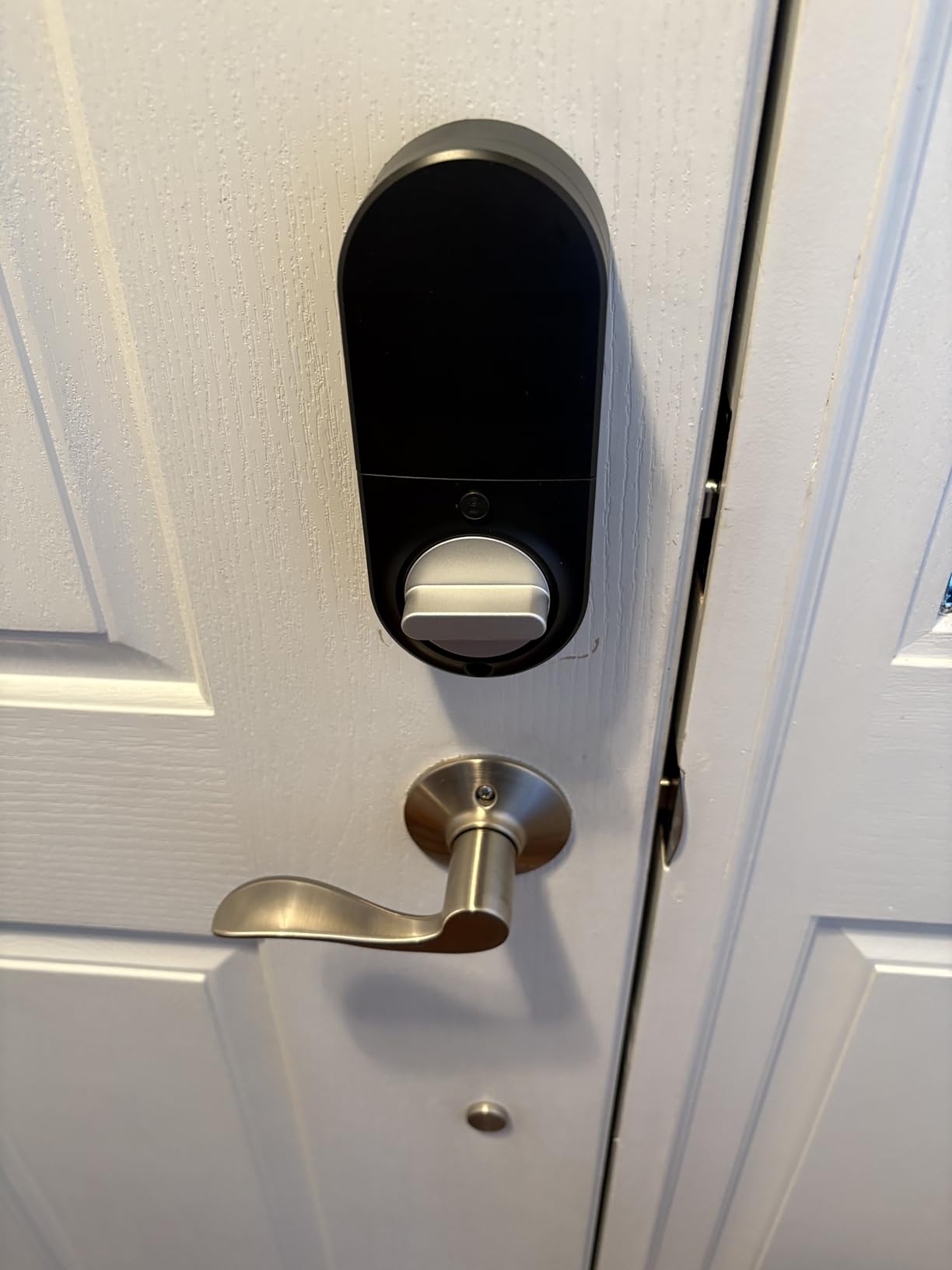
Capacity is the headline on the Sifely Model O, with more than 100 fingerprints and more than 100 passcodes stored. For a thirty-day sublet, a serviced apartment, or a house shared by five people each with their own visitors, that headroom means nobody has to delete a code to make room for a new tenant.
Unlock methods span fingerprint, keypad code, app, fob and physical key. Auto-lock fires after each entry, and two extra modes matter specifically for rentals: privacy mode, which stops anyone from operating the lock from outside without your permission, and passage mode, which holds the deadbolt retracted for a period when you do not want it latched at all.
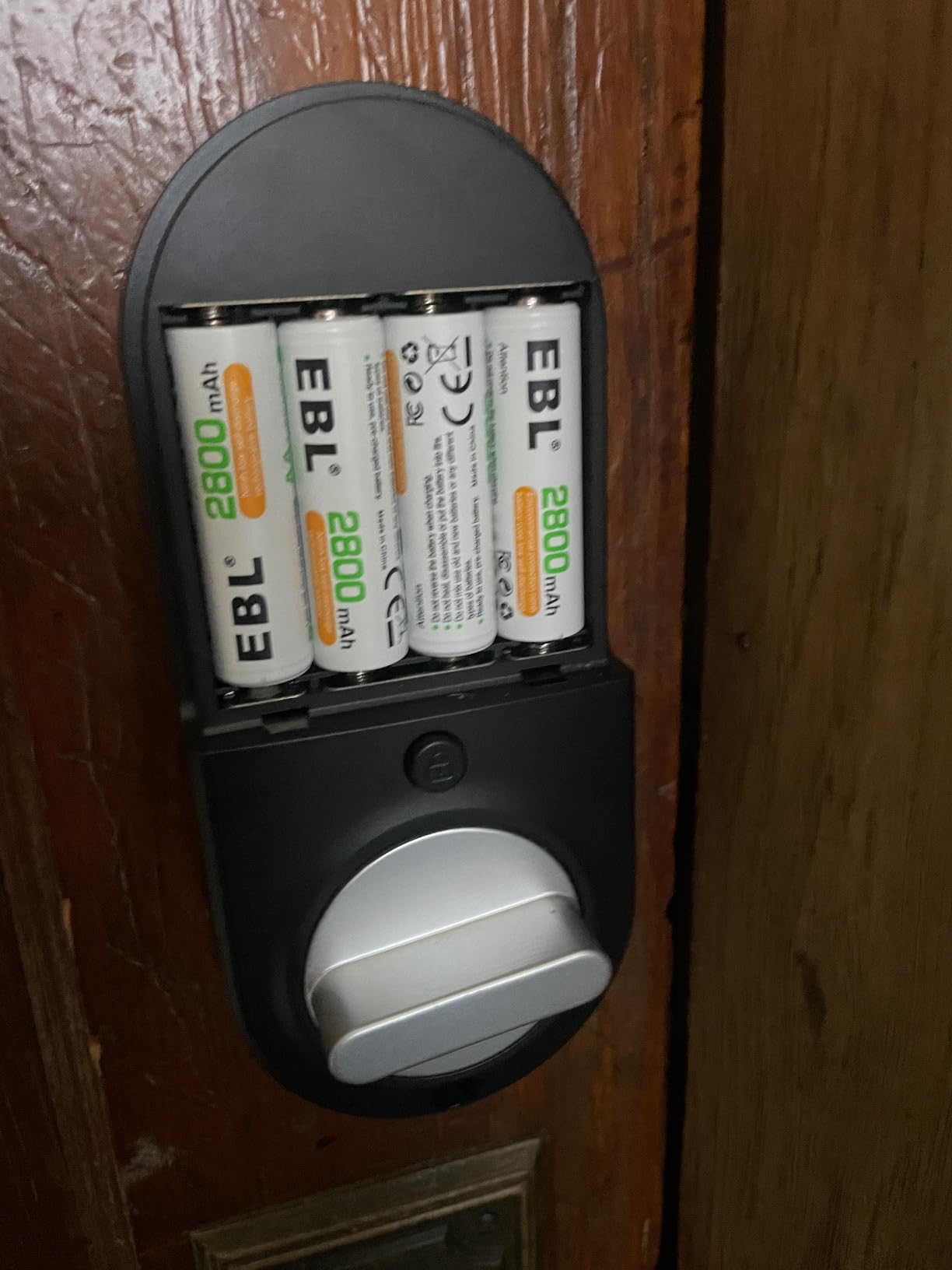
The free app and web portal handle codes, logs, eKey sharing and schedules, with remote control through the separately sold Sifely gateway. An anti-peep code and low-battery alerts round out the software side, and the lock fits either door handing with a screwdriver and no locksmith. Alexa and Google voice control work through that same gateway. Finishes cover black, bright brass, bronze and silver, and the body measures 6.3 by 2.6 by 1.9 inches.
Reviewers highlight capacity and the passage and privacy modes as the reasons to pick it. The reservations are about missing information rather than failures: no IP or weather-resistance rating appears in the listing, and no battery-life figure is published, which leaves you planning battery changes by guesswork. Some owners also find the app and webhook integration less polished than eufy or Schlage.
Who the Sifely Model O suits
Sublets, serviced stays and any tenant handling rapid occupant turnover. Passage mode in particular solves a problem ordinary residents never think about: how to leave the door propped for a contractor without losing auto-lock entirely.
Reviewers consistently point to the ease of install with no locksmith involved, which keeps the door swap inside a single visit and matters if your landlord wants a specific maintenance window.
Where it falls short for a tenant
Remote access is gated behind a gateway, and if there is no outlet near your door that is a problem with no clean workaround. The absence of a published weather rating is a genuine gap for an exterior door that gets rained on.
It is a full replacement with its own cylinder, and an unstated battery life on a lock you will only own for a year is a risk you cannot plan around.
9. eufy Security Smart Lock C30 – No Hub, No Monthly Fee
eufy Security Smart Lock C30, Keyless Entry Door Lock, Built-in WiFi, Black
Built-in Wi-Fi with no bridge
BHMA Grade 3 and IP53
15-minute no-drill install
No monthly fee
Pros
- Built-in Wi-Fi so no hub or bridge is needed
- Keypad still opens the door when batteries die
- 15-minute install on most standard deadbolts
- No subscription for remote access
Cons
- Battery drain is the dominant complaint
- No low-battery warning before full failure in some reports
- Deadbolt will not engage on a door that does not shut fully
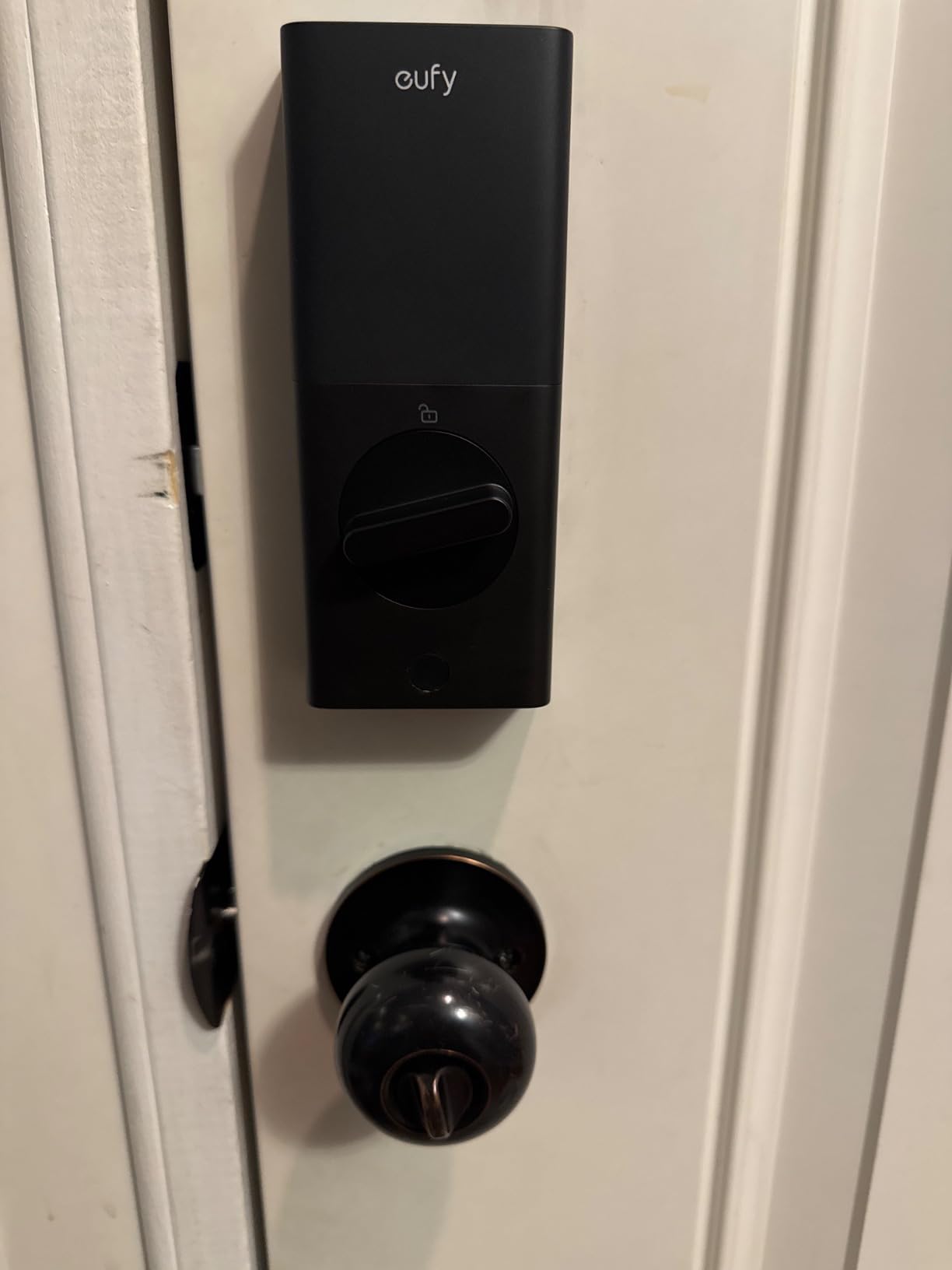
The C30 does the two things most renters care about at a price point well below the hardware-led options: it has built-in Wi-Fi with no hub or bridge, and it charges no monthly fee for remote access. Installation takes about 15 minutes and fits most standard deadbolts with no drilling, which is the shortest reversible path among the full replacements here.
Entry is by keypad, app, voice through Alexa or Google, or physical key. Auto-lock runs on a customisable countdown, and the lock pairs with an eufy doorbell. The exterior is IP53 rated for -22F to 158F, carries BHMA Grade 3 certification, and the metal body measures 2.57 by 1.63 by 6.05 inches. Four AA batteries are claimed at up to five months.
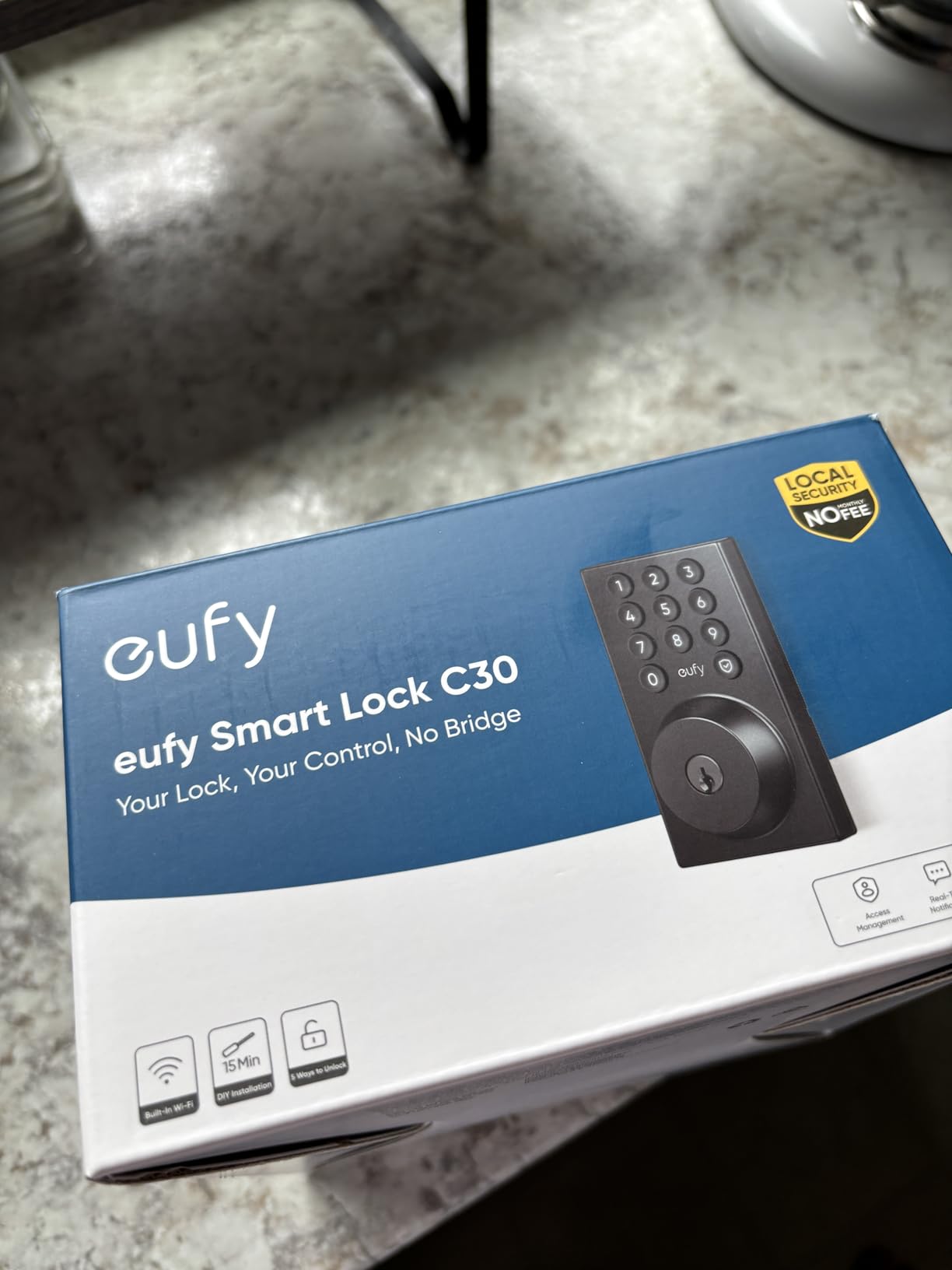
One behaviour matters enormously in a rental: when the batteries die, the keypad still opens the door. The mechanical side keeps working independently of the electronics, which means a dead lock is an inconvenience rather than a locksmith emergency.
The reviews are sharply polarised. Roughly 2.2k ratings average 4.0, with 64% five-star and a 16% one-star share, one of the widest spreads in the roundup. The complaints cluster on battery life, with multiple owners reporting four AA cells draining in weeks on high-traffic doors, and some reporting no low-battery warning before total failure. Rental property owners in particular recommend keeping a separate mechanical backup. A second issue is that the deadbolt will not engage if the door is not fully shut, which bites on sticky apartment doors.
Who the eufy C30 suits
Renters who want keyless entry without a hub, without a subscription, and without a complicated install. The deadbolt fits most standard deadbolts with no drilling, so the physical footprint of the change is as small as a full replacement can be.
Reviewers praise the keypad fallback heavily. If you are in a building where the landlord’s key is the only fallback and you cannot always get to it, a lock that still opens locally when the electronics are dead is worth a lot.
Where it falls short for a tenant
Battery life is the honest problem, and it is the reason we did not put this lock higher despite the low entry cost. Weeks rather than months turns a set of AA cells into a recurring item on your shopping list.
There is no fingerprint reader and no Apple HomeKit support, the rekeying process is not straightforward if you want to match other cylinders in the building, and a door that does not swing shut cleanly will stop the deadbolt from throwing at all.
10. eufy Security Smart Lock C220 – Six Ways In, Batteries Included
eufy Security Smart Lock C220, Fingerprint Keyless Entry Door Lock
Six unlock methods including Apple Watch
Sub-1-second fingerprint
8 AA batteries included
BHMA Grade 3 and IP53
Pros
- Six unlock paths including Apple Watch support
- Fast self-learning fingerprint reader
- Built-in Wi-Fi with no bridge
- Eight AA batteries and two keys in the box
- 15-minute install with no drilling
Cons
- Highest cost among the fingerprint deadbolts here
- Battery life varies with usage frequency
- Spacer must be removed for bores under 54mm
The C220 is the most complete fingerprint lock in this roundup, and it earns the Apple Watch badge for a reason: unlocking by watch is uncommon on a deadbolt with built-in Wi-Fi. Six paths are offered, covering sub-1-second fingerprint, app, keypad, physical key, Apple Watch and voice.
More than 4.2k reviews at 4.3 stars with 71% five-star gives it a large satisfied owner base among the fingerprint deadbolts here. The self-learning AI fingerprint recognition improves with each touch, built-in Wi-Fi removes the bridge requirement, and eight AA batteries are included for roughly eight months. The box also carries two keys, both exterior and interior assemblies, a mounting plate and an install set.
It integrates with eufy doorbells and routines inside the eufy Security app, which is the second reason to pick it if your cameras are already eufy. Certification is BHMA Grade 3 after 100,000 lock cycles with IP53 waterproofing and a -22F to 158F operating range. Installation is 15 minutes with no drilling, though bores under 54mm need the spacer removed, so measure before you start.
Reviewers favour the six unlock paths, the included batteries and keys, and the speed of installation. The criticisms are price relative to other fingerprint models, real-world battery duration on high-traffic doors that falls short of the stated figure, and a dependence on a phone app with no web portal mentioned for browser-based management.
Who the eufy C220 suits
Apple households with anyone who does not want to touch a keypad in the rain. Watch unlock plus fingerprint plus key means three genuinely different ways in, which is the resilience you want in a rental where you cannot change the cylinder again.
It also suits anyone moving into a furnished or unfamiliar apartment, because the batteries and two keys are in the box. Nothing needs buying on day one beyond a screwdriver.
Where it falls short for a tenant
It is also the most expensive fingerprint option in this roundup, and that is money you are spending on a door you will strip at move-out. Weigh that against the Sesame 5, which costs far less and needs no cylinder change at all.
Battery duration on a busy shared door runs short of the eight-month figure, and bores under 54mm need the spacer pulled before the lock will sit flush.
Before You Buy: What to Ask Your Landlord
Getting written permission is the part renters most often get wrong. The version of this question that fills r/AskALocksmith is not which lock to buy but whether a lease even allows any change. Answer that first, in writing, and the rest of this article is a shortlist rather than a gamble.
Yes, you can usually put a smart lock on your apartment door, but permission depends entirely on your lease and who owns the building. The common lease clause prohibits altering, removing or adding hardware to doors and locks without written consent. That clause exists for good reason, which is why the strongest move is a short written request rather than a quiet install.
Send a message like this: “I would like to install a smart deadbolt on my front door. It fits over the existing deadbolt without drilling and can be removed and restored in under five minutes at move-out. The existing key continues to work. May I proceed?” Naming all three conditions in one paragraph is what gets a yes, because you have answered the three questions the landlord actually has.
Before sending it, answer these four things for yourself:
Which type of install? A no-drill retrofit adapter asks for very little. A full replacement that changes the keyway asks for rekeying at your expense.
Who holds a working key? If a property manager or super holds the only spare, the building key must keep working or you need them rekeyed afterwards.
Is this a managed building? Keycard and fob systems usually mean a lease clause that forbids any hardware change, regardless of how reasonable the request sounds.
What does the lease say about rekeying at move-out? Some require restoring original hardware. If so, you are taking the whole lock off anyway.
Get the answer in writing by email or text, not verbally. When you move out, that message is the thing that protects your deposit.
How to Choose a Smart Deadbolt You Can Install in a Rental
Retrofit adapter or full replacement
A retrofit smart lock mounts over your existing deadbolt and leaves the cylinder and key untouched. A full replacement removes the entire lock and installs a new one with a new keyway. For a tenant, the difference is the whole conversation with your landlord and the whole experience of move-out.
Of the ten locks here, only the CANDY HOUSE Sesame 5 is a true retrofit. The eufy C30, C220, Wyze Bolt v2 and TEEHO TE012W are described as fitting most standard deadbolts with no drilling, which means the bore is reused, but they still replace the cylinder and come with their own keys.
What happens to the building’s original key
This is the question most guides skip. Every full replacement brings a keyed-different cylinder, so the landlord’s original key stops working immediately. You have three options: ask for permission and accept a rekey, rekey the new lock to a cylinder that matches the building’s, or keep the original deadbolt underneath and switch back at move-out.
Rekeying to a building standard is possible with some cylinder brands and impossible with others, so check before you buy rather than after. The adapter approach sidesteps the problem entirely, which is the strongest argument for the Sesame 5 in a unit where the landlord is cautious.
Hub placement when there is no outlet near the door
A built-in Wi-Fi radio removes this problem entirely, and six locks in this roundup do it: the ULTRALOQ Bolt SE, Schlage Encode, Wyze Bolt v2, Philips, TEEHO TE012W and the eufy C30. Their 2.4 GHz radios need a router within roughly 65 to 70 feet of the door, which most apartment layouts clear.
Three locks need something extra. The Veise VE017, Sifely Model O and the Sesame 5 put remote access behind a separately sold gateway, and in a hallway with no outlet you are looking at a powerline adapter, an extension, or giving up on remote unlock. If your building’s Wi-Fi is weak at the door, test it with a phone before choosing a hubless lock.
Battery logistics and the lockout problem
Battery life claims range from five months on four AA cells to eighteen months on the ULTRALOQ. Real-world reports vary widely by traffic. The eufy C30 has the most complaints about rapid drainage on high-traffic doors, while the TEEHO’s eight-AA configuration is reported by some owners as a monthly swap.
For a renter, the failure mode matters more than the average. If the landlord holds the only spare key, a dead battery at 9pm is an emergency. Prioritise in this order: a USB-C emergency power port, physical key backup, low-battery alerts that fire in advance, and a keypad or mechanical fallback that works with flat cells. The eufy C30, Wyze Bolt v2 and Veise VE017 all handle at least part of this well.
Unlocking methods and code management
Keypad, app, fingerprint, physical key and voice are the common paths. Fingerprint readers here range from a 0.5-second unlock on the Wyze Bolt v2 to under 0.2 seconds on the Veise, and several reviewers note that elderly or low-perfusion fingers can be hard to enrol at all, so do not make biometrics your only way in.
Code capacity matters for shared doors. The Schlage Encode and the Philips lock lead with 100 custom passcodes, the Sifely Model O stores more than 100 fingerprints and more than 100 passcodes, and the ULTRALOQ Bolt SE holds 50 of each. Philips and the Veise also support scheduled and one-time codes, which is the feature that lets a dog walker or cleaner in without a permanent code.
Ecosystem, Matter and what a hub really costs
Apple, Google and Alexa support is close to standard. The ULTRALOQ adds Matter over Thread, though that path needs a Thread Border Router. The Sesame 5 pairs with iPhone, Apple Watch, NFC tags and widgets and runs an open-source app with a free Bluetooth API. The eufy C220 supports Apple Watch directly, and the eufy C30 has no HomeKit support at all.
We treated a subscription requirement for core features such as code creation or access history as disqualifying. Every lock here creates codes and shows history without a recurring fee, though remote access may need a gateway purchase.
What ANSI/BHMA grades actually mean for a renter
Grades describe how well a lock resists attack, and they apply to the lock, not to the door or the building around it. Schlage claims the highest residential security, durability and finish certification available. The Wyze Bolt v2 carries Grade 2, the TEEHO and eufy C30 carry Grade 3, and the eufy C220 and Veise carry Grade 3 or the equivalent ANSI/BHMA certification.
Here is the nuance that matters: on a retrofit adapter, the rating describes the adapter, not the deadbolt underneath. Your security is capped by whatever the building already installed. If you are renting, you are almost never upgrading the deadbolt’s resistance, so treat the grade as a quality signal about the electronics rather than a security improvement.
Security, privacy and the hacking question
The honest answer is that a smart lock moves some of your access control from a metal cylinder to a network. The Veise VE017 stands out by keeping credentials, fingerprints and entry logs in AES128 on-device encrypted storage rather than pushing them to a cloud account, and the TEEHO TE012W uses AES-128 local storage as well.
Every lock here ships with a physical key or key override, which is the layer that matters most. Treat auto-unlock and geofencing as convenience rather than security, enable two-factor authentication on the app account where it is offered, and never treat a voice assistant as your only way in.
How we picked
We took every lock’s rating and review count from the listing data rather than estimating, and we preferred units with high review volume because firmware and app problems show up months after launch. Our selection criteria were built-in Wi-Fi or no hub, reversible installation, physical key backup and no subscription for core features. Where product specs conflicted with owner reports, we reported the conflict.
How to Remove the Lock at Move-Out Without Marks
Removal is easy if you have kept the original parts. Before you install anything, photograph the existing deadbolt from both sides, note the backset measurement, and bag the strike plate, the cylinder set screw and any long security screws in your lease file.
For a retrofit adapter, the process is one step. Peel the 3M tape slowly at a low angle, lift the interior unit off the thumbturn receiver, and the deadbolt is exactly as you found it. Clean any residue with a cloth dampened with warm water, never a solvent.
For a full replacement, the reverse of installation applies. Remove the interior assembly, reinstall the original cylinder and thumbturn with your saved screws, refit the original strike plate, and align the door so the deadbolt throws without force. Test with the building’s original key, which is the moment your deposit stops being at risk.
Fill nothing. Do not patch screw holes, do not touch wood filler to a cylinder opening, and do not paint over a strike plate. On a hollow-core apartment door the damage is usually permanent, and on a solid door it is always visible to the next inspector.
Frequently Asked Questions
Can I put a smart lock on my apartment door?
Usually yes, with written permission. Most leases prohibit altering, removing or adding hardware to doors and locks without consent. Ask in writing, and name three conditions: whether the install is a no-drill retrofit or a full replacement, whether the building’s original key keeps working, and that you will restore the original hardware at move-out.
Do smart deadbolts work with existing keys?
Only if they are retrofit adapters. A retrofit lock mounts over your existing deadbolt and drives the cylinder you already have, so existing keys keep working. Every full deadbolt replacement brings a new keyed-different cylinder, which means the building’s original key stops working the day you install it.
What happens if my smart lock battery dies?
It depends on the model. The eufy C30, Wyze Bolt v2 and Veise VE017 keep a physical key or keypad fallback working, and the Wyze and Veise add a USB-C emergency power port for a power bank. Locks with no fallback and no port can lock you out of a unit where the landlord holds the only spare key, which is the single biggest risk in this category.
What are the downsides of smart locks?
The main drawbacks are battery drain, dependency on a phone app and cloud infrastructure, dead batteries locking you out, cost when a gateway is needed for remote access, unstated or optimistic battery life, and locks that will not engage on a door that does not shut fully. On rentals the practical downside is that a full replacement ends the building’s original key.
Can smart locks be hacked?
Any networked device carries some risk, so treat a smart lock as one layer rather than the whole security picture. Keep the physical key override in working order, enable two-factor authentication on the app account, and prefer locks with on-device credential storage such as the Veise VE017 with AES128 local encryption. Never make voice control or auto-unlock your only way in.
The Verdict: Which Smart Deadbolt a Renter Should Actually Buy
The ULTRALOQ Bolt SE Wi-Fi is our pick among the best smart deadbolts for renters: seven unlock methods in one box, built-in Wi-Fi with no hub, 50 fingerprints and 50 passcodes, and a review base above 10k that tells you how it behaves after year two. The eufy C220 is the runner-up when Apple Watch entry matters, and the Schlage Encode earns its place for anyone who needs 100 codes and the strongest residential certification on the list.
If your landlord will not approve a cylinder change, buy the CANDY HOUSE Sesame 5 and nothing else on this page. It is the only genuine retrofit here, it installs with tape instead of screws, and it leaves the building’s key working.
Whatever you choose, photograph the door before you touch it, keep the original hardware in a bag, and send that permission request before you spend anything. October 2026