
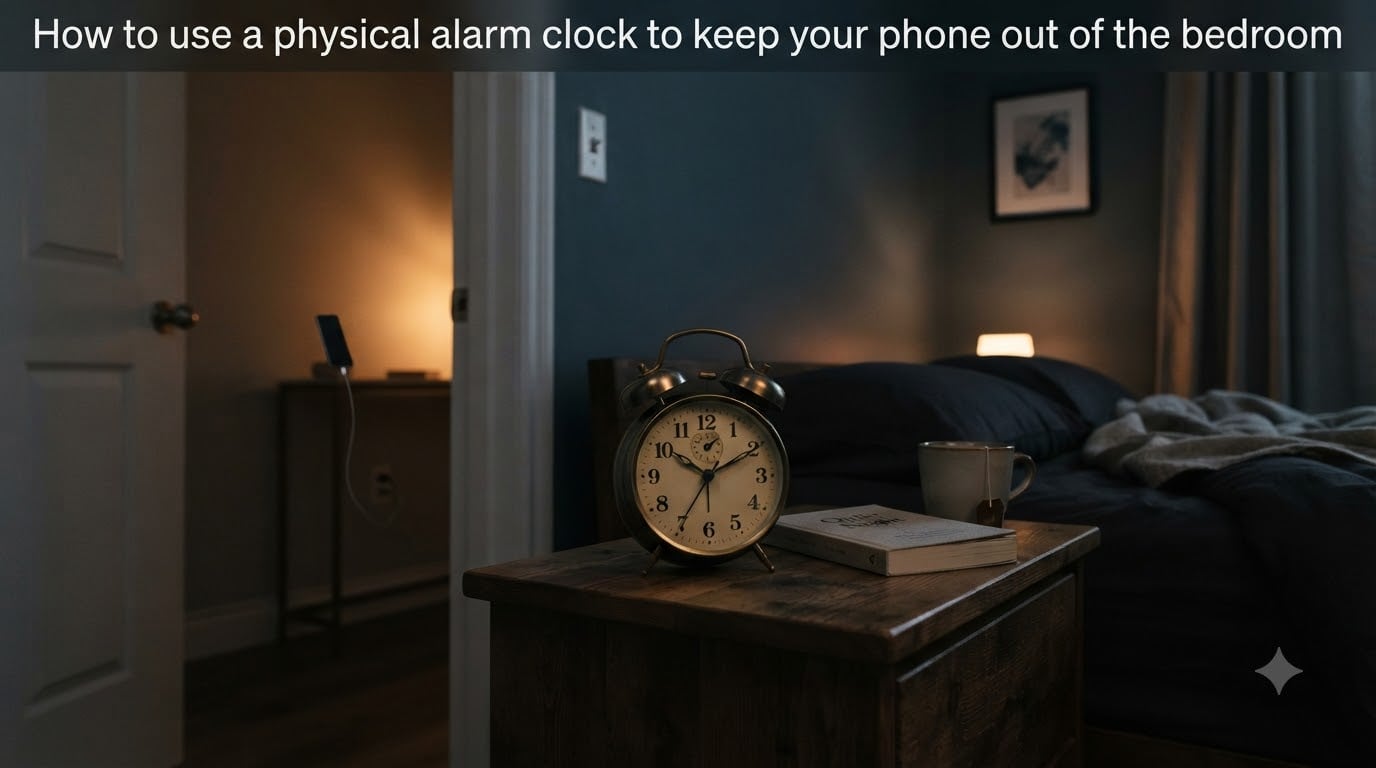
Last night, did you pick up your phone to set an alarm and then spend 40 minutes scrolling? You are not alone. The average person checks their phone within 15 minutes of waking up and brings it to bed every single night. Learning how to use a physical alarm clock to keep your phone out of the bedroom is one of the simplest changes you can make for dramatically better sleep.
I made this switch about two years ago, and the difference in my sleep quality was immediate. Within a week, I was falling asleep faster and waking up without that groggy, hit-by-a-truck feeling. This guide walks you through exactly why it works, how to do it, and how to handle every objection your brain will throw at you.
Table of Contents
The Problem: Why Your Phone Belongs Outside the Bedroom?
Your phone is designed to capture your attention, not to help you sleep. Every app on it is engineered with notifications, infinite scroll, and autoplay features that keep you engaged long past your intended bedtime. When that device sits on your nightstand, you are sleeping next to a slot machine.
The temptation is real. You check the time and see a notification. You open one app, which reminds you to check another. Before you know it, an hour has vanished and your brain is buzzing with information when it should be winding down. This pattern is so common that sleep researchers have a name for it: revenge bedtime procrastination.
There is also a psychological cost. When your phone is in the bedroom, your sleeping space becomes associated with work, social media, news, and stress. Your brain never fully shifts into rest mode because the device that represents your daytime obligations is right there, glowing and vibrating.
Users on Reddit’s digital minimalism community report that removing the phone from the bedroom creates what they call true disconnection for six to eight hours every single night. That is six to eight hours of no alerts, no scrolling, and no mental clutter. The sense of peace is immediate and noticeable.
The Science: Blue Light, Melatonin, and Your Circadian Rhythm
To understand why a physical alarm clock helps you sleep, you need to understand what your phone does to your brain. The science comes down to three interconnected systems: blue light exposure, melatonin suppression, and circadian rhythm disruption.
Blue Light and Melatonin Suppression
Your phone screen emits blue-spectrum light at intensities that trick your brain into thinking it is still daytime. When blue light hits your eyes, it travels to the pineal gland and signals it to stop producing melatonin. Melatonin is the hormone your body releases to tell you it is time to sleep, and it normally starts rising about two hours before bedtime.
Research shows that just 30 minutes of phone use before bed can suppress melatonin production significantly. The effect is dose-dependent, meaning the longer you stare at the screen, the more melatonin gets shut down. Even with night mode or blue light filters enabled, the remaining light still disrupts your hormonal levels compared to darkness.
Circadian Rhythm Disruption
Your circadian rhythm is your body’s internal 24-hour clock. It regulates not just sleep but hormone release, body temperature, and digestion. This clock is primarily set by light exposure. When you flood your eyes with artificial blue light at 11 PM, you are telling your internal clock that the sun is still up.
This shift delays your sleep window. You might feel physically tired but find you cannot actually fall asleep because your circadian rhythm thinks bedtime is still two hours away. Over weeks and months, this creates a chronic mismatch between when you want to sleep and when your body is chemically ready to sleep.
Here is a question I see often: do alarms spike cortisol? The short answer is yes. Sudden loud sounds from any alarm trigger a mild stress response, raising cortisol and adrenaline levels. This is true for both phone alarms and physical alarm clocks. However, the difference is that a physical alarm clock eliminates the pre-alarm cortisol spike that comes from late-night phone use. You wake up from one stress event instead of having your cortisol elevated all night by screen exposure and notification anxiety.
Why a Physical Alarm Clock Solves the Problem?
A physical alarm clock serves exactly one purpose: waking you up. It has no notifications, no infinite scroll, no emails, and no social media. This single-purpose design is exactly what makes it so effective for improving sleep quality. When you replace your phone alarm with a dedicated alarm clock, you remove the excuse to bring your phone into the bedroom at all.
What can a physical alarm clock do that your phone cannot? It can sit on your nightstand without tempting you to check messages, read the news, or open an app. It creates physical and psychological separation between your sleeping environment and your connected life. An analog alarm clock adds another layer of benefit because it emits no blue light whatsoever and produces no electromagnetic distractions.
The key advantage is what sleep specialists call stimulus control. Your bedroom becomes associated only with sleep and intimacy, not with screens and work. When your brain associates the bedroom exclusively with rest, falling asleep becomes faster and more natural. This is one of the foundational principles of cognitive behavioral therapy for insomnia.
There is also the snooze factor. With a phone, silencing the alarm is as easy as tapping a screen, which makes hitting snooze effortless. A physical alarm clock placed across the room forces you to physically get up and turn it off. That small bit of friction is enough to get you out of bed instead of losing another 20 minutes to fragmented sleep.
How to Transition to a Physical Alarm Clock in 5 Steps
Knowing you should keep your phone out of the bedroom is one thing. Actually doing it is another. Here is a practical five-step plan that I and many others have used successfully. The key is treating this as a gradual transition rather than an overnight overhaul.
Step 1: Choose the Right Alarm Clock
Start by picking an alarm clock that fits your wake-up style. Analog alarm clocks are simple, silent, and emit zero light, making them ideal for sensitive sleepers. Digital alarm clocks offer larger displays and sometimes dual alarms for couples with different schedules. Sunrise alarm clocks simulate a gradual dawn, which can make waking up gentler and more natural by slowly increasing light in your room.
If you currently use your phone for white noise or sleep sounds, look for an alarm clock with built-in sound options. Some models include nature sounds, white noise, or FM radio, which eliminates another reason to keep your phone nearby.
Step 2: Set Up a Phone Charging Station Outside the Bedroom
Designate a specific spot outside your bedroom for overnight phone charging. This could be a kitchen counter, a hallway table, or a home office desk. The physical location matters because it needs to be far enough from your bed that you cannot just reach for the phone in a moment of weakness.
Plug your charger in, place a small dish or tray there, and make it a permanent home for your phone every night. Having a dedicated station removes the decision-making from your evening routine. You are not wondering where to put your phone. It goes in its spot, every time, no exceptions.
Step 3: Establish a Phone Curfew
Pick a time 30 to 60 minutes before bed when your phone goes to its charging station and stays there. This curfew is non-negotiable. The last things you do on your phone each night are set any remaining alarms for the next day and plug it in.
Use the time after your curfew for low-stimulation activities. Read a physical book, stretch, journal, or simply sit quietly. If this feels uncomfortable at first, that discomfort is exactly why you need the curfew. Your brain has been trained to expect constant input, and breaking that pattern takes a few weeks of practice.
Step 4: Test and Adjust Your Alarm Setup
Before your first phone-free night, test the alarm clock during the day. Set it for five minutes from now and wait in your bedroom. Is it loud enough to wake you? Is the display too bright? Does the snooze button feel too easy to hit?
Place the clock across the room from your bed, not on your nightstand. This forces you to stand up to silence it, which is a much more effective wake-up strategy. If the display is too bright, cover it with a small piece of tape or choose a model with adjustable brightness.
Step 5: Commit to a 30-Day Trial
The first few nights will feel strange. You will reach for your phone out of habit and find it is not there. This is completely normal and usually passes within five to seven days. Commit to a full 30-day trial before deciding whether the change works for you.
Track your sleep quality during this period using a simple journal. Each morning, rate how you feel on a scale of one to ten. Most people start noticing improvements in the second week, with significant gains by week three or four. Having this data helps you push through the uncomfortable early days.
But What About Emergencies? Practical Solutions
This is the number one objection I hear, and it is a valid one. If you remove your phone from the bedroom, how will you know if a family member has an emergency in the middle of the night? Here are four solutions that real people use successfully.
Solution 1: Keep Your Phone on Loud in Another Room
For most homes, this is the simplest fix. If your phone is charging in the kitchen or living room, keep the ringer volume on high. A phone call at 3 AM will be loud enough to wake you through a wall or down a hallway. Text message notifications can be silenced, but calls will come through.
Solution 2: Do Not Disturb with Exceptions
Both iOS and Android have a Do Not Disturb mode that silences everything except calls from specific contacts. Set your phone to Do Not Disturb overnight but add your closest family members, your children’s schools, and any emergency contacts to the allowed list. If they call, your phone rings. If anyone else calls, it stays silent.
This gives you the best of both worlds. No random notifications or spam calls wake you up, but genuine emergencies from people who matter will always get through. Set this up once and it repeats automatically every night.
Solution 3: Use a Secondary Phone or Landline
Some people keep a basic, non-smart phone or even a landline phone in the bedroom purely for emergency calls. A flip phone with no apps and no internet is impossible to scroll on, so it cannot become a distraction. It sits there as a safety net without offering any of the temptations of a smartphone.
Solution 4: Smart Home Emergency Setup
If you have a smart speaker in your bedroom, it can serve as an emergency contact device. You can set up routines that allow trusted contacts to reach you through the speaker. Some smart home systems also offer fall detection or medical alert integrations that work independently of your phone.
What If You Use Your Phone for More Than Just Alarms?
For many people, the phone is not just an alarm. It is a white noise machine, a sleep tracker, an e-reader, and a podcast player. Removing it from the bedroom means finding replacements for these functions. Here is how to handle each one.
White Noise and Sleep Sounds
If you rely on white noise or nature sounds to fall asleep, you have several phone-free options. A dedicated white noise machine is inexpensive and often offers more sound choices than a phone app. Some alarm clocks come with built-in sound options. You can also use a small fan, which provides consistent ambient noise and helps regulate room temperature.
Sleep Tracking
If you track your sleep with an app, consider switching to a wearable device like a fitness tracker or smartwatch. These track sleep stages, heart rate, and movement without requiring your phone to be in the room. The data syncs automatically when you pick up your phone in the morning.
Reading in Bed
If you read on your phone before sleep, switch to a physical book or a dedicated e-reader. E-readers like Kindle use e-ink displays that emit no blue light, making them far gentler on your melatonin production. If you prefer physical books, a small reading lamp with a warm bulb gives you plenty of light without disrupting your circadian rhythm.
Music and Podcasts
For bedtime audio, a small Bluetooth speaker connected to a dedicated device works well. You can also use a basic FM radio or a dedicated podcast player that is not connected to social media. The goal is finding something that plays audio without also offering a screen full of distractions. Set a sleep timer so the audio shuts off automatically after 30 or 45 minutes.
Forum users who successfully replaced their phone functions report that the adjustment takes about two weeks. After that, the phone-free alternatives feel natural and the idea of bringing a phone to bed starts to seem strange.
Tips for Making It Work With a Partner or Family
Going phone-free in the bedroom is easier when everyone in the household is on board. But what if your partner wants to keep their phone? Here is how to handle the most common household dynamics.
Start with a conversation about why you want to make this change. Share the science about blue light and melatonin, and explain how it is affecting your sleep specifically. Focus on your experience rather than criticizing their habits. People are more receptive to change when they do not feel judged.
If your partner is not ready, do a staggered transition. You remove your phone first and let them see the results. Many partners become interested once they notice you sleeping better and waking up in a better mood. Lead by example rather than by nagging.
For couples with different schedules, invest in an alarm clock with dual alarms. This way neither person needs a phone alarm, and you each have your own wake-up time. If one person’s alarm goes off, the other can go back to sleep without a phone screen lighting up the room.
If you have children, discuss how household rules apply to them too. Kids who see their parents keeping phones out of the bedroom are more likely to adopt the same habit. Consider setting up a family charging station in a common area so everyone follows the same routine.
What to Expect: Benefits After Going Phone-Free at Night
Most people notice changes within the first week, but the full benefits unfold over a month or more. Here is a general timeline based on what users report in sleep and digital minimalism forums.
In the first week, you will likely experience some withdrawal-like symptoms. You may feel restless, reach for a phone that is not there, or struggle to fall asleep without your usual scrolling session. This is normal and usually passes within five to seven days as your brain adjusts to lower stimulation levels before bed.
By week two, most people report falling asleep noticeably faster. Without blue light suppressing their melatonin, their bodies naturally start feeling drowsy at a consistent time. Many also notice they stop waking up in the middle of the night, or if they do, they fall back asleep quickly instead of reaching for a phone and starting the wakefulness cycle all over again.
By week three and four, the morning improvements become clear. Waking up feels less jarring. You start your day without immediately consuming content, which gives your brain space to ease into activity. Many people report better mood, improved focus, and reduced anxiety throughout the day.
The biggest benefit reported across forums is the mental boundary. When your phone leaves the bedroom, your sleeping space becomes a place of rest. That psychological shift compounds over time, making each night’s sleep progressively better as your brain learns to associate the bedroom with unwinding and nothing else.
Frequently Asked Questions
How do I keep a phone out of the bedroom?
Start by buying a physical alarm clock to replace your phone’s alarm function. Then set up a phone charging station outside your bedroom, create a phone curfew 30 to 60 minutes before bed, and commit to a 30-day trial. Test your alarm setup during the day first so you feel confident it will wake you.
What can a physical alarm clock do that my phone can’t?
A physical alarm clock provides a single-purpose device with no notifications, no blue light, and no temptation to scroll. It creates a mental boundary between your sleeping space and your connected life, which helps your brain associate the bedroom with rest instead of stimulation.
Are physical alarm clocks better than phone alarms?
Yes, for sleep quality. Physical alarm clocks eliminate blue light exposure and notification anxiety before bed. They also create physical separation between you and your phone, which reduces the temptation to scroll late at night and helps you fall asleep faster.
Do alarms spike cortisol?
Yes, any sudden loud alarm triggers a mild stress response that raises cortisol and adrenaline levels. This is true for both phone alarms and physical alarm clocks. However, a physical alarm clock prevents the additional cortisol elevation caused by late-night phone use and notification anxiety.
How do I handle emergencies without my phone in the bedroom?
Keep your phone on loud in another room so calls wake you through walls. Use Do Not Disturb mode with exceptions for family and emergency contacts. Some people also keep a basic flip phone or landline in the bedroom as a safety net that cannot become a distraction.
What is the 2 by 3 rule for alarms?
The 2 by 3 rule suggests placing your alarm clock at least 2 to 3 feet from your bed so you must physically stand up to turn it off. This prevents hitting snooze while half-asleep and forces your body into motion, which helps you wake up more fully and start your day.
Conclusion
Learning how to use a physical alarm clock to keep your phone out of the bedroom is one of the highest-impact changes you can make for your sleep and overall wellbeing. The science is clear: blue light suppresses melatonin, notifications disrupt your circadian rhythm, and having your phone next to your head creates an environment that works against natural rest.
The transition does not have to be all-or-nothing. Start with a simple alarm clock, set up a charging station outside your bedroom, and try it for 30 days. Replace your phone’s other functions with dedicated alternatives. Handle the emergency concern with Do Not Disturb exceptions or a basic secondary phone. Talk to your partner about doing it together.
The people who have made this switch report better sleep, calmer mornings, and a sense of true disconnection that they had forgotten was possible. Your phone is brilliant at many things, but helping you sleep is not one of them. Give the bedroom back to rest, and see what a full night of unplugged sleep feels like.