
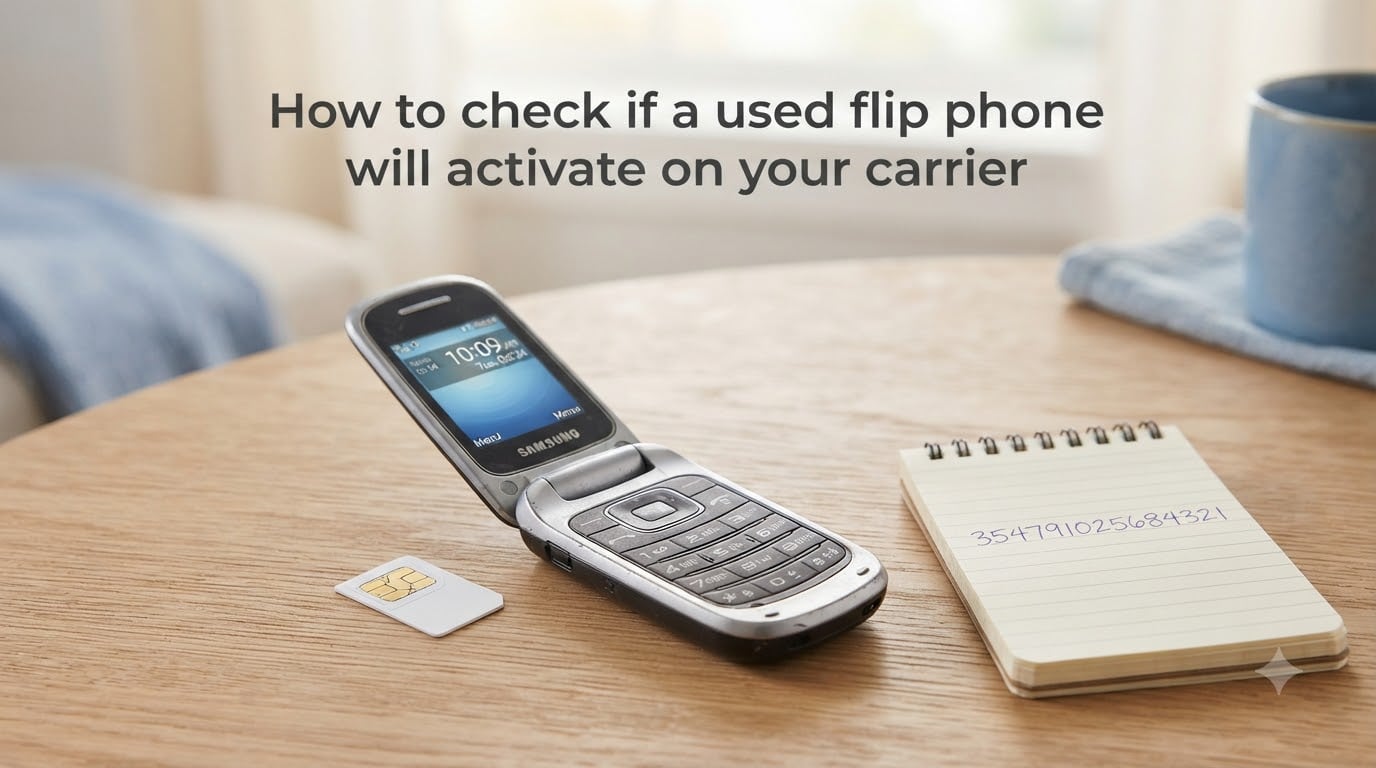
Buying a used flip phone only to find out it will not activate on your network is an expensive and frustrating mistake. Our team has seen this scenario play out countless times on forums like r/dumbphones and r/flipphones, where users lose money on phones that looked perfect but could not connect. The good news is that you can avoid this entirely by running a few simple checks before you hand over your cash.
This guide walks you through exactly how to check if a used flip phone will activate on your carrier. You will learn how to find the IMEI number, verify carrier unlock status, confirm frequency band compatibility, and troubleshoot activation failures. Whether you are buying a basic feature phone, a dumb phone for digital detox, or an imported Japanese flip phone, these steps will save you time and money.
By the end of this article, you will have a clear, repeatable process you can run on any used flip phone in under five minutes.
Table of Contents
What Is an IMEI and Why It Matters for Flip Phone Activation?
Every flip phone has a unique 15-digit identifier called an IMEI (International Mobile Equipment Identity). This number tells carriers exactly what device you are trying to activate, what network technology it supports, and whether it has been reported lost or stolen.
Carriers use your IMEI to verify two things. First, they check that the phone supports their network bands and technology (GSM, CDMA, 4G LTE, or 5G). Second, they confirm the phone is not blacklisted, still financed, or locked to another carrier.
If you skip the IMEI check before buying, you risk purchasing a phone that can never connect to your network. Many users on r/dumbphones report buying phones that appeared functional but failed activation because the IMEI was tied to an unpaid balance or incompatible frequency bands.
Yes, flip phones do have IMEI numbers, just like smartphones. Every cellular device that connects to a mobile network is assigned one at the factory.
How to Find the IMEI Number on a Used Flip Phone
Finding the IMEI on a flip phone is straightforward, but the method varies slightly depending on the model. Here are the most reliable ways to locate it.
Method 1: Dial *#06#. Open the phone app, dial *#06#, and press call. The IMEI will display automatically on the screen. This works on nearly every flip phone, including older feature phones and modern dumb phones. This is the fastest method and requires no menus to navigate.
Method 2: Check the settings menu. Navigate to Settings, then About Phone or Phone Information. Look for IMEI, MEID, or ESN in the device details. On some older flip phones, this may be listed under Status or Device Info.
Method 3: Look on the phone itself. Check the back of the phone under the battery, on the original packaging, or on a sticker inside the battery compartment. Many flip phones have the IMEI printed directly on a label beneath the removable battery.
Method 4: Ask the seller. If you are buying online or remotely, ask the seller to dial *#06# and send you a photo of the screen. A legitimate seller will have no problem providing this. If they refuse, treat it as a red flag.
Write down the full 15-digit number. You will need it for every compatibility check in the next steps.
Step-by-Step: Check If a Used Flip Phone Will Activate on Your Carrier
Once you have the IMEI, you can run a compatibility check in a few minutes. Follow these steps in order.
Step 1: Run the IMEI through your carrier’s compatibility checker. Every major US carrier offers a free online BYOD (Bring Your Own Device) checker. Enter the 15-digit IMEI and the tool will tell you whether the phone is compatible. See the carrier-specific tools section below for direct links.
Step 2: Check for blacklist or finance status. Use a free third-party IMEI checker like Swappa’s IMEI checker or IMEI.info to verify the phone is not reported stolen, blacklisted, or still under financing. A phone with an unpaid balance cannot be activated on any carrier until the balance is settled.
Step 3: Confirm the phone is unlocked. An unlocked phone can be used on any compatible carrier. A locked phone only works on the carrier it was originally sold through. See the dedicated unlock check section below.
Step 4: Verify frequency band support. Even if the IMEI passes the carrier check, confirm the phone supports the specific 4G LTE bands your carrier uses in your area. This is especially important for imported phones and older flip phones.
Step 5: Insert your SIM card and test. If all checks pass, insert your active SIM card into the flip phone and attempt a test call. If the call connects and data works, the phone is fully activated and compatible.
Running all five steps before purchasing gives you confidence the phone will work. If you are buying remotely and cannot test with a SIM, steps 1 through 4 are your safety net.
How to Check If a Flip Phone Is Unlocked?
Carrier lock status is one of the most confusing parts of buying a used flip phone. A locked phone is tied to a specific carrier and will reject SIM cards from other networks, even if the hardware is technically compatible.
The simplest way to check is to insert a SIM card from a different carrier. Power on the phone and wait. If you see an error message like “Invalid SIM,” “Network Lock,” or “SIM Network Unlock PIN,” the phone is locked. If the phone recognizes the SIM and shows signal bars, it is unlocked.
If you do not have a second SIM card handy, use an online IMEI checker. Services like Swappa’s checker and IMEI.info will often report carrier lock status alongside blacklist and finance information. This is the best option when buying remotely.
Another method is to contact the carrier the phone was originally on. Call customer service, provide the IMEI, and ask whether the phone is paid off and unlocked. If the phone is still under contract or has an unpaid balance, the carrier will not unlock it.
Be aware that some older flip phones from Verizon and Sprint were sold without SIM slots and used CDMA technology. These phones cannot be unlocked for use on GSM carriers like T-Mobile or AT&T because they lack the necessary hardware.
Understanding GSM vs CDMA Network Requirements
Network technology is the foundation of compatibility. In the US, carriers historically used two different technologies: GSM and CDMA. Knowing which one your carrier uses helps you eliminate incompatible phones immediately.
T-Mobile and AT&T use GSM technology. These networks require phones with SIM cards and GSM-compatible hardware. Most modern flip phones sold internationally use GSM, so they generally work on these carriers if the frequency bands match.
Verizon and Sprint historically used CDMA technology. Older flip phones from these carriers may not have SIM slots and cannot be transferred to GSM networks. However, with the shift to 4G LTE and 5G, the GSM/CDMA distinction matters less for newer devices because all carriers now use LTE technology with SIM cards.
For older 3G flip phones, this matters a lot. A 3G Verizon flip phone will not work on T-Mobile’s network, and vice versa. For 4G LTE flip phones, the technology barrier is lower, but frequency band matching is still required.
As of 2026, all major US carriers have shut down their 3G networks. This means any flip phone that only supports 3G cannot activate on any US carrier. You need a phone with at least 4G LTE support.
Carrier-Specific IMEI Check Tools
Each major US carrier provides a free online tool to check whether a phone will activate on their network. Use the tool for your specific carrier, since a phone that passes T-Mobile’s check might fail Verizon’s.
T-Mobile: Visit the T-Mobile BYOD page and enter your IMEI. The checker confirms whether the phone is compatible with T-Mobile’s network and whether it supports VoLTE, which is required for calls on modern T-Mobile.
Verizon: Use the Verizon Bring Your Own Device checker. Verizon has stricter requirements than most carriers. The phone must support VoLTE and specific LTE bands. Many older flip phones and imported phones fail Verizon’s check even when they pass other carriers.
AT&T: AT&T’s BYOD tool checks IMEI compatibility and lists supported features. AT&T is known for whitelisting specific device models. If your flip phone model is not on AT&T’s approved list, it will not activate, even if the bands match.
MVNOs (Mint Mobile, Visible, Metro, Consumer Cellular): These carriers use the major networks but have their own checkers. Visible runs on Verizon’s network and shares its strict VoLTE requirements. Mint Mobile uses T-Mobile’s network. Consumer Cellular uses AT&T and T-Mobile networks and requires GSM compatibility.
Always run the IMEI through the checker of the carrier you plan to use, not just a general third-party checker. Carrier tools account for their specific network configuration and device whitelists.
Frequency Band Compatibility for Flip Phones
Even if a flip phone is unlocked and uses the right network technology, it must support the specific frequency bands your carrier uses in your area. This is the most overlooked compatibility factor.
Each carrier uses different LTE bands. T-Mobile primarily uses bands 2, 4, 12, 66, and 71 for 4G LTE. AT&T uses bands 2, 4, 5, 12, 14, 17, and 66. Verizon uses bands 2, 4, 5, 13, 48, and 66.
To check band support, look up the phone model’s specifications on a site like GSMarena or the manufacturer’s website. Compare the supported bands against your carrier’s bands. If there is no overlap, the phone will not connect.
Band 71 is particularly important for T-Mobile users in rural areas. Band 13 is critical for Verizon coverage. If your flip phone does not support these key bands, you may get poor or no service even in areas with otherwise good coverage.
This is the biggest issue with imported Japanese flip phones. Many Japanese domestic models support bands used in Japan (bands 1, 3, 8, 18, 19, 26, 28) but lack the US bands needed for reliable service. Some may partially work in urban areas but fail in rural regions. Always verify band support before buying an import.
VoLTE (Voice over LTE) support is also mandatory on all US carriers as of 2026. If a flip phone does not support VoLTE, it cannot make voice calls, even if data appears to work. Check the phone specifications for VoLTE or HD Voice support.
What to Do If Your Flip Phone Won’t Activate
If your flip phone passes all the checks but still will not activate, work through these troubleshooting steps.
Verify the IMEI is not blacklisted. Run the IMEI through a second checker to confirm. Sometimes a phone is reported stolen days after you run the first check, especially if you bought from a private seller.
Confirm VoLTE support. Many activation failures on modern networks come down to missing VoLTE. If the phone does not support VoLTE, no amount of troubleshooting will fix it. The phone simply cannot make calls on current US networks.
Check for SIM card issues. Try a different SIM card, or have your carrier provision a new one. Old or damaged SIM cards can cause activation failures that look like compatibility problems.
Contact carrier customer service directly. Sometimes the online IMEI checker is wrong. A customer service representative can manually add your device to the network or whitelist. This is especially useful for phones that are technically compatible but not in the carrier’s database.
For imported phones: If you bought a Japanese or European flip phone, the carrier’s IMEI database may not recognize it at all. Call customer service, explain the situation, and ask them to manually provision the device. Some users on r/dumbphones report success this way, while others find the phone simply cannot work due to band limitations.
If nothing works, the phone may be fundamentally incompatible with US networks. At that point, your best option is to resell it to someone in the country it was designed for, or recycle it through a service like ecoATM.
FAQs
Can old flip phones be activated?
Most old 3G-only flip phones can no longer be activated on any US carrier as of 2026 because all major carriers have shut down their 3G networks. You need a flip phone with at least 4G LTE and VoLTE support to activate today.
How do you know if a phone will work with your carrier?
Find the IMEI by dialing *#06#, then enter it into your carrier’s BYOD compatibility checker on their website. The checker confirms whether the phone supports the right network bands, is unlocked, and is not blacklisted.
How do I know if a flip phone is unlocked?
Insert a SIM card from a different carrier. If the phone shows an error like Invalid SIM or Network Lock, it is locked. You can also use an online IMEI checker like Swappa to check lock status remotely before buying.
How do I know if a phone is activated?
Insert an active SIM card, power on the phone, and check for signal bars. Try placing a test call and sending a text. If both work, the phone is activated on the network.
Do flip phones have IMEI?
Yes, every flip phone has an IMEI just like smartphones. Every cellular device that connects to a mobile network is assigned a unique 15-digit IMEI number at the factory. Dial *#06# to display it.
Is there any way to unlock a carrier-locked phone?
Yes. Contact the carrier the phone is locked to and request an unlock. They will unlock it for free if the phone is paid off and not reported stolen. If the phone still has an unpaid balance, it cannot be unlocked until that balance is settled.
Conclusion
Checking whether a used flip phone will activate on your carrier comes down to five steps: find the IMEI, run it through your carrier’s BYOD checker, verify it is not blacklisted, confirm it is unlocked, and match the frequency bands. If you follow this process every time, you will never waste money on an incompatible phone again.
Remember that as of 2026, all 3G networks are gone in the US. Any flip phone you buy must support 4G LTE and VoLTE to function. Take five minutes to run these checks before you buy, and you will have a flip phone that connects and works on day one.