
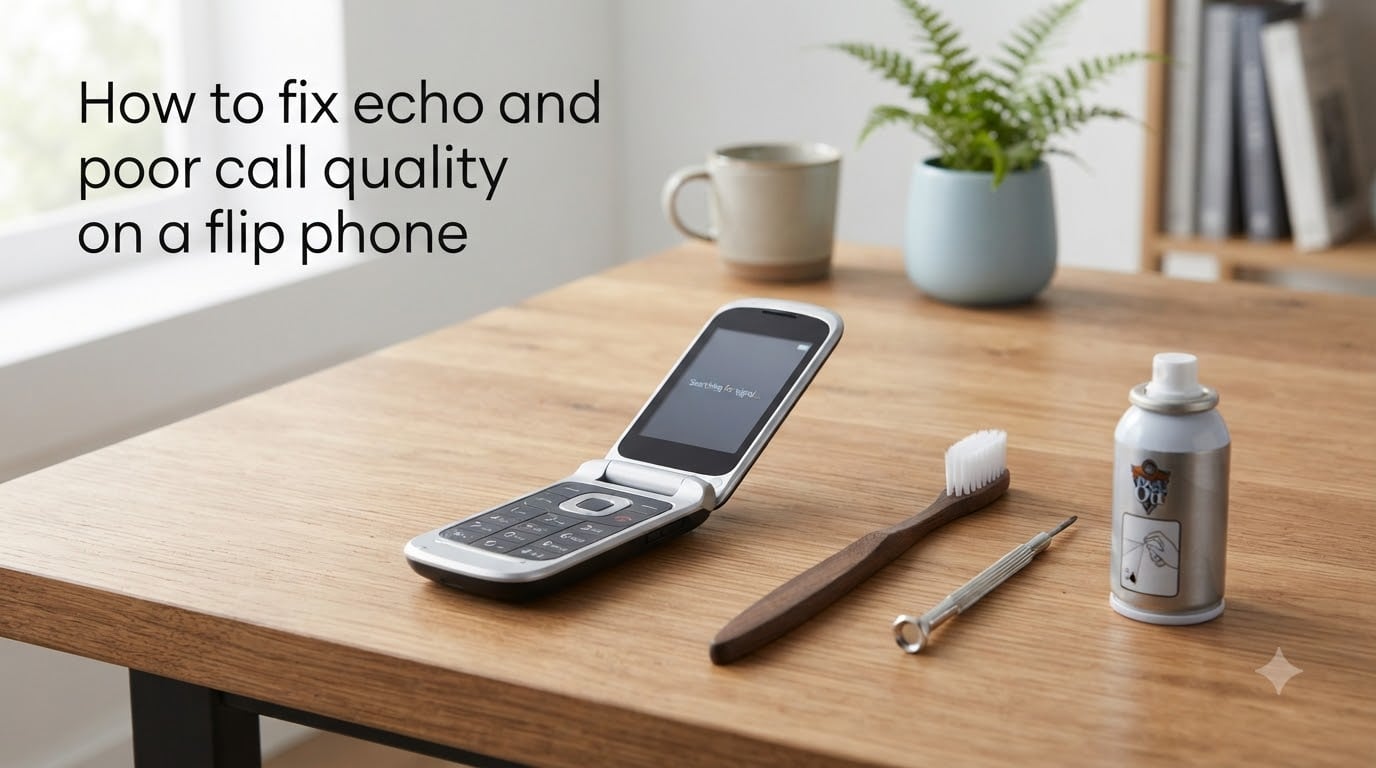
Flip phones are supposed to be simple. You open the lid, dial a number, and hear the person on the other end clearly. But when echo creeps into your calls or voices turn muffled and distorted, that simplicity vanishes fast.
If you are dealing with feedback loops, crackling earpiece audio, or callers complaining they hear their own voice bouncing back, you are not alone. I have helped dozens of flip phone owners troubleshoot these exact issues, and most of the fixes take less than five minutes.
This guide covers how to fix echo and poor call quality on a flip phone step by step. We will walk through hardware checks, software settings, network problems, and cleaning techniques that work for classic and modern flip phones alike.
By the end, you will know exactly what is causing your audio problems and how to solve them without paying for a repair you might not need.
Table of Contents
Understanding Echo and Poor Call Quality
Echo on a phone call happens when sound from the speaker gets picked up by the microphone and sent back to the caller. This creates a feedback loop where voices repeat with a slight delay. The technical term for this is acoustic feedback.
Poor call quality is broader. It covers muffled sound, static, volume drops, voice distortion, and choppy audio. These issues can come from hardware, software, your cellular network, or even the way you hold the phone.
One important distinction: sometimes only the other person hears the echo, not you. If callers say they hear their own voice reflected back, the problem is often on your phone’s end, even though your audio sounds fine to you.
Why Flip Phones Are Different From Smartphones?
Flip phones have a unique audio architecture that smartphones do not share. The clamshell design puts the earpiece at the top of the upper half and the microphone at the bottom of the lower half, creating a longer physical distance between them when the phone is open.
The hinge itself plays a role. Internal ribbon cables run through that hinge to connect the speaker, microphone, and display. Over years of opening and closing, those cables can fray or loosen, causing intermittent audio problems that get worse over time.
Many flip phones also use a single speaker for both earpiece audio and speakerphone mode. When that speaker degrades, every type of call suffers. Older models may lack the echo cancellation and noise suppression chips found in modern smartphones, making them more vulnerable to feedback.
Common Causes of Echo on a Flip Phone
Before jumping into fixes, it helps to understand what is actually causing your audio problems. Here are the most common culprits I see on flip phones.
Hardware Causes
Dirt, dust, and pocket lint are the number one cause of muffled audio on flip phones. The small speaker grilles and microphone holes fill up quickly because they sit exposed when the phone is closed. Even a thin film of debris can muffle sound significantly.
Speaker volume set too high causes the microphone to pick up the earpiece output, creating echo for the other caller. This is especially common on flip phones with powerful external speakers.
Physical damage from drops can crack the speaker cone or dislodge the microphone. The hinge mechanism wearing out over time can pinch or disconnect internal audio cables.
Software and Settings Causes
Certain audio enhancement features, like noise suppression or voice clarity modes, can backfire and create echo on some flip phone models. These features are designed to help but sometimes interfere with older network configurations.
Bluetooth connections to headsets or car systems are a frequent echo source. If a paired device stays connected while you use the handset, audio routing conflicts can produce feedback.
Outdated firmware or a corrupted software update can break echo cancellation algorithms. A phone that worked fine for months may suddenly develop echo after a carrier settings push.
Network and Environmental Causes
Weak cellular signal forces your phone to work harder, which can introduce audio artifacts and delay that mimic echo. Dead zones and areas with heavy network congestion make the problem worse.
WiFi calling is a known echo trigger. Many flip phone users on Xfinity, T-Mobile, and other carriers report that WiFi calling produces echo or one-way audio on certain routers.
Lastly, the echo might not be your fault at all. The person you are calling may have their speakerphone on too loud, and their phone is feeding your voice back to you through their microphone.
How to Fix Echo and Poor Call Quality on a Flip Phone?
Work through these steps in order. Each one takes only a minute or two, and most echo problems are solved within the first few fixes.
Step 1: Lower the Speaker Volume
This is the fastest fix and works more often than people expect. Turn your earpiece volume down by one or two notches during a call. If the volume is high enough that sound leaks from the earpiece toward the microphone, lowering it breaks the feedback loop instantly.
Ask the other person if the echo disappears. If it does, you have found your problem.
Step 2: Turn Off Speakerphone
Speakerphone mode is the most common echo source on any phone. The external speaker output gets picked up by the microphone because they are only inches apart on a flip phone. Switch back to the earpiece and see if the echo stops.
If you need speakerphone, keep the volume moderate and avoid holding the phone flat against a table where sound reflects back into the mic.
Step 3: Disable Bluetooth
Turn off Bluetooth entirely and make a test call. If the echo vanishes, a paired headset, car audio system, or smartwatch was interfering with audio routing. You can re-pair devices one at a time to identify the culprit.
Step 4: Toggle Noise Suppression and Voice Clarity
Open your phone’s call settings and look for options like Noise Suppression, Voice Clarity, HD Voice, or Clear Calling. Try toggling each one off and making a test call. Some flip phones produce echo when these enhancements conflict with your carrier’s network settings.
If turning a feature off fixes the echo, leave it off. These settings vary by manufacturer, so check your manual if you cannot find them.
Step 5: Check for Case or Accessory Interference
Remove any carrying case, skin, or sticker from your flip phone. Bulky cases can block the microphone port or redirect speaker sound toward the mic. Many forum users on Reddit’s dumbphones and Galaxy Z Flip communities traced their echo problems to a tight-fitting case.
Step 6: Restart the Phone
A simple power cycle clears temporary software glitches that affect audio processing. Turn the phone fully off, wait ten seconds, and turn it back on. This resets the audio stack and often fixes echo that appeared after extended use.
Step 7: Test on a Different Network Mode
If your flip phone supports both 4G LTE and 3G, try switching between them in your network settings. Some areas have stronger 3G voice infrastructure than VoLTE, or vice versa. Echo caused by network latency often disappears when you switch modes.
Also try disabling WiFi calling if it is enabled. WiFi calling is a well-documented echo trigger, particularly on Xfinity and certain router configurations.
Step 8: Reset Network Settings
If nothing else works, reset your network settings. This clears saved WiFi networks, Bluetooth pairings, and cellular preferences without deleting your contacts or photos. After the reset, your phone reconnects to the carrier with fresh settings, which can resolve deep network-level echo issues.
Find this option in Settings under Backup and Reset or System, depending on your phone.
Cleaning Your Flip Phone Speaker and Microphone
If the audio sounds muffled, crackly, or quiet even with volume maxed out, dirt is the likely cause. Cleaning the speaker and microphone grilles is the single most effective maintenance task for flip phone audio quality.
What You Need
Gather a soft-bristled toothbrush, a wooden toothpick, compressed air, and a microfiber cloth. Do not use metal pins or needles, which can puncture the speaker membrane.
Cleaning Steps
Step 1: Power off the phone completely. This prevents accidental button presses and protects the speaker from electrical interference.
Step 2: Open the flip phone. Use the soft toothbrush to gently sweep the earpiece grille at the top of the upper half. Brush in one direction to lift lint out rather than pushing it deeper.
Step 3: Locate the microphone hole, usually at the bottom edge of the lower half. Use a wooden toothpick to carefully tease out any compacted debris. Do not push the toothpick far inside.
Step 4: Apply short bursts of compressed air to both the speaker grille and microphone hole. Hold the can upright to avoid spraying liquid propellant.
Step 5: Wipe the entire phone exterior with a dry microfiber cloth. Pay attention to the hinge area, where grime accumulates and can affect how tightly the phone closes.
Step 6: Power the phone back on and make a test call. You should notice clearer, louder audio immediately.
Network and Signal Solutions
If your troubleshooting points to a network issue rather than hardware, there are several steps you can take to improve signal quality and reduce echo.
Move to a different location during calls. Building materials like concrete, metal roofing, and energy-efficient windows block cellular signals. Stepping near a window or going outside can resolve echo caused by weak signal.
Toggle Airplane Mode on for ten seconds, then turn it off. This forces your phone to reconnect to the nearest tower with a fresh signal, which can clear network-level audio artifacts.
Contact your carrier if echo persists across multiple locations. Carriers can refresh your line on their end, push updated carrier settings, or identify tower issues in your area. Some carriers can also disable HD Voice or VoLTE on your account if those features are causing problems with older flip phone hardware.
If you use WiFi calling, try a different WiFi network or connect directly to your router with a stronger signal. Outdated router firmware is a hidden cause of WiFi calling echo.
When to Repair vs Replace Your Flip Phone?
Not every audio problem can be fixed at home. Here is how to tell whether your flip phone needs professional repair or a replacement.
Signs You Need a Repair
If audio works perfectly through a wired or Bluetooth headset but sounds terrible through the earpiece speaker, the speaker itself is likely damaged. This is a replaceable part that a repair shop can swap for a reasonable cost.
If the echo or distortion only happens when the phone is open at certain angles, the hinge ribbon cable is probably fraying. This gets worse over time and requires professional service.
Signs You Should Replace
If your flip phone is more than four or five years old and has multiple issues, such as poor audio, a fading battery, and a loose hinge, replacement is more cost-effective than repair.
If you have tried every troubleshooting step in this guide and the echo persists across all calls, locations, and network modes, the phone’s audio processing chip may be failing. At that point, a new phone is the practical choice.
Modern flip phones from TCL, NUU, and other budget brands offer improved echo cancellation and noise reduction while keeping the clamshell form factor. If you depend on a flip phone design, upgrading does not mean giving up the form you prefer.
Preventing Future Audio Problems
A few simple habits keep your flip phone audio clean and clear for years.
Clean the speaker and microphone grilles once a month using the steps above. Pocket lint builds up faster than most people realize.
Avoid storing your flip phone in dusty pockets or bags without a basic sleeve. You do not need a heavy case, but a thin fabric pouch keeps debris out of the grilles.
Keep volume at a moderate level. Maxed-out volume causes feedback and also wears out the speaker faster over time.
Install carrier and manufacturer updates when they arrive. These often include audio quality fixes and echo cancellation improvements.
FAQs
How to fix echoing on phone calls?
Lower the speaker volume by one or two notches, turn off speakerphone, disable Bluetooth, and toggle off noise suppression features. If the echo persists, restart the phone and reset network settings. Echo is usually caused by acoustic feedback where the speaker output is picked up by the microphone.
What causes your cell phone to have an echo?
Echo is caused by acoustic feedback, where sound from the phone speaker is picked up by the microphone and transmitted back to the caller. Other causes include speaker volume set too high, Bluetooth interference, WiFi calling issues, weak cellular signal, outdated firmware, and dirt blocking the microphone or speaker grille.
How to fix muffled phone calls?
Clean the earpiece speaker grille and microphone hole using a soft toothbrush, wooden toothpick, and compressed air. Dirt and pocket lint are the most common cause of muffled audio on flip phones. Remove any case that might block the microphone, and check that the volume is not accidentally set low.
Is my phone tapped if it echoes?
No, echo on phone calls is almost never a sign of tapping. Echo is a common audio issue caused by acoustic feedback, network latency, hardware problems, or software settings. Phone tapping does not produce echo as a symptom. If you are concerned about security, contact your carrier, but echo alone is not evidence of surveillance.
How do I improve flip phone call quality?
Keep the speaker and microphone clean, use moderate volume, disable problematic audio enhancement features, maintain a strong cellular signal, and keep your firmware updated. Avoid using speakerphone in echo-prone environments, and periodically toggle Airplane Mode to refresh your network connection.
Conclusion
Knowing how to fix echo and poor call quality on a flip phone comes down to isolating the cause. Start with the quick wins, lower your volume, turn off speakerphone, disable Bluetooth, and toggle audio enhancement settings. Then clean your speaker and microphone grilles, which solves muffled audio more often than any other fix.
If hardware damage or hinge wear is the root of the problem, weigh the cost of repair against picking up a newer flip phone with better built-in echo cancellation. Either way, you now have a clear path from garbled calls back to the clean, simple audio that flip phones are supposed to deliver.