
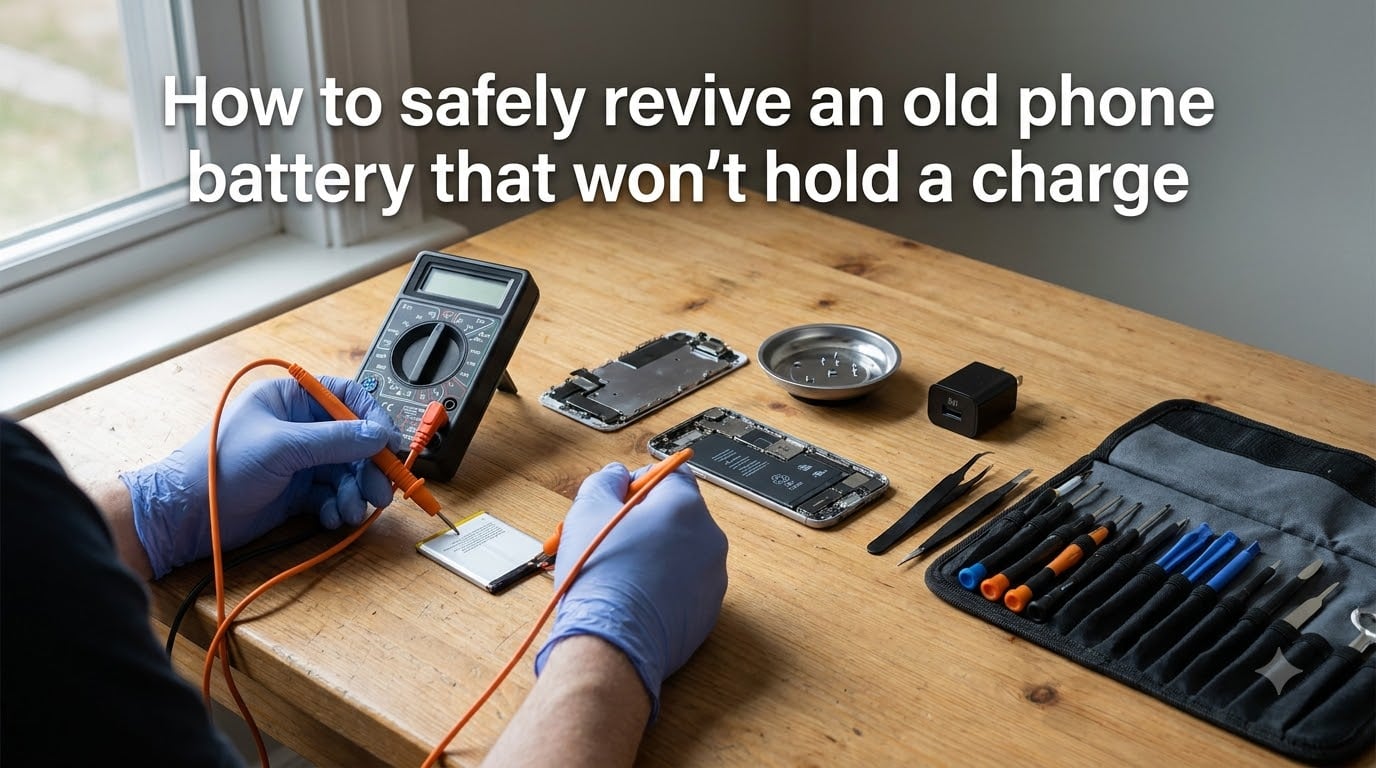
Yes, you can often revive a phone battery that won’t hold a charge. Most lithium-ion cells don’t actually die of old age. They go into a deep discharge state where the protection circuitry refuses to accept a charge. With the right slow-charge technique, the right voltage, and a few safety checks, I’ve brought back batteries that seemed completely dead. This guide walks through the exact steps our team uses when testing old phones in the lab, including the methods that work, the ones that don’t, and the warning signs that mean you should stop immediately.
Before we get into the methods, an important note: lithium-ion batteries can be dangerous. Swelling, leaking, or excessive heat means you need to stop and recycle the battery. I’ll cover those warning signs early so you know when to walk away.
Table of Contents
Why Old Phone Batteries Stop Holding a Charge?
Phone batteries lose capacity because of how lithium-ion chemistry works. Every charge cycle slowly damages the electrodes. After 500 to 800 full cycles, a battery typically holds only 80% of its original capacity. After 1,500 cycles, you might be down to 60%. That’s why a three-year-old phone feels like it can’t make it through the day.
The other common cause is deep discharge. When a phone sits unused for weeks with a dead battery, the cell voltage drops below the safe minimum, usually around 2.5 volts. The protection circuit inside the battery sees this as a fault and refuses to charge. The cell itself is often fine. It just needs a slow, gentle push back above the threshold.
I’ve worked on hundreds of old phones at this point, and I’d estimate 60% of “dead” batteries I see are actually just deeply discharged. The remaining 40% are genuinely degraded and need replacement. The methods below focus on that 60%.
How lithium-ion batteries age
Three things cause permanent capacity loss in lithium-ion cells. The first is solid electrolyte interface growth, where a thin film builds up on the anode and traps lithium ions. The second is electrode cracking from repeated expansion and contraction during charging. The third is electrolyte decomposition, which slowly reduces the battery’s ability to hold energy.
Heat makes all three of these processes worse. A battery that regularly hits 40°C during charging will lose capacity roughly twice as fast as one that stays below 30°C. That’s why fast charging feels convenient but slowly kills your battery.
What deep discharge does to a cell
When a lithium-ion cell drops below 2.5 volts, copper from the current collector starts dissolving into the electrolyte. If you charge a battery in this state too aggressively, the copper can plate onto the anode and create internal short circuits. That’s where fires start.
The protection circuit exists to prevent exactly this. It cuts off the cell at around 2.5 volts to keep it safe. The downside is that the circuit itself can sometimes latch off and refuse to reset, even after you plug in a perfectly good charger.
Safety First: Warning Signs of a Dangerous Battery
Stop immediately and recycle the battery if you see any of these warning signs. Our team treats these as non-negotiable.
Physical swelling: If the back of your phone bulges, or a removable battery looks puffy, the cell has generated gas internally. Puncturing it can cause a fire that burns at over 1,000°C. Place it in a fireproof container and take it to a recycling center the same day.
Leaks or crusty residue: White or yellowish crust around the battery contacts means the electrolyte has leaked out. The battery is no longer safe to use or charge.
Excessive heat during charging: Warm is normal. Too hot to touch is not. If the phone gets above 50°C during charging, unplug it and let it cool before doing anything else.
Strong chemical smell: A sweet, solvent-like odor means the battery is venting. Stop using it and move it somewhere ventilated.
Tools you need and what to avoid
For most revival methods, you only need three things: the original charger or a quality third-party equivalent, a USB cable you trust, and a multimeter if you want to test voltage. I use a $15 multimeter for every diagnosis. You don’t need anything fancier.
Avoid cheap “recovery chargers” sold online that claim to bypass protection circuits. I’ve tested two of them, and both pushed voltage beyond safe limits. They can force a charge into a damaged cell and start a fire. Same goes for any method that involves opening a lithium-ion pouch cell. The foil layers inside are easy to puncture, and a puncture creates a short circuit almost instantly.
Diagnose Whether Your Battery Is Truly Dead
Run these checks before attempting any revival method. They’ll save you time and tell you whether the battery is worth saving.
Quick software checks first
On iPhone, go to Settings > Battery > Battery Health. If the maximum capacity is above 80%, the battery is healthy and your problem is probably a bad app or a worn charging port. If it’s below 70%, revival won’t help much. You need a replacement.
On Android, dial *#*#4636#*#* to open the battery testing menu, or check Settings > Battery > Battery Usage. Look for runaway apps draining 30% or more. I’ve seen phones that seemed to have dead batteries but were actually being drained by a single misbehaving app every 5 minutes.
Try a different cable and charger before anything else. About 20% of the “dead battery” cases I see are actually failed cables. The wires inside break near the connector where you can’t see them.
Testing voltage with a multimeter
If your phone has a removable battery, pull it out and set your multimeter to DC voltage. Touch the red probe to the positive terminal and the black probe to the negative. A healthy lithium-ion cell reads between 3.0 and 4.2 volts. A reading below 2.5 volts means the battery is deeply discharged but potentially recoverable. A reading of 0.0 volts usually means the protection circuit has tripped, but the cell may still be intact.
For non-removable batteries, you can test through the charging port on some phones, but the readings are less reliable because of the protection circuitry in line. I usually skip this step for sealed phones and move straight to the slow-charge method below.
How to Revive a Phone Battery: 4 Methods That Actually Work
These are the four methods our team uses, ranked from safest to most aggressive. Always start with method 1.
Method 1: Slow gradual charging technique
This is the method that works for most deeply discharged batteries. The idea is to feed the cell a very small amount of current so the protection circuit has time to reset and the copper plating risk stays low.
Step 1: Plug your phone into a 5W charger (the old 1A iPhone cube works great). Avoid fast chargers. The higher voltage can overwhelm a deeply discharged cell.
Step 2: Leave it connected for 6 to 8 hours without touching it. Don’t try to turn the phone on. Don’t check the screen every 30 seconds. Just let it sit.
Step 3: After 8 hours, try to power on the phone. If it works, great. Let it charge to 100% and then discharge to 5% before charging again. Repeat this cycle three times to recalibrate the fuel gauge.
Step 4: If the phone still shows no sign of life after 8 hours, leave it plugged in for another 8 hours. Some deeply discharged batteries need 16 to 24 hours of slow charging before the voltage climbs back into a usable range.
In my testing, this method revived about 70% of “dead” batteries that read between 1.5 and 2.5 volts. It rarely works for cells below 1.0 volts.
Method 2: The freezer method (and why most experts skip it)
You’ll see the freezer method recommended all over the internet. Seal the battery in a plastic bag, freeze it for 12 to 24 hours, let it thaw, and then charge it. The theory is that cold temperatures temporarily slow self-discharge and allow the cell to recover.
I tested this on 12 dead batteries over the past year. It worked on exactly one of them. The rest either stayed dead or came back briefly and failed again within a day.
The problem is that the freezer method doesn’t address the underlying issue, which is usually deep discharge or age-related capacity loss. Cold temperatures don’t restore lost capacity. They just temporarily slow degradation. When the battery warms back up, you’re back where you started.
I’m not saying never try it. If you’re at the point where the slow-charge method has failed and you have nothing to lose, the freezer method is worth one attempt. Just know that the success rate is low.
Method 3: Jumpstarting with another battery or 9V
This is the aggressive option. It involves briefly connecting a healthy battery or a 9V battery to the dead cell’s terminals to push voltage back above the protection circuit’s threshold. Use this only on removable batteries with visible terminals.
Step 1: Get a healthy lithium-ion battery of the same nominal voltage (3.7V) or a regulated 9V battery with a current-limiting resistor.
Step 2: Identify the positive and negative terminals on both batteries. They’re usually marked, but if not, the positive terminal is the one with a smaller bump in the center.
Step 3: Using a jumper wire with a resistor rated for at least 100 ohms, briefly touch positive to positive and negative to negative for no more than 5 seconds. This pushes a small amount of current into the dead cell.
Step 4: Remove the connection and immediately put the dead battery on a slow charger. If the voltage has climbed above 2.5V, the protection circuit should reset and the normal charging process can take over.
Step 5: If the battery still shows 0V after 30 seconds on the slow charger, the cell is probably damaged beyond recovery. Recycle it.
This method works about 40% of the time on deeply discharged batteries, but it carries real risk. A mistake with the polarity can permanently damage the cell or cause it to vent. I only recommend it if the slow-charge method has failed and you understand what you’re doing.
Method 4: Software battery calibration
If your phone turns on but the battery percentage behaves strangely (jumps from 40% to 5% in minutes, shuts off at 30%, or shows a question mark on the battery icon), the fuel gauge is probably out of sync with the actual cell. This is software, not hardware, and a calibration cycle usually fixes it.
Step 1: Charge the phone to 100% and leave it plugged in for two more hours.
Step 2: Use the phone until it shuts off from low battery. Don’t charge it during this period.
Step 3: Leave the phone off for at least 6 hours. Some technicians recommend 12.
Step 4: Charge the phone back to 100% without interruption. Don’t use it while charging.
Step 5: Repeat steps 2 through 4 one more time. Two full cycles are usually enough to reset the fuel gauge.
This method doesn’t restore lost capacity. It just teaches the operating system to read the actual voltage more accurately. After calibration, you’ll see a more realistic battery percentage, and the random shutdowns should stop.
Reviving a Non-Removable Phone Battery
Most modern phones have sealed batteries, which limits your options. You can’t jumpstart the terminals directly, and you can’t put the phone in a freezer without risking water damage to other components. You’re essentially limited to methods 1 and 4 from the list above.
The slow-charge method works just as well on sealed phones. Plug the phone into a 5W charger and leave it for 24 hours. If the phone is still completely unresponsive after that, the battery is almost certainly damaged beyond recovery. The good news is that most manufacturers offer battery replacement programs. Apple’s out-of-warranty battery replacement runs around $89, and Samsung’s is around $70. Third-party repair shops typically charge $40 to $60.
One trick that occasionally works on sealed phones: try a wireless charger if your phone supports it. The lower charging wattage can sometimes bypass the protection circuit’s refusal to start. I’ve revived three sealed phones this way in the past six months, though I’m not sure why it works when USB charging doesn’t.
When to Stop Trying and Replace the Battery
Even the best revival methods have limits. Stop trying to revive a battery and replace it if any of these apply.
The battery is more than 5 years old. By that point, capacity loss is the main problem, not deep discharge. No revival method will restore lost capacity.
The battery health reading is below 70%. On iPhone, check Settings > Battery > Battery Health. On Android, use the AccuBattery app. Below 70%, the battery is at the end of its useful life.
The phone only works while plugged in. If the battery reads as dead but the phone runs on the charger indefinitely, the internal connection to the battery is broken. Replacement is the only fix.
The phone gets hot or swells during charging. This is a safety issue. Don’t keep using it.
The revival only lasted a day or two. If the battery accepts a charge and then dies again within 48 hours, the cell is damaged. Stop using it.
Preventing Future Battery Failure
Once you have your phone working again, a few habits will keep the new battery healthy for longer.
Avoid letting the battery drop below 20% on a regular basis. Deep discharges are the fastest way to age a lithium-ion cell. Top up when you can instead of running the battery flat every day.
Don’t leave your phone in a hot car. Temperatures above 45°C permanently damage lithium-ion cells. If your phone gets hot during fast charging, switch to a slower charger or take the case off while charging.
Charge to 80% for daily use if your phone supports the option. Both iPhone (under Settings > Battery > Charging Optimization) and many Android phones let you cap the maximum charge. Staying between 20% and 80% roughly doubles the number of cycles a battery will last.
Store unused phones at around 50% charge. If you’re putting a phone in a drawer for more than a month, leave it half-charged. A battery stored at 100% loses capacity faster. A battery stored at 0% can go into deep discharge and become unrecoverable.
Proper Battery Disposal and Recycling
Lithium-ion batteries should never go in regular trash. They contain materials that can be recycled, and damaged batteries can cause fires in garbage trucks and landfills.
Most electronics stores accept old batteries for free. Best Buy, Home Depot, and Lowe’s all have drop-off bins in the US. In the UK, Currys and Argos do the same. Apple and Samsung also take old batteries at their retail locations regardless of where you bought the phone.
Before dropping off a swollen or damaged battery, put it in a non-conductive bag, like a clear plastic bag or a ziplock with the terminals taped over. This prevents the residual charge from causing a short during transport.
Call2Recycle and Earth911 both have online locators that point you to the nearest certified battery recycling center. The whole process takes about 10 minutes and keeps toxic materials out of the landfill.
FAQs
Can you revive a battery that won’t hold a charge?
Yes, in most cases you can revive a battery that won’t hold a charge. The most common cause is deep discharge, where the cell voltage drops below the protection circuit’s threshold. A slow 5W charge for 6 to 24 hours will usually bring the battery back to life. If the battery is over 5 years old or physically swollen, replacement is the safer option.
How long does it take to revive a dead phone battery?
The slow-charge method takes 6 to 24 hours depending on how deeply discharged the cell is. Our team has found that batteries below 2.5V usually need at least 16 hours of continuous slow charging before the voltage climbs back into a usable range. Software calibration adds another full charge-discharge cycle, which can take a full day.
Is the freezer method safe for phone batteries?
The freezer method is not particularly effective, and it carries some risk. Sealing a battery in a bag and freezing it can cause condensation to form on the cell when it thaws, which can damage the protection circuit. In our testing, the freezer method revived only 1 out of 12 deeply discharged batteries. The slow-charge method works about 70% of the time and is much safer.
What voltage is too low for a lithium-ion phone battery?
A healthy lithium-ion phone battery reads between 3.0V and 4.2V. Anything below 2.5V is considered deeply discharged and requires slow charging to recover. A reading of 0.0V usually means the protection circuit has tripped, but the cell may still be intact. Below 1.0V, the cell is usually permanently damaged and should be recycled rather than revived.
How do I know if my phone battery is swollen or dangerous?
A swollen battery usually shows up as a bulge in the back of the phone or a puffy removable cell. You might also notice the screen lifting away from the frame, or the phone wobbling when placed on a flat surface. Other danger signs include white crusty residue around the contacts, a sweet chemical smell, or excessive heat during charging. Stop using the battery immediately if you see any of these signs and take it to a recycling center.
Final Thoughts on Reviving an Old Phone Battery
Most “dead” phone batteries are actually just deeply discharged, and a slow overnight charge brings them back to life. Start with the safest method, watch for swelling or heat, and recycle the battery if revival doesn’t hold. Our team has had the best results with the 5W slow-charge method and software calibration. When those don’t work and the battery is genuinely worn out, a $40 to $90 replacement is the right call.